10
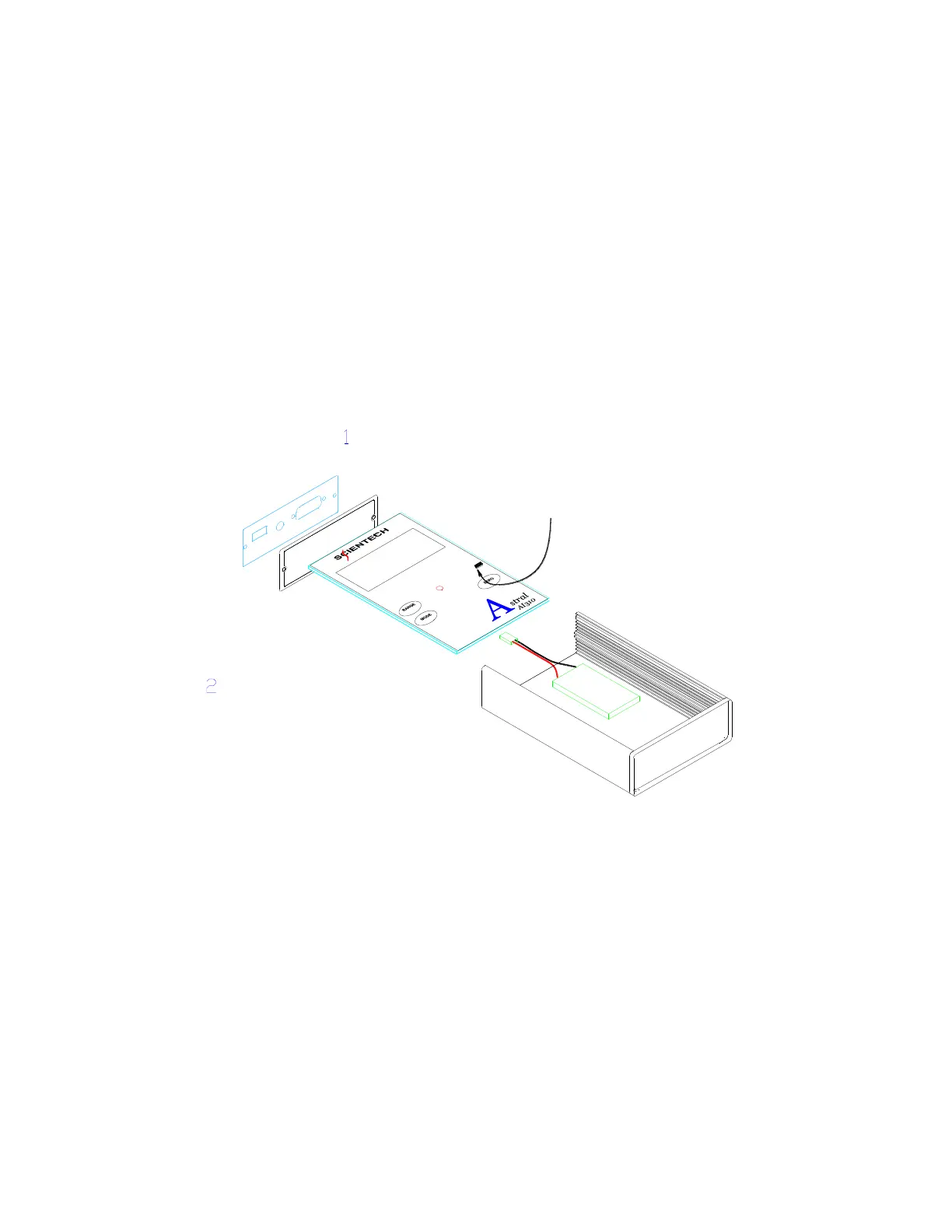
1. Remove the 2 screws holding the top panel to the case (see Figure 1)
2. Slide the front panel assembly out of the case.
3. Install the new battery to inside bottom of the case using double sided tape provided.
4. Replace front panel assembly and screws. Then charge the battery for 1 to 3 hours.
CAREFULLY START PCA ASSEMBLY
SLIDING INTO THE CASE. CONNECT
BATTERY AND FINISH SLIDEING THE
PCA ASSEMBLY IN THE CASE.ATTACH
BEZELS AND COVERS TO CASE USING
SCREWS PROVIDED. TIGHTEN.
INSTALL STANDOFFS TO CONNECTOR.
ATTACH OPTIONAL BATTERY TO
BOTTOM OF CASE WITH TAPE IN THE
LOCATION SHOWN.
BATTERY CONNECTOR ON
PC BOARD BACK SIDE
HERE.



 To Next Page