EasyManua.ls Logo

Scientific Atlanta WebSTAR DPC2100 User Manual

Scientific Atlanta WebSTAR DPC2100
26 pages
To Next Page IconTo Next Page
Page #1 background imageLoading...
Page #1 background image
1
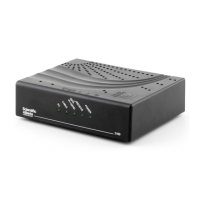
WebSTAR™ Model DPC 2100™ and EPC2100™
Cable Modem Users Guide
Introduction
Welcome to the exciting world of high-speed Internet access. Your new WebSTAR™ Cable Modem offers high-
end performance and unsurpassed reliability. With your new WebSTAR Cable Modem, your Internet enjoyment
and business productivity will surely soar.
This guide provides procedures and recommendations for placing, installing, configuring, operating, and
troubleshooting your WebSTAR Cable Modem.
Benefits and Features
Your WebSTAR Cable Modem offers the following outstanding benefits and
features:
Provides a high-speed broadband Internet connection that energizes your
online experience, and makes downloading and sharing files and photos with
your family and friends hassle free
Features Plug and Play operation for easy set up and installation
Includes both USB and Ethernet connections
Allows vertical or horizontal placement
Allows automatic software upgrades by your cable service provider
Ensures interoperability with most cable service providers by complying with
Data Over Cable System Interface Specifications (DOCSIS
®
)

Question and Answer IconNeed help?

Do you have a question about the Scientific Atlanta WebSTAR DPC2100 and is the answer not in the manual?

Scientific Atlanta WebSTAR DPC2100 Specifications

General IconGeneral
BrandScientific Atlanta
ModelWebSTAR DPC2100
CategoryModem
LanguageEnglish

Summary

Introduction

Benefits and Features

Lists the outstanding benefits and features of the WebSTAR Cable Modem.

Important Rules for Safe Operation

Overloading

Object and Liquid Entry

Lightning and Power Surges

Servicing

Power Cord Protection

Power Sources

Grounding

Damage that Requires Service

What's In the Carton?

Front Panel Description

Back Panel Description

Where Is the Best Location for My Cable Modem?

What Are the System Requirements for Internet Service?

How Do I Set Up My High-Speed Internet Access Account?

How Do I Connect My Devices to Use the Internet?

How Do I Configure TCP/IP Protocol?

How Do I Install USB Drivers?

Having Difficulty?

Tips for Improved Performance

How Do I Renew the IP Address on My PC?

Front Panel Status Indicator Functions

Notices

FCC Compliance

For Information

Related product manuals