SPECIFICATIONS
SCIFIT Scientic Solutions For Fitness SCIFIT Scientic Solutions For Fitness SCIFIT
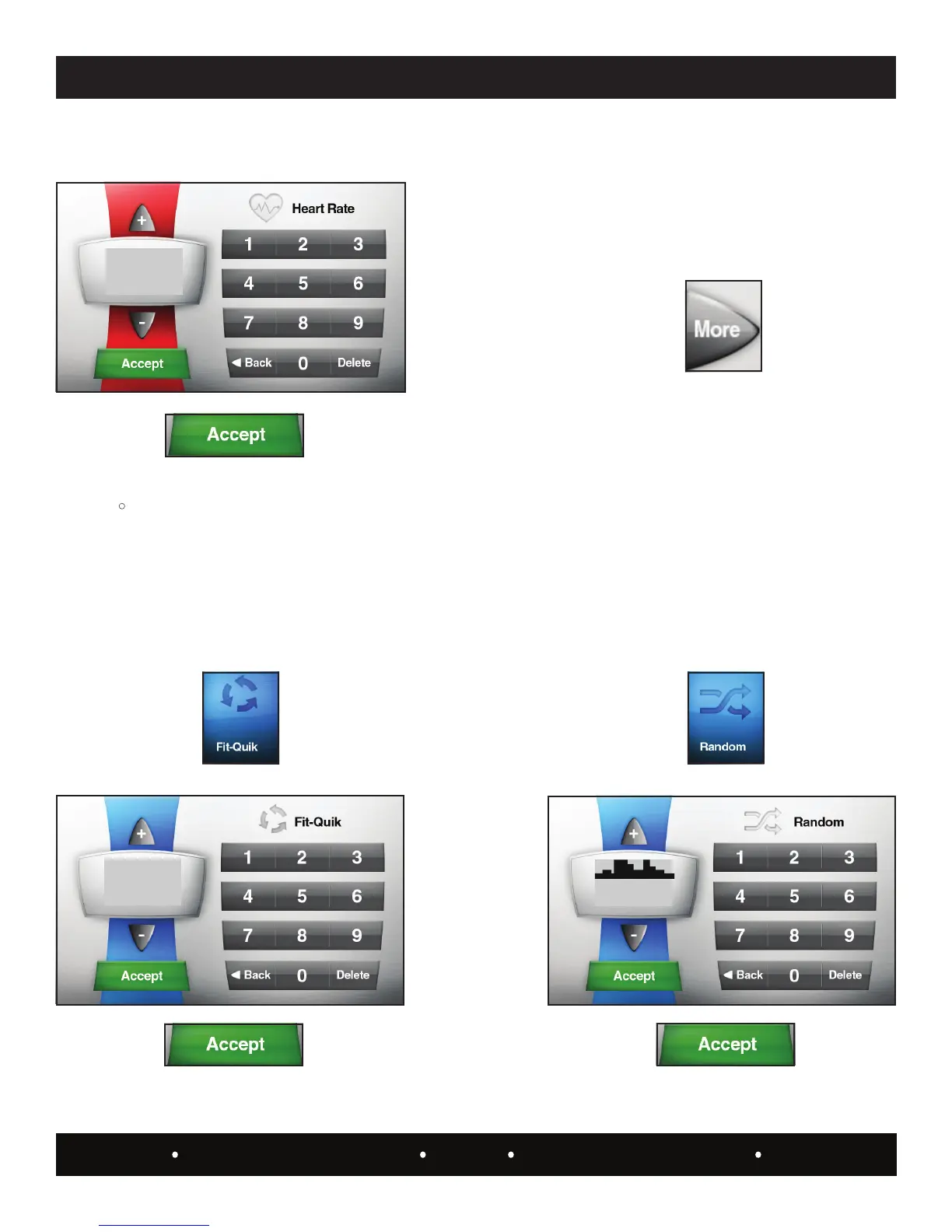
This program randomly displays different workout proles
each with its own level of difculty. The user only has to
choose the type of prole, length of workout time and the
level difculty.
Note: The highest column of the prole represents the
highest workout level you selected. Columns below it are
percentages of the level selected.
Enter the user weight:
Touch the
key.
and begin the workout.
Pressing this key will change the screen to show an
additional two more pre-programmed workout proles:
Random and Stress Test.
The following category is only seen when Manual, Hills or
Constant Work is selected in the “Set-up mode”.
Allows the user to select a two stage program of
cardiovascular work with ISO-strength (Isokinetic).
Work loads and time durations are preset within the Set-Up
mode.
R
Touch the key.
Enter the user weight:
Touch the
key.
and begin the workout.
Touch the
key.
Touch the key.
Select the course prole:
Touch the
key.


 To Next Page