128-7907A
14 of 32
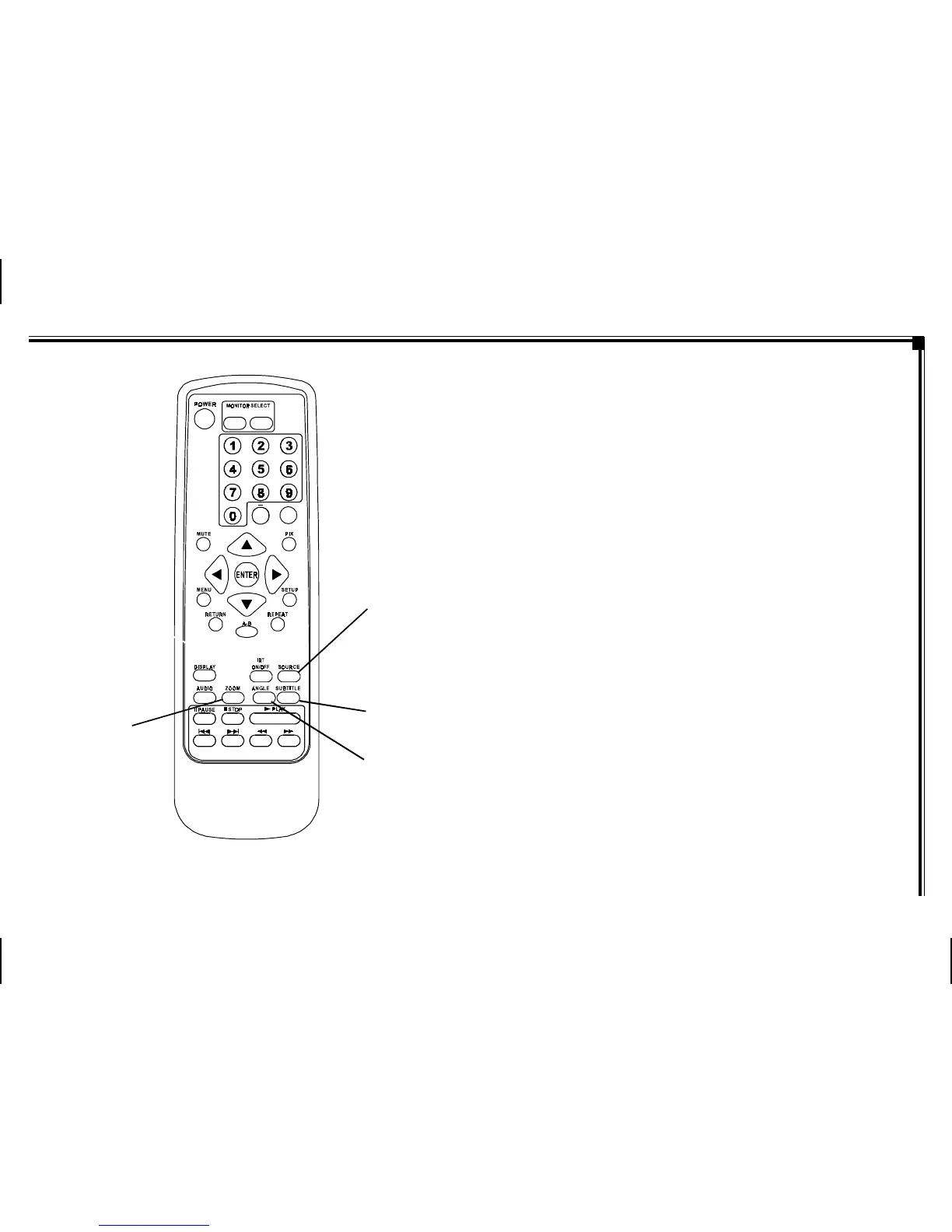
Figure 1c. Remote Control
12. SOURCE Button* – Press this button to select the
available sources. On the M1 monitor, the sources are
DVD, AV1, & AUX. On the M2 Monitor, the sources are
DVD, AV1, & AUX.
13. SUBTITLE Button – Press to display and select the
subtitle language in DVD mode. Each time you press
the button, the subtitle language changes.
NOTE: The type and number of languages for subtitles vary
from disc to disc.
14. ANGLE Button – Press to display and select different
camera angles in DVD mode. Each time you press the
button, the angle changes.
NOTE: The numbers of angles vary from disc to disc. Not
all discs contain this option.
15. ZOOM Button – Press this button to enlarge the picture
when playing a DVD disc.
Press ZOOM button DVD Player Performs
Once Enlarge the picture 2 times of
the original size
Twice Enlarge the picture 3 times of
the original size
3 times Enlarge the picture 4 times of
the original size
4 times Picture is returned to original
size
-7-
12
13
15
M1M2
+
–
14



 To Next Page