128-7907A
18 of 32
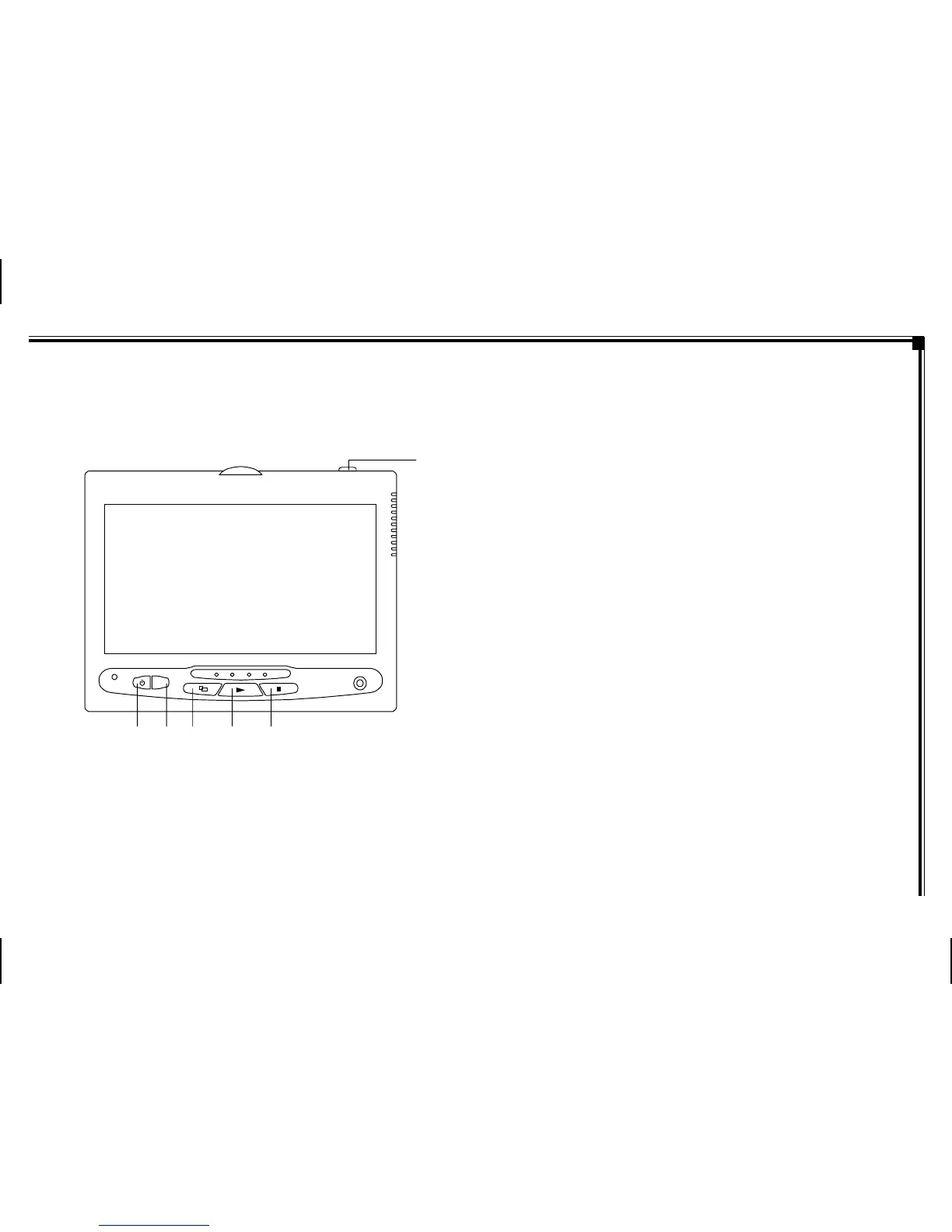
There are six (6) buttons on the M1 unit and M2 unit:
1. POWER Button – Press this button to turn the unit
ON/OFF.
2. SOURCE Button – Press this button to select between
DVD, AV1, and AUX.
3. SCREEN MODE Button – Press this button to select
between Wide (16:9), Normal (4:3) aspect ratio or screen
off (display OFF).
4. PLAY Button – Press this button to start playback.
5. STOP Button – Press this button to stop playback.
6. EJECT Button – Press this button to eject the disc.
OPERATION INSTRUCTIONS
Control Button Functions (M1/M2 Unit)
S
AUX
123 4 5
6
-11-
Figure 4. Monitor Button Functions



 To Next Page