128-7907A
16 of 32
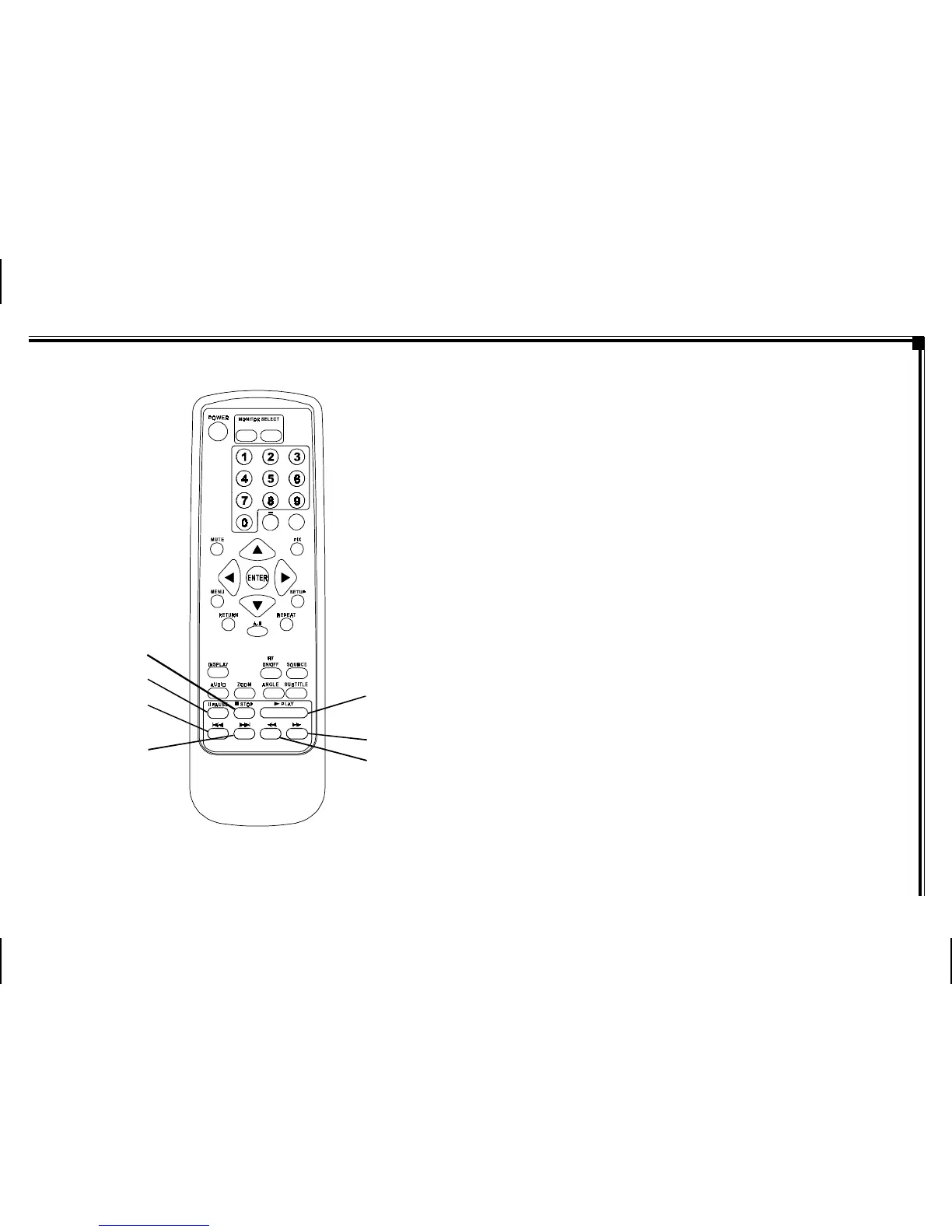
Figure 1e. Remote Control
19. PLAY () Button* – Press to activate the play mode
while a disc is loaded in the disc compartment.
20. SCAN FORWARD () Button – Press to search in a
forward direction. Press repeatedly to change the
search speed from 2, 4, 8, 16 times the normal
speed.
21. SCAN BACKWARD () Button – Press to search in
a backward direction. Press repeatedly to change the
search speed from 2, 4,8, 16 times the normal speed.
22. NEXT (l) Button – Press to skip to the next chapter,
track or song.
23. PREVIOUS (l) Button – Press to return to the
previous chapter, track or song.
24. PAUSE (II) Button – Allows the user to pause the
playback. Press the Play button to resume normal
playback.
25. STOP () Button* – Press to stop playback.
-9-
20
19
M1M2
+
–
21
20
19
21
22
23
24
25



 To Next Page