Setting the Ringer Volume
The ringer volume switch is located on the
rear of telephone. It is a slide switch with three
positions—OFF, LOW, and HI. Setting the switch
to OFF disables audible ringing. The LOW setting
is recommended for most users. The HI setting is
recommended if the telephone is installed in a
noisy location.
Speed-Dial Memory Key
Programming
1. Plug the telephone into an active telephone
line. This is required to program the speed-
dial memory keys.
2. Lift the handset, or press Speaker to take
telephone off-hook.
3. Press the [STORE] key.
4. Press the desired sequence of telephone
number keys, [FLASH] key or Redial/
Pause key as desired (up to a total of 32
keys). Note: The Redial/Pause key will
insert a 3.6 second pause into the dialed
sequence. If a 9 prefix (or any other digit)
is required to access an outside telephone
line, a pause may be required after the first
number dialed. For example: 9 Redial/
Pause 1-800-555-1212.
5. Press the [STORE] key.
6. Press the destination [MEMORY] key
(one of six available) to store the keyed
sequence into memory.
7. Optional: Press the [MEMORY] key and
verify that the programmed sequence is
automatically dialed.
Note: Speed-dial memory key contents are stored
in a non-volatile memory. An active telephone line
connection is not required to retain the contents
of the speed-dial key memory.
Flash Time Programming
The procedure is as follows: off-hook + [STORE]
key + 1 or 3 or 6 + [STORE] key + [FLASH]
key, here 1,3,6 respectively denotes 100 ms,
300ms, 600 ms of flash time.
Pause Time Programming
The procedure is as follows: off-hook + [STORE]
key + 1 or 2 or 3 or 4 + [STORE] key + [PAUSE]
key, here 1,2,3,4 respectively denotes 1 s, 2 s,
3 s, 4 s of pause time.
The procedure to cancel the code setting in
Speed-dial keys, [MSG] key, [FLASH] key,
[PAUSE] key and [HOLD] key is as follows: off-
hook + [STORE] key + [STORE] key + Speed-dial
keys, [MSG] key, [FLASH] key, [PAUSE] key or
[HOLD] key.
Speed-Dial Memory Key Labeling
(Optional)
1. Obtain a knife blade or similar pointed tool.
2. Press tool against side of speed-dial button.
3. Pry up to expose the paper underneath.
4. Write the name of the person that button is
assigned to.
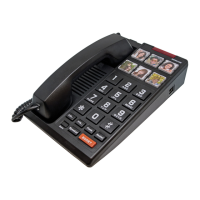
5. Alternatively, place a picture under the
plastic of the button for memory impaired.
Data Port
The DATA jack, located on the right side of the
telephone, provides a convenient extension of
the connected telephone line. This jack may be
used to connect a computer modem, credit card
terminal, or other similar accessory device directly
to the telephone line. Note that the telephone and
a connected accessory device are sharing the
connected telephone line and may not be used
6 www.scitecinc.com H3000 SERIES USER GUIDE


 To Next Page