8
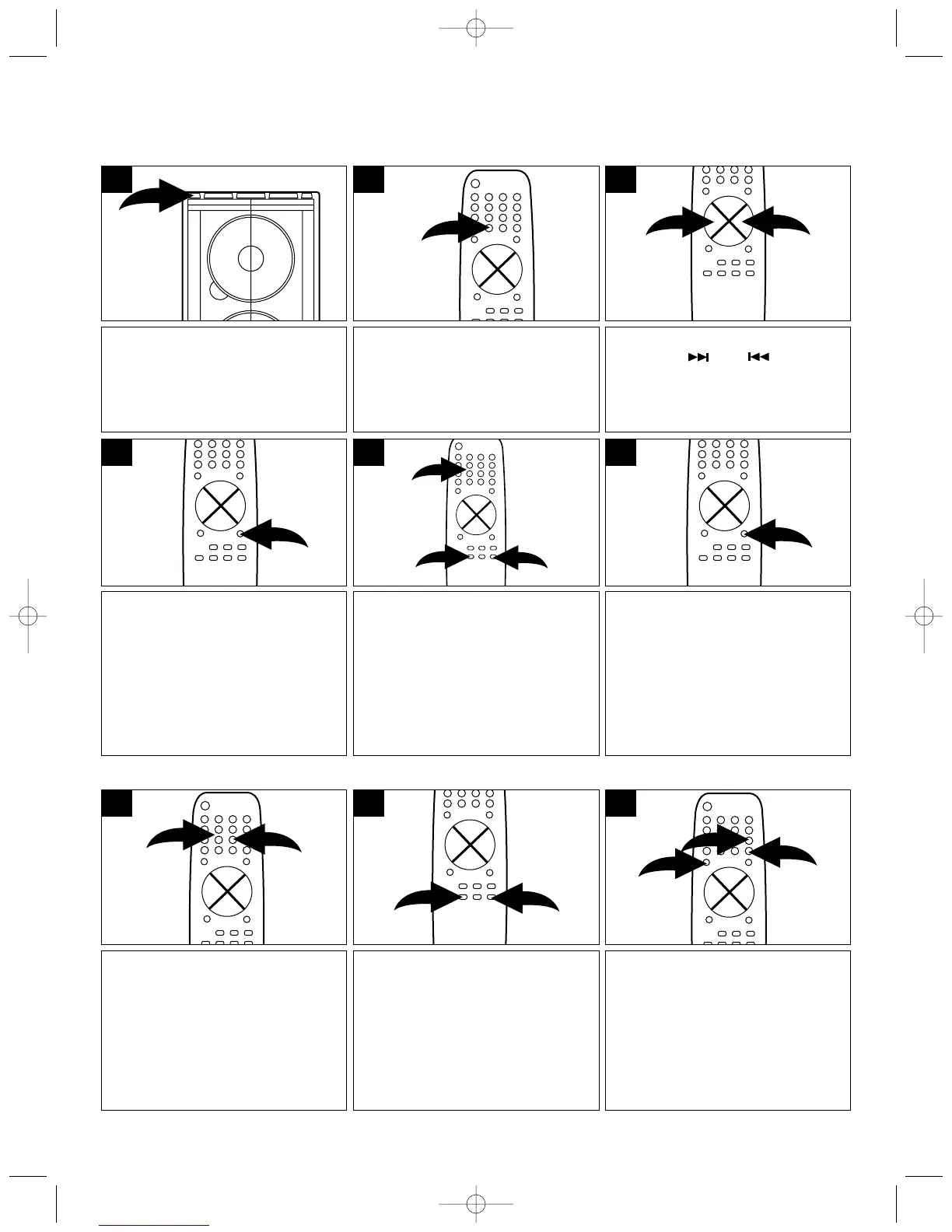
Press the POWER button; the
button color will change from red
to green which means the unit is
on.
1
Press the PROG/MEMORY button
on the remote.
4
Press the TUNING/SKIP/
SEARCH ( ) or ( ) button to
find the desired station.
3
Press the AM/FM Function button
to select the radio.
Press the
AM/FM button again to select AM
or FM.
2
Within 5 seconds, press the
RANDOM/MEM ▲❶/ REPEAT/
MEM ▼ button ❷ or the Number
buttons ❸ on the remote to select
the desired preset number.
2
1
3
5
Within 5 seconds, press the
PROG/MEMORY button again to
set the station in the selected
memory.
Repeat steps 4-6 to preset more
stations.
6
SETTING RADIO PRESETS
This unit can preset 20 AM and 20 FM radio stations for convenient recall.
Follow steps 1 and 2 above.
Press the Number buttons ❷ on
the remote to directly select a
preset. For example, to select
preset 15, press +10 button ❶ ,
followed by the 5 button ❷.
1
2
1
Adjust the VOLUME ❶ and Preset
Equalizer ❷ buttons as desired.
1
2
1
3
You can also use the
RANDOM/MEM ▲❶/ REPEAT/
MEM ▼ button ❷ on the remote
to cycle through the presets; the
station will automatically be
tuned in.
2
1
SMV300 O/M.QXD 6/21/01 7:46 AM Page 8



 To Next Page