CD/MP3/WMA Disc Operations
Press the button to select the disc mode.
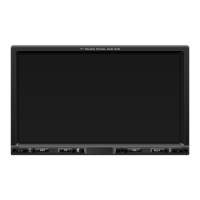
1. Press the ( ) button on the front panel to flip down the front panel and then insert a disc into the disc slot with the
printed side facing upward; and close the front panel, the player will play the disc automatically.
2.To eject the disc, press the ( ) button to open the front panel and then press the ( ) button.
- During playback, press the button to interrupt the playback. Press again to resume the playback.
- During playback, press and hold the ( ) button for 2 seconds to resume play at the beginning of the 1st track
of current disc.
MOD
OPEN
OPEN EJECT
PLAY/PAUSE
Loading/Removing a Disc
Playing/Pausing
Playing the previous/ next track
Playing forward and backward
Playing the +/- 10 track up or down
Introduction playback
- During playback, press the button to play the next track.
- During playback, press the button once to play the current track from the beginning. Press the button twice
continuously to play the previous track.
During playback, press and hold the or button to fast forward or fast reverse. Release the buttons when the desired
location is found, and normal playback starts.
During MP3/WMA playback, press the , button to play the +/- 10 track up or down.
You can play the beginning of every track for 10 seconds in sequence.
In CD/MP3/WMA file playback, briefly press the button to play the first 10 seconds of each track. Press it again to stop
scanning and play the currently track.
“SCN FOLD” (scan folder) will appear briefly.
5 (-10) 6 (+10)
-SCN
-SCNFor MP3/WMA files, press the button for longer than 2 seconds to play the first 10 seconds of each track in the current
folder.
GB-17



 To Next Page