EasyManua.ls Logo

Scotts TC70105S - User Manual

Scotts TC70105S
36 pages
Print Icon
To Next Page IconTo Next Page
Loading...
Model TC70105S
OWNERS MANUAL
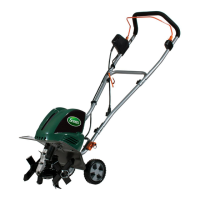
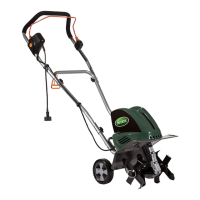
Tiller/Cultivator, 10.5 Amp
Copyright All Rights Reserved.
Thank you for your purchase.
DO NOT RETURN THIS PRODUCT TO THE STORE. OPERATING, ASSEMBLY,
PARTS, SERVICE QUESTIONS? GO TO SCOTTS.AMERICANLAWNMOWER.COM,
OR CALL 1-800-618-7474 BETWEEN 8:00AM-5:00PM EST FOR ASSISTANCE.
SAVE THIS MANUAL FOR FUTURE REFERENCE
This product has been engineered and manufactured to our high standard for dependability, ease of operation, and
operator safety. Properly cared for, it will give you years of rugged, trouble-free performance.
WARNING: To reduce the risk of injury, the user must read and understand the owners manual before
using this product.

Questions and Answers

  • E
    Elijah LeeJul 29, 2025
    What to do if my Scotts Tiller motor does not start?
    • T
      Timothy CarterJul 29, 2025
      If your Scotts Tiller motor isn't starting, there are several things you can check: * Ensure the unit is properly plugged in. * Verify the power supply is working. * Inspect the cable for damage, and repair or replace it if necessary. * Reduce the working depth. * Remove any blockages from the blades. * If the soil is too hard, select the correct work depth and move forward and backward several times while slowing down the operation speed. * Allow the motor to cool down for about 15 minutes before attempting to use it again. If the issue persists, arrange for a repair.
  • K
    kelly00Aug 4, 2025
    Why is my Scotts TC70105S making abnormal noises?
    • D
      Dr. Anthony MyersAug 4, 2025
      Abnormal noises from your Scotts Tiller can be caused by a few issues. First, switch off the tiller, wait until the tines come to a complete stop and check if a blade is jammed and remove any jammed objects. Also, check if bolts, nuts or other components are loose and tighten them. If the noises continue, arrange for a repair.
  • A
    Adrienne BatesAug 12, 2025
    What causes abnormal vibrations in my Scotts Tiller?
    • M
      Ms. Erika MurilloAug 12, 2025
      Abnormal vibrations in your Scotts Tiller can stem from damaged or worn blades, so replace them. Another potential cause is an incorrect working depth; set it to the correct depth.
  • W
    wchristianAug 19, 2025
    How to fix poor results with my Scotts TC70105S?
    • K
      Kelly YoungAug 19, 2025
      Poor results with your Scotts Tiller can be due to a working depth that is too small; set it to the correct working depth. Also, worn blades can cause this issue, so replace them.

Summary

Important Safety Warnings and General Safety

General Safety Precautions

Essential safety guidelines for operating the tiller/cultivator to prevent injury and ensure safe use.

Electrical Safety and Extension Cords

Guidelines for safe electrical connections, extension cord selection, and GFCI protection.

Safe Operation and Handling

Instructions for safe handling, operation, and disconnecting the appliance.

Maintenance and Operational Safety

Safety advice for unit maintenance, checking parts, and operational warnings.

Product Specifications

Assembly Instructions

Adjustable Tine Assembly

Instructions for changing the tine configuration from four to two tines and vice versa.

Operating the Tiller;Cultivator

Starting and Operation

Steps for starting the tiller and safely operating it, including tilling patterns.

Clearing Foreign Objects

Procedure for safely removing lodged objects or tangled debris from the tines.

Maintenance and Lubrication

Storage and Troubleshooting

Parts and Service Information

Warranty Policy

Scotts TC70105S Specifications

General IconGeneral
BrandScotts
ModelTC70105S
CategoryTiller
LanguageEnglish

Related product manuals