SCS - 926 JR Industrial Drive, Sanford, NC 27332
East: (919) 718-0000 | West: (909) 627-9634 • Website: StaticControl.com
TB-9091 Page 6 of 8
© 2019 DESCO INDUSTRIES INC
Employee Owned
Maintenance
The Resistance Pro Meter requires little maintenance.
There are no user serviceable parts. If the meter
requires service beyond cleaning the electrodes or
replacing the batteries, please contact SCS Customer
Service.
Battery Replacement
Replace the batteries once the battery life indictator
is empty. Open the compartment located on the back
of the meter to replace the batteries. The meter uses
four AA alkaline batteries. Ensure that the batteries’
polarities are oriented in the correct fashion to avoid any
possible circuit damage.
Cleaning the Resistance Pro Meter
The area surrounding the test jacks at the top end of the
meter should be wiped with a clean, isopropanol-alcohol
moistened cloth to remove skin oils that will accumulate
and affect the meter’s accuracy at high resistances.
The frequency of cleaning will depend on usage. SCS
recommends cleaning this area once a month. Cable
jackets should also be cleaned in this fashion.
Cleaning the 5 lbs. Electrodes
Per ANSI/ESD S4.1 “Clean the electrodes with a
minimum 70% isopropanol-water solution. Make sure
the 5 pound electrodes’ conductive pads are dry prior to
use.”
See specific product test standards for test lab
specimen cleaning instructions. Per ANSI/ESD S4.1
Worksurfaces “The test specimens and electrodes
shall be cleaned twice with a minimum 70%
isopropanol-water solution using a clean, low-linting
cloth each time.” (Note: The item should then be
conditioned for 72 hours minimum)
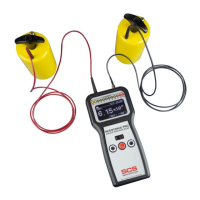
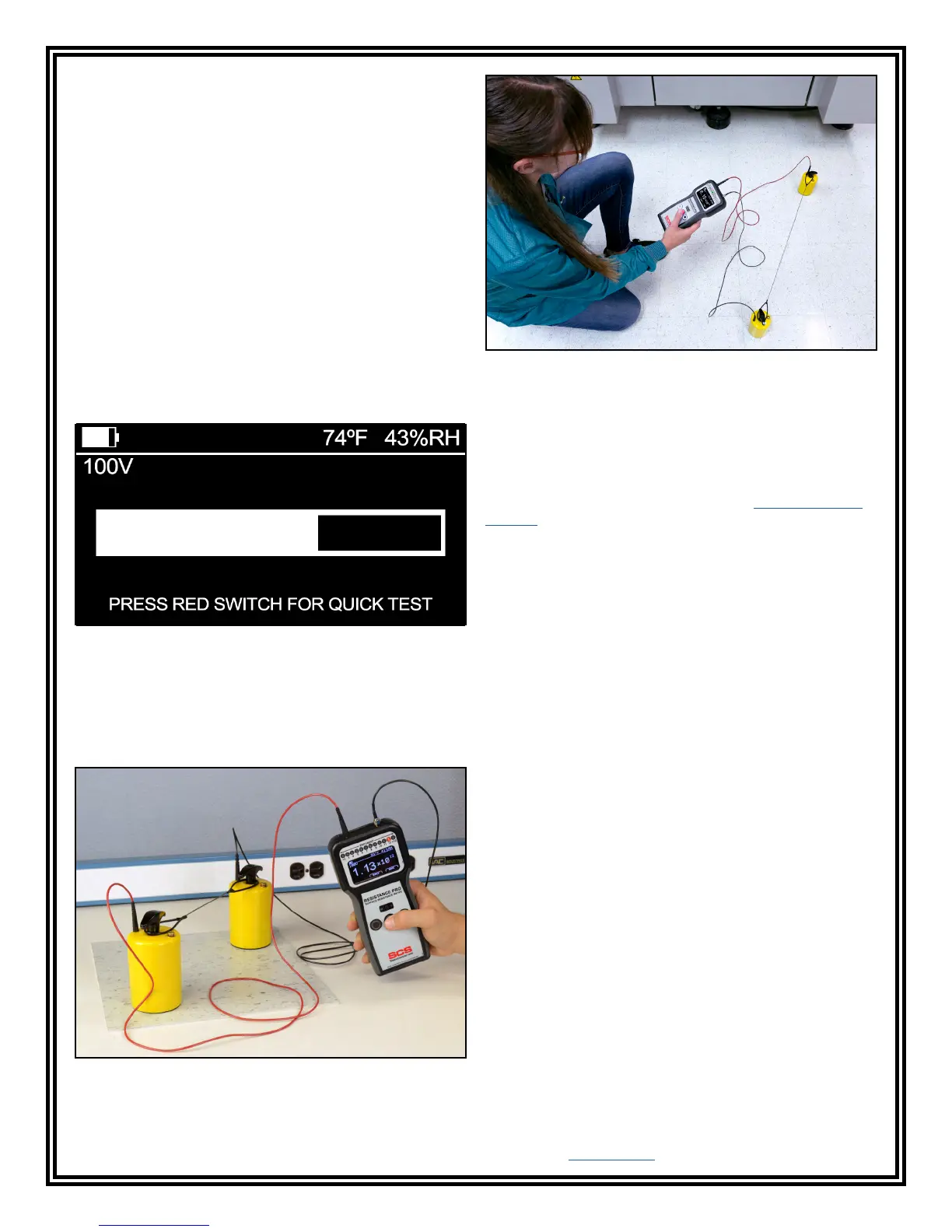
Figure 13. Measuring the Resistance Point-to-Point (Rtt)
of oor materials
Measure Resistance Point-to-Point (Rtt) on the
Surface
1. Do not clean the surface.
2. Remove from the surface only those items that
might interfere with the test. ESD sensitive devices
shall also be removed.
3. Connect both test leads to both 5-pound electrodes,
and place the electrodes on the most commonly
used area of the surface. Use the 10" electrode
spacer to space them 10" apart from each other.
The electrodes should also be 2" away from any
edge and 3" away from any grounded point. If the
most used area is not obvious, use two points near
the center of the surface.
4. Push the red pushbutton to perform a measurement.
Should the 15-second electrification period appear,
it may be bypassed by pushing the red pushbutton
a second time.
Figure 12. Electrication period timer
5. Push the right black pushbutton to save the
measurement if desired.
6. Perform additional measurements by placing the
electrode on the most commonly used or worn area.
Figure 12. Measuring the Resistance Point-to-Point (Rtt)
of a oor tile


 To Next Page
 Loading...