SCS - 926 JR Industrial Drive, Sanford, NC 27332
East: (919) 718-0000 | West: (909) 627-9634 • Website: StaticControl.com
TB-9091 Page 3 of 8
© 2019 DESCO INDUSTRIES INC
Employee Owned
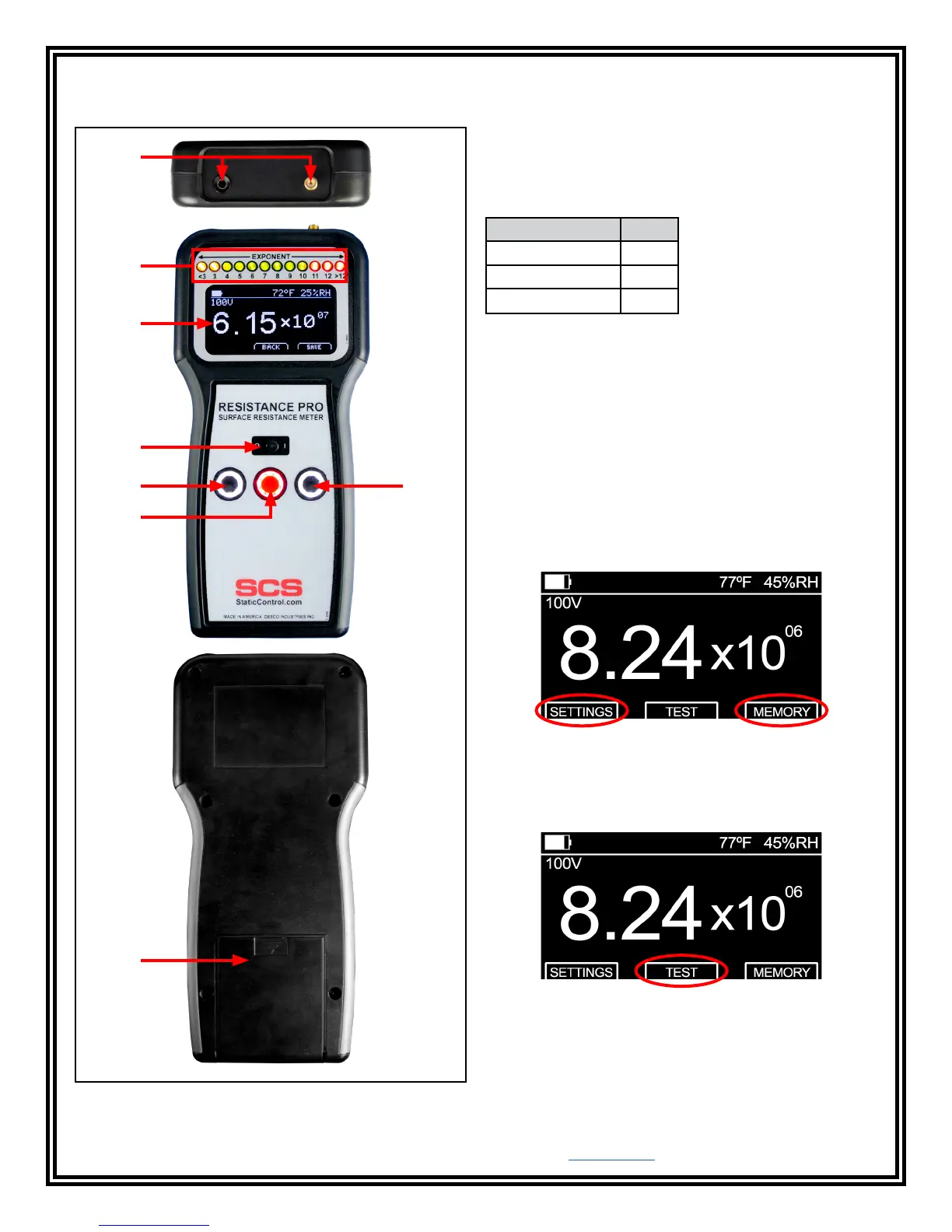
Features and Components
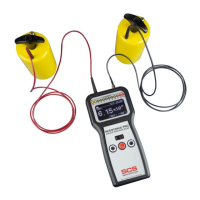
Resistance Pro Meter
A. Test Jacks: The shielded black test lead’s male
SMA connector connects into the meter's female SMA
connector, and the red test lead’s banana plug connects
into the meter's banana jack.
B. Exponent LEDs: These LEDs indicate the surface
resistance exponent value. They are color coded for
resistance decade quick checks.
Exponent Color
<3, 3 Yellow
4, 5, 6, 7, 8, 9, 10 Green
11, 12, >12 Red
(i.e. 8 = 10⁸ ohms or 100,000,000 ohms).
C. OLED Display: Displays the temperature, relative
humidity, battery life, test voltage and resistance
measurement.
D. Power Switch: Slide the switch to the left to power
the meter OFF. Slide the switch to the right to power the
meter ON.
E. Black Pushbuttons: Each black pushbutton
corresponds to the prompts on the bottom-left and
bottom-right of the display. These buttons are used to
access the Settings and Memory Recall menus and
scroll up and down between menu options.
Figure 4. Resistance Pro Meter features and
components
C
B
D
E
E
G
F
A
F. Red Pushbutton: Corresponds to the prompts
located in the bottom-center of the display. This button
is used to perform tests and select menu options. Press
and hold this button when in the Settings and Memory
Recall menus to exit and return to the home screen.
G. Battery Compartment: Open this compartment to
install the four AA alkaline batteries needed to power
the meter. Replace the batteries once the battery icon
on the display is empty.


 To Next Page