6
SECTION 2: GETTING STARTED
2.2 LOADING EMAIL CUSTOM TUNES TO THE LIVEWIRE TS+
1. Before connecting your LWTS+, Install SCT Device Updater www.sctfl ash.com/support.
2. Connect your device with the USB cable provided to your computer. (Allow about 30 seconds
for the drivers to install).
3. Save your custom tunes from your email to your desktop.
4. Open SCT Device Updater software that you just installed, there will be a shortcut icon
with a white ‘U’ on a red background on your desktop.
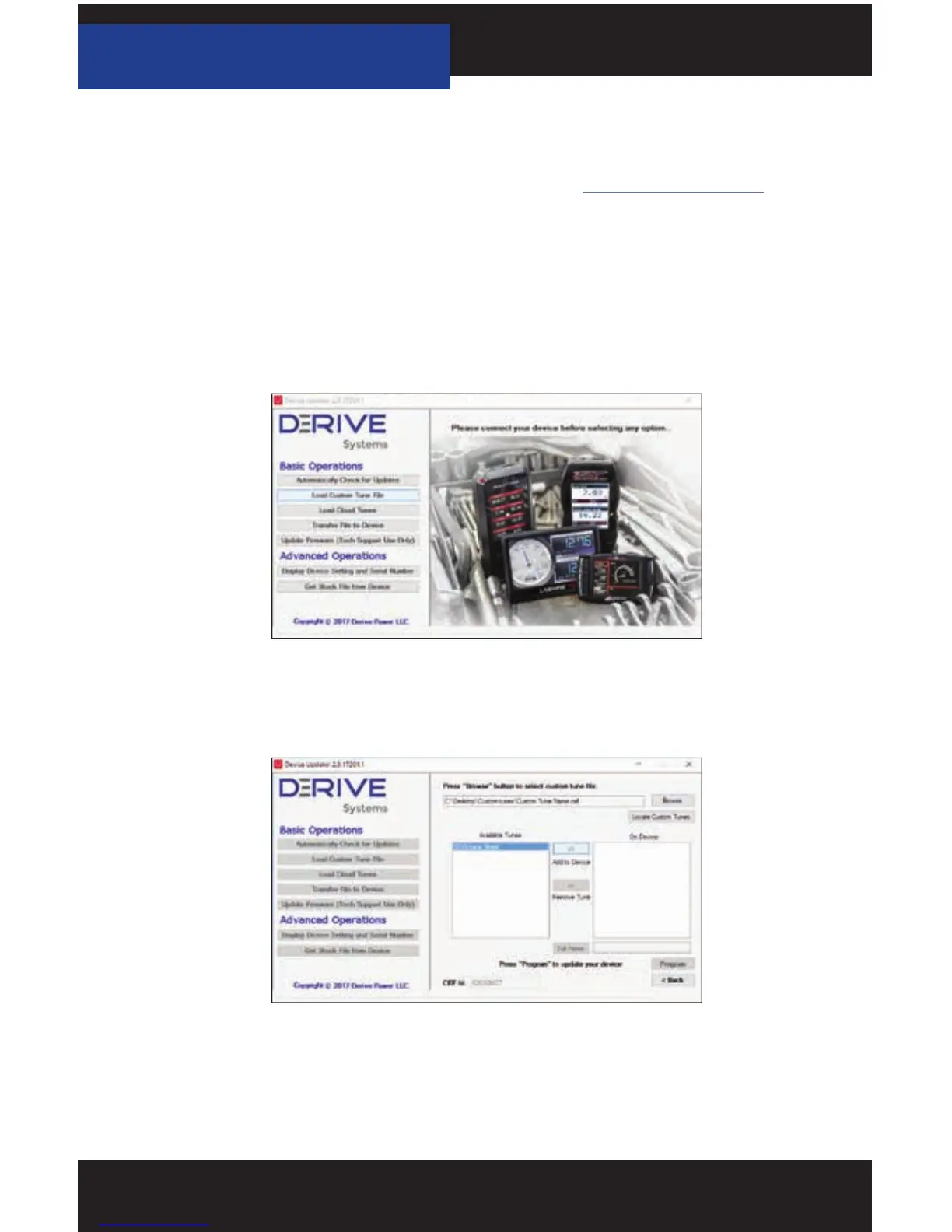
5. Now select “Load Custom Tune File” from the Basic Operations menu followed by clicking
on “Locate Custom Tunes”.
6. Select the desire tune on the left under “Available Tunes”. Then select the “Add to Device”
button in the middle of the screen. This will transfer your tune fi le to the “On Device”
section on the right.
7. Press “Program” when ready to transfer the custom tune to the LWTS+.
8. Repeat steps 5-7 if you wish to load more than one fi le.



 To Next Page