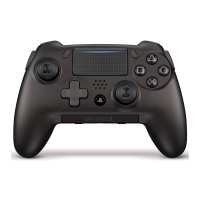
SCUF INFINITY
4PS
PRO
|
5
SCUF EMR (Electro Magnetic Remapping)
PLEASE NOTE: This is an optional feature available if selected at time of purchase.
WARNING: The SCUF Mag Key contains a
powerful Neodymium Magnet.
See last page for Safety.
Step 1 Turn on the game console and your SCUF controller.
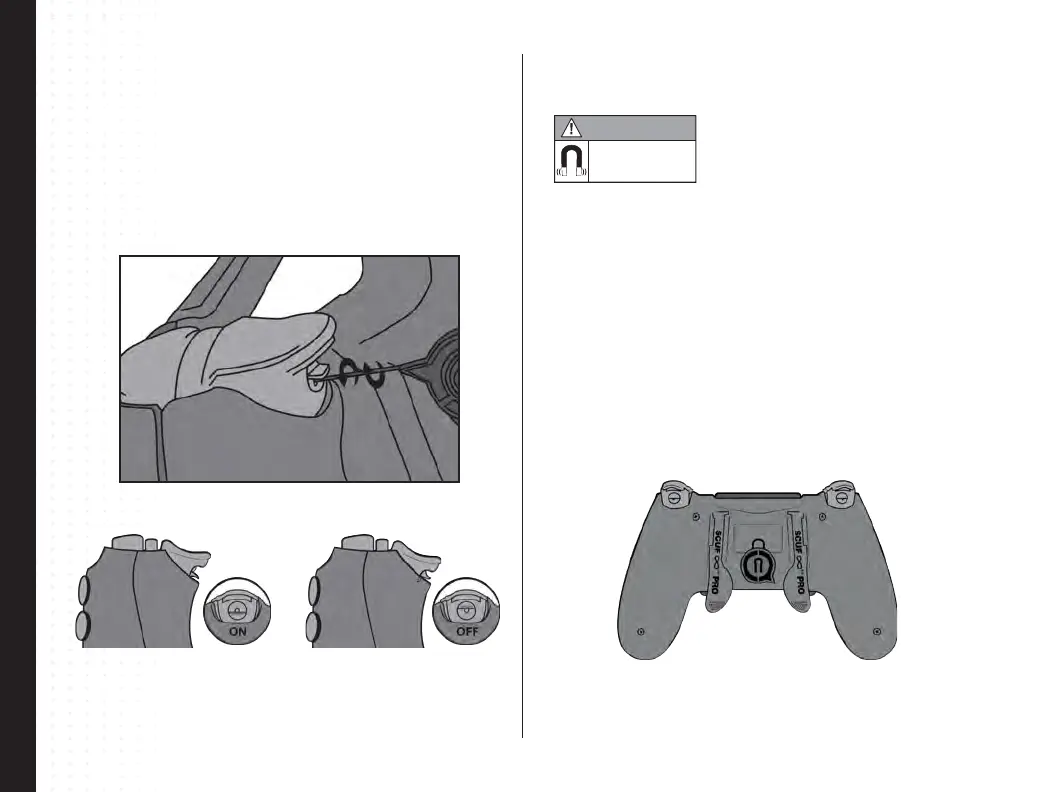
Step 2 Place the EMR Mag Key on the back of the controller (as indicated) so the
magnet symbol latches onto the controller.
Step 3 Press and hold the paddle that you wish to remap a function.
Step 4 Press and hold the function (Χ, Ο, ∆, □, L DPAD, R DPAD, Left Thumbstick
down, Right Thumbstick down) that you would like to map to a paddle.
Step 5 Release the function.
Step 6 Release the paddle.
Step 7 Remove the EMR Mag Key and place it at least 5cm away from the back of
the controller to prevent the SCUF controller from accidentally entering remapping
mode.
SCUF Quick Shift Trigger Stop
Step 1 Insert the 0.9mm SCUF Key into the Quick Shift Trigger Stop on the trigger
mechanism.
Step 2 Turn the 0.9mm SCUF Key 180° to either the left or right in order to turn on the
Quick Shift Trigger Stop.
Step 3 To turn o the Quick Shift Trigger Stop, Insert the 0.9mm SCUF Key into the
trigger mechanism and turn 180° to either the left or right.
Trigger Stop ACTIVATED Trigger Stop DEACTIVATED
Visit scufgaming.com/EMR for a list of functions available for remap.
Additional instructions at scufgaming.com/instructions
Magnetic field
in place
WARNING



 To Previous Page