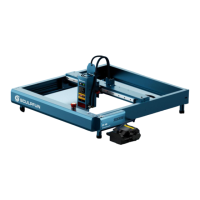
iCube Machine User Manual
8. FAQ
1、Machine mode selection
① Factory default WiFi mode, if you need to use Bluetooth, please check the official youtube video tutorial.
2、Can't connect to computer
① The USB cable is not connected: Check the computer end of the USB data cable and the machine interface to make
sure it is plugged in place. The USB interface on the front panel of some desktop computers is invalid and needs to be
connected to the socket on the rear of the fuselage.
② Unable to connect via Bluetooth: Unplug the power supply, completely power off the device for 5 seconds, and then
reconnect. Note: There may be Bluetooth compatibility issues, it is recommended to change the computer or wired
connection.
3、No response when connecting to mobile APP
① Please follow the instructions first, connect the machine to the computer with a data cable, configure the wifi, and then
connect to the APP.
② Compatibility glitches: If a newly launched mobile phone or after upgrading the system has connection abnormalities
due to compatibility issues, you can contact our customer service and send back a screenshot of the mobile phone
configuration to receive quick technical support.
4、Abnormal stop during offline engraving process
① The engraving image uploaded when the APP is connected to the mobile phone is incomplete. Just upload it again.
② Computer Bluetooth compatibility issues may cause intermittent engraving. It often occurs and it is recommended to
use a wired connection.
5、The engraving effect is very light or no trace
①Inaccurate focus: The height of the engraving object is different and the focus needs to be refocused.
②Engraving speed: The speed is too fast and the burning time is too short. The engraving speed can be lowered.
③The picture is too light: The lines of the imported picture are too thin and the color is too light, which will affect the
engraving effect.
④Placement of engraving objects: If the object to be engraved is placed at an angle, the focal length of the laser is fixed,
so the object to be engraved must be placed flat and parallel to the fuselage. Otherwise, the focus will be inaccurate,
resulting in abnormal engraving effects.
11



 To Next Page