14
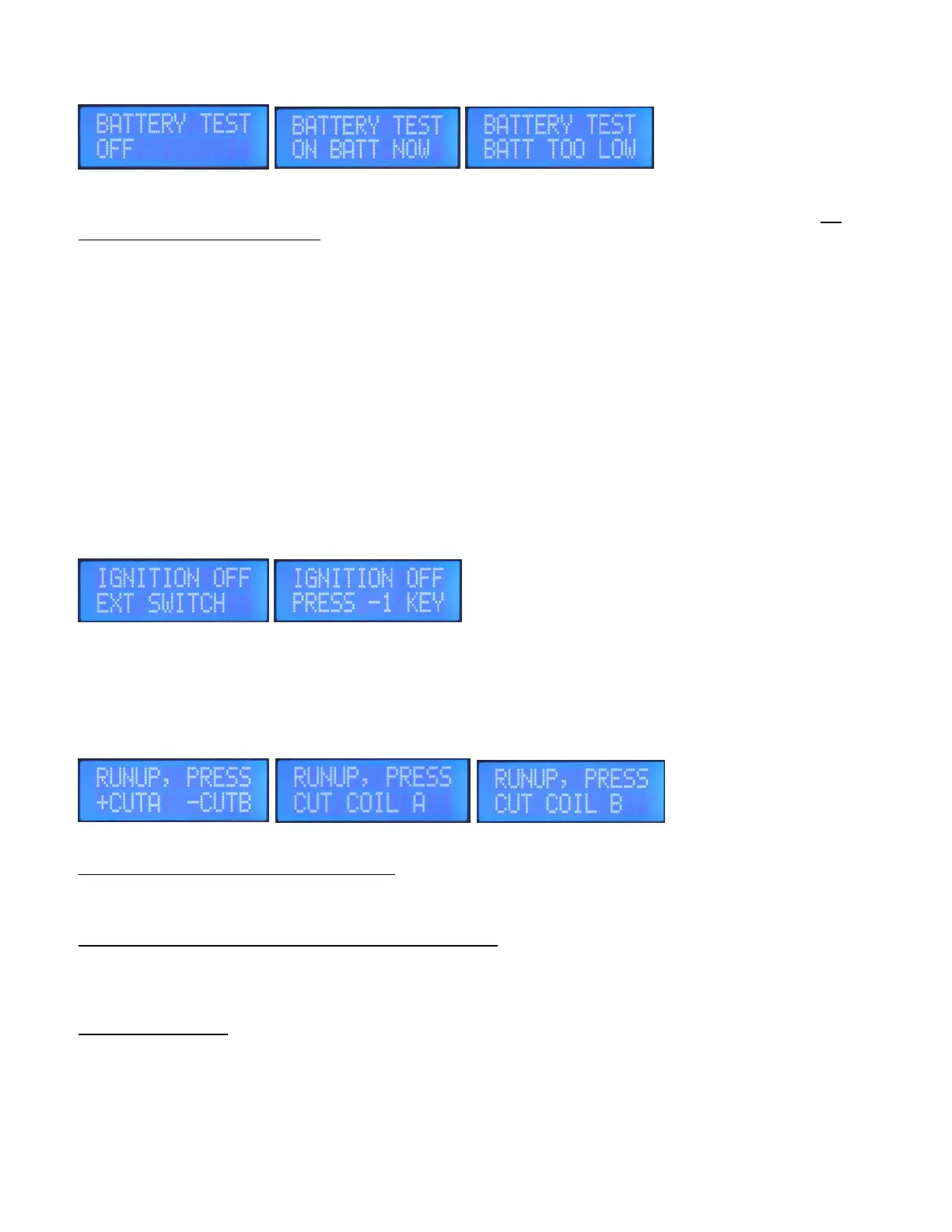
Battery Test
With the engine running, this is a good way to test your backup battery performance, without having to
shut off Mainbus power to the CPi2. Selecting this screen to ON BATT NOW by pressing the plus(+) key, which
then forces the CPi2 power to switch over to backup battery power. When BATTERY TEST is turned on this will
light the Fault LED, which is normal and also turn off the MAIN LED and turn on the BATT LED on the programmer.
Be sure to turn this back to OFF by pressing the plus(+) key again, and the Fault and Batt LED’s should act
as a reminder.
Dual board CPi2’s, the Primary(A) board will send a signal to the Backup(B) board to also switch over to
Battery Test, so there is no need to switch over the programmer to B. With both boards doing Battery Test,
you are getting a true test on both boards and both coil packs running on backup battery power.
If you see BATT TOO LOW message displayed, then this means the backup battery power is too low or not present.
If you restore battery power you will need to refresh the screen by pressing the left arrow then right arrow keys.
It may be good practice to do a battery test before every flight to make sure the battery is functioning. Also
you can scroll 4 > key presses to the right to view Gauge2, Mainbus and Battery voltage while its running on the
backup battery, again be sure to scroll back and turn the Battery Test OFF. Also a good idea to rev the engine as
high as possible when doing this test.
Ignition Off / Engine shut down
Works in conjunction with another screen called
IGNITION OFF SETUP. If there is no engine shut off
switch wired to the CPi2 to shut down the ignition &
engine, then this screen can do it by pressing the
minus(-) key on the keypad. Or this screen can be disabled in installations where there is a traditional OFF R L
BOTH aircraft type key switch, depending on the IGNITION OFF SETUP selection. Best to have this disabled if a kill
switch is wired. It will display EXT SWITCH when disabled and this screen won’t serve any function. This screen will
not power-off the CPi2, see Power Down section.
Runup, (“Mag Check”)
Pressing the plus(+) key or minus(-) keys will cut spark for 5 seconds to either coilpack. Read below for details.
For Single board systems with single coil pack: Press the plus(+) key to cut the spark to the primary coil pack., and
the engine should continue to run on its secondary ignition system. There should be some rpm drop. –CUTB
appears but the minus key serves no function due to only a single coilpack.
For Dual Board and Single board systems with two coil packs: Press the plus(+) key to cut the spark to the primary
coil pack, and the engine should continue to run on the “B” backup board and “B” coilpack. There should be some
rpm drop.
Press the minus(-) key to cut spark to the “B” coil pack, and the engine should continue to run on the “A” primary
coilpack. There should be some rpm drop.
For Dual Board ecu’s: There is no need to use the PROG key to switch to the “B” ecu because the “A” ecu will send
a signal to the “B” ecu to cut spark for this test.


 To Next Page
 Loading...