13
Part 4. Commonly changed settings or settings you
might change in flight.
Many of these screens will be used in day to day operation of the
aircraft. These are all located within a few presses of the left or right
arrow keys from the Gauge1 screen.
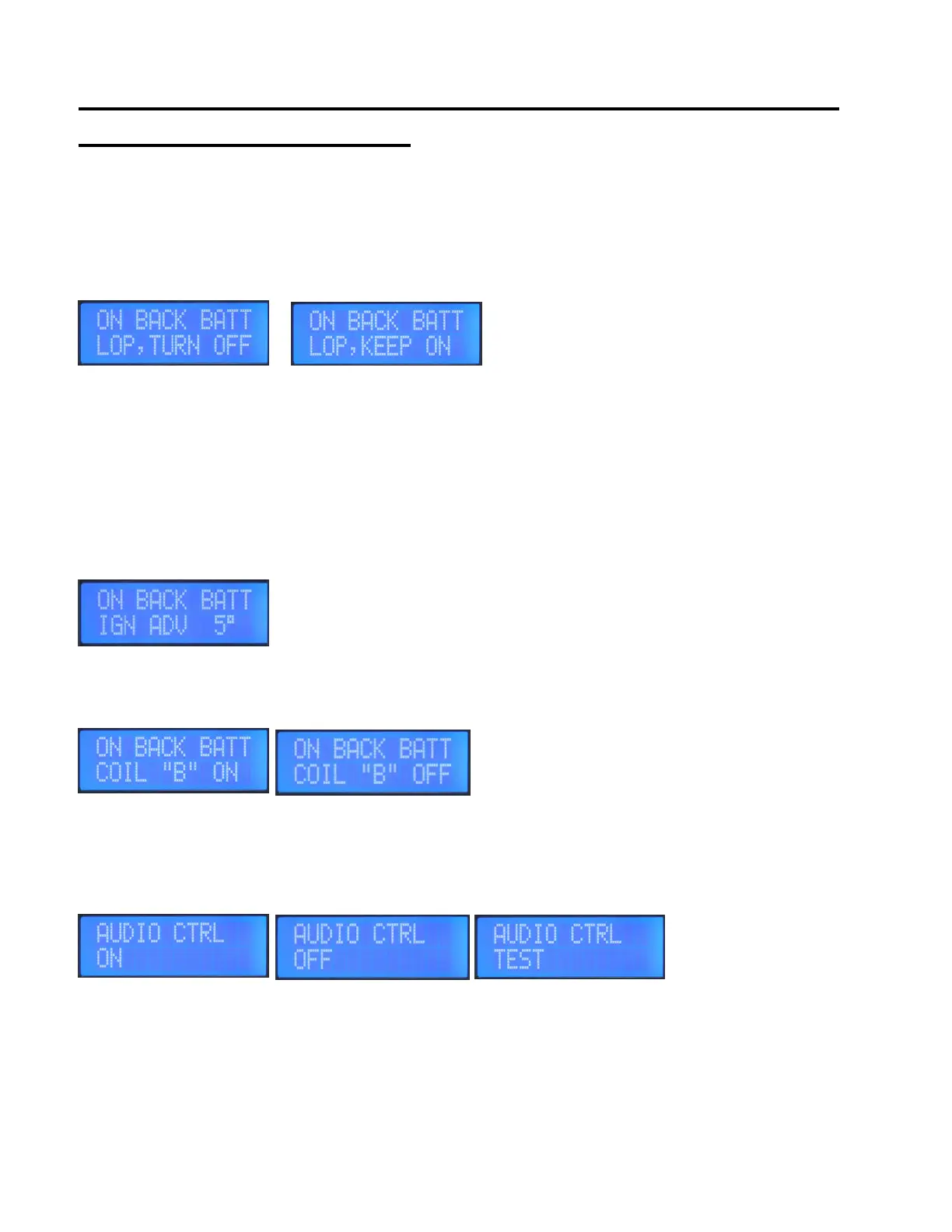
On Backup Battery LOP (Lean Of Peak) turn off or keep on
If the CPi2 goes onto backup battery power, Lean of Peak ignition advance will turn off, or stay on depending on this
setting. If 12V mainbus power is restored, you would need to press the LOP key on the keypad to turn LOP
advance back on again.
LCD Contrast Adjust to help visibility at different viewing angles and at different temperatures.
LCD Brightness 0 through 7, with 7 being the brightest. Settings 0 to 4 are for night time.
On Back Batt Ign Adv
This works in conjunction with another screen, ON BACK BATT COIL “B” OFF(ON).
This will advance ignition timing on coilpack “A” (primary coilpack) if power is on the
backup battery, and if ON BACK BATT COIL “B” is set to OFF. If ON BACK BATT
COIL “B” is set to ON, then this value will display 0 instead of 5 so in other words no
ignition advance will be added because COIL”B” will keep running on if the system is switched onto the Backup
Battery. Extra advance can help with engine power when on a single spark plug.
On Back Batt Coil “B” OFF(or ON)
Only useful for CPi2 systems with two coil packs. If
the engine will run ok with just one set of plugs, then you
can set this setting to OFF, then Coil B will turn off if the
CPi2 loses Mainbus +12V power. This would extend the
backup battery run time by only having to run one of the two coil packs. Works in conjunction with another screen
called ON BACK BATT IGN ADV, which will advance timing on primary coil pack to help engine power when running
on a single spark plug.
Audio Control
The CPi2 system will output a beep warning sound out of the 3.5mm audio output jack whenever there is a fault.
Frequency of the beep sound is approximately every 10 seconds, and the duration of the beep sound is 0.7
seconds. Press + key to change the setting to OFF or to TEST. OFF disables the audio beep, and the TEST setting
can be used to setup volume levels and for troubleshooting an audio problem. If you have a fault occur, be sure to
check the FAULT LIST window to see what is wrong. This screen is just 4 left arrow key presses away from the
GAUGE screen if you need to turn AUDIO OFF in the event it becomes distracting.


 To Next Page
 Loading...