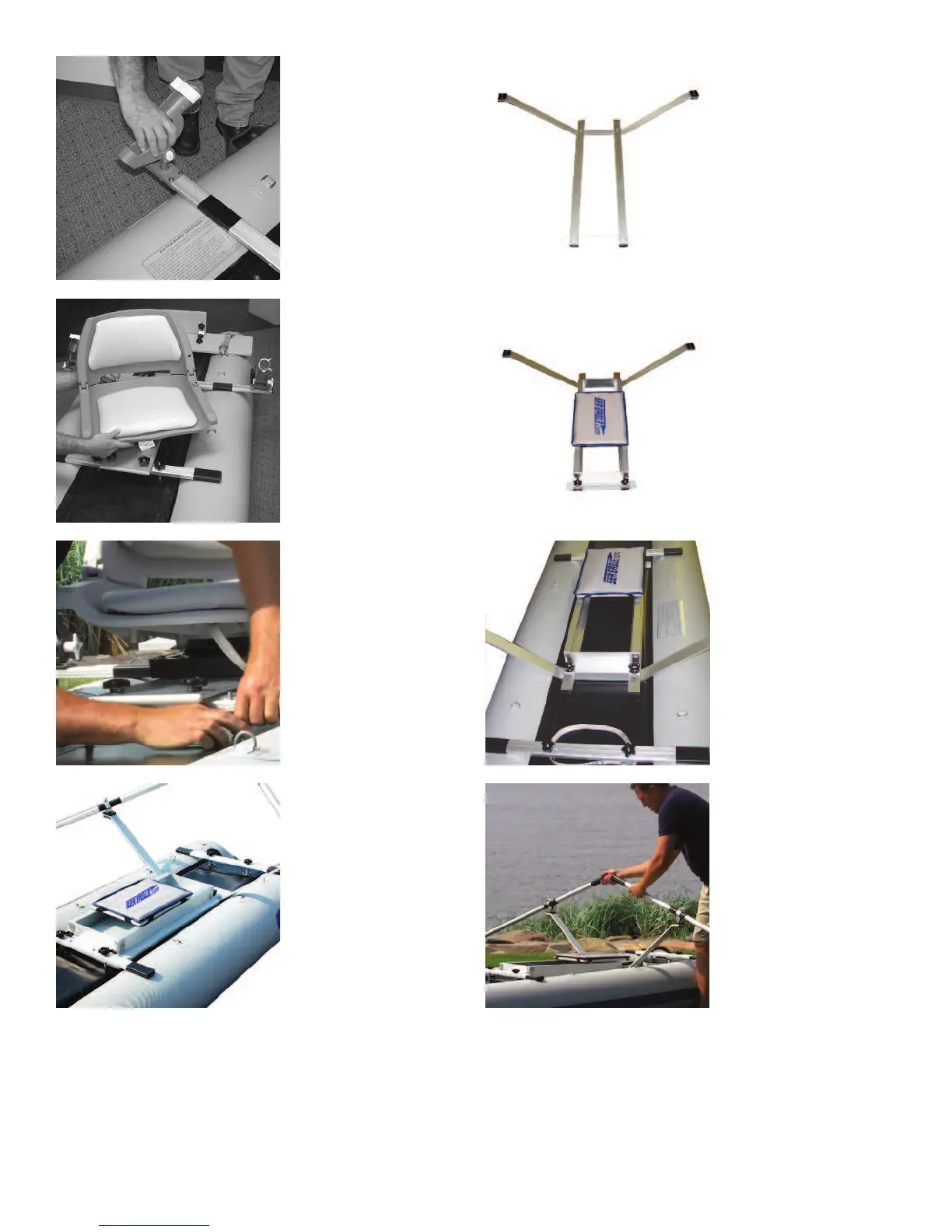
Attach the rod holders
through the flush
mounts at each end of
the long yoke.
Slide the swivel seat
into the quick release
seat mount installed on
the aluminum board and
make sure that the
spring loaded mecha-
nism locks it in place.
Remove the center
crossbar yoke from the
PaddleSki, leaving the
bolts from the yoke in
place. Attach the
smaller yoke connected
to the assembled frame
and secure it to your
PaddleSki using the
knurled nuts. The longer
yoke does not need to
be bolted down.
Rowing/Seat Combo
(OPTIONAL)
The PaddleSki rowing
frame/sliding seat
combo allows you to
switch from paddling to
rowing in just moments.
Included is one kayak
paddle, two extensions
(turns the paddle into
oars), oar locks and
hardware for assembly.
Begin assembly of the
rowing frame by laying
the 2 aluminum bars
parallel to one another
and attach the rowing
arm at one end (using
the 1 ½” bolts) and the
pre-drilled plastic strip
(using the head hex
bolts and 2 small wash-
ers) at the other end.
Place the sliding seat
on top of the assembled
frame and secure the
sliding seat (using the 4
large black knurled
nuts, 4 large washers).
Attach the sliding seat
cushion to the seat
board for better comfort
while rowing.
Once assembled, place
between the middle and
the aft (toward the rear)
crossbar yoke. The slid-
ing seat must touch the
middle crossbar yoke to
prevent movement of
the frame while rowing.
Loop the included foot
strap around the bolts of
the aft yoke to lock your
feet while rowing.
Take one end of each
paddle and connect to
the extension handles
to create the oars. Next,
attach the oarlock pins
to the fittings at the end
of the rowing arm and
run the oars through the
oarlocks to complete
assembly of your rowing
frame. Fully tighten the
wingnuts before rowing.
8




 To Next Page