Revision 2012.02.27
28
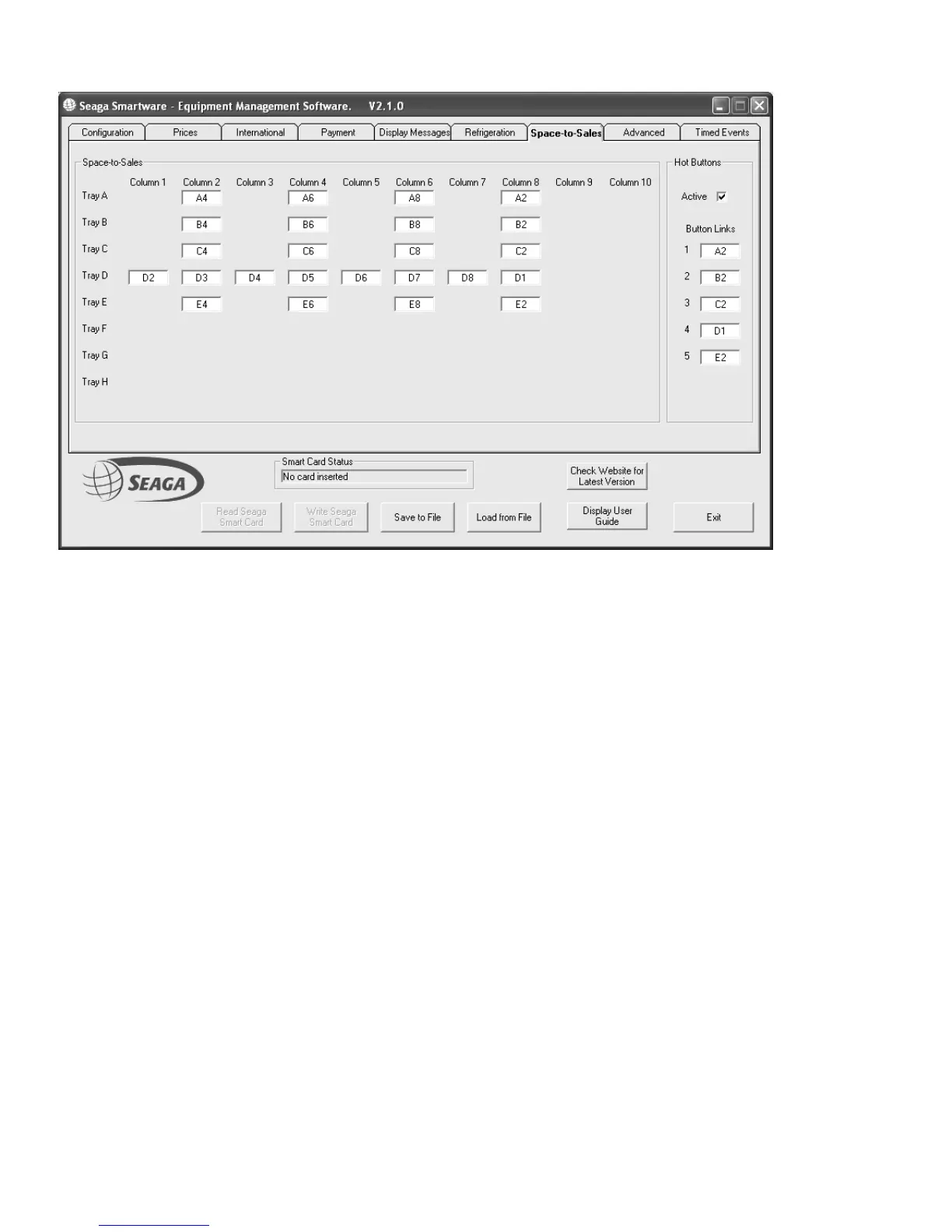
HOT BUTTONS (Space to Sales Page)
Hot Buttons
Check the “Active Button” to use Hot Buttons.
Hot Buttons replace the standard keypad selections with up to 5 direct, single button selections. For capacity the
Space To sales links allow multiple internal spirals to stock the same product.
In the above example Hot Button 1 selects effectively Tray A. The hot button is linked to Selection A2 which in
turn is linked in a chain to the other selections in Tray A. Similarly hot buttons 2 – 5 access trays B to E
respectively.










 To Next Page