Seagate NAS HDD Product Manual, Rev. C 5
1.0 Introduction
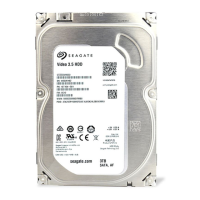
This manual describes the functional, mechanical and interface specifications for the following:
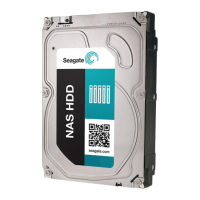
Seagate®NAS HDD model drives:
These drives provide the following key features:
• Host aware, optimized for SMR performance and capable of ZAC command support
• Off-the-shelf compatibility
•Rated for 1M hours MTBF
•24x7 capability
• Performance-tuned for RAID applications
• Balance technology to support multiple drives in a system
• Quiet acoustic performance
• Low-RPM spindle speed
• Low activity and idle power
• Supports ATA8 streaming commands
• TGMR recording technology provides the drives with increased areal density.
• State-of-the-art cache and on-the-fly error-correction algorithms
• Native Command Queuing with command ordering to increase performance in demanding applications
• Full-track multiple-sector transfer capability without local processor intervention
• Compliant with RoHS requirements in China and Europe
• SeaTools diagnostic software performs a drive self-test that eliminates unnecessary drive returns.
• Support for S.M.A.R.T. drive monitoring and reporting
• Supports latching SATA cables and connectors
• Worldwide Name (WWN) capability uniquely identifies the drive
1.1 About the SATA interface
The Serial ATA (SATA) interface provides several advantages over the traditional (parallel) ATA interface. The primary
advantages include:
• Easy installation and configuration with true plug-and-play connectivity. It is not necessary to set any jumpers or other
configuration options.
• Thinner and more flexible cabling for improved enclosure airflow and ease of installation.
• Scalability to higher performance levels.
In addition, SATA makes the transition from parallel ATA easy by providing legacy software support. SATA was designed to
allow users to install a SATA host adapter and SATA disk drive in the current system and expect all of the existing
applications to work as normal.
The SATA interface connects each disk drive in a point-to-point configuration with the SATA host adapter. There is no
master/slave relationship with SATA devices like there is with parallel ATA. If two drives are attached on one SATA host
adapter, the host operating system views the two devices as if they were both “masters” on two separate ports. This
essentially means both drives behave as if they are Device 0 (master) devices.
The SATA host adapter and drive share the function of emulating parallel ATA device behavior to provide backward
compatibility with existing host systems and software. The Command and Control Block registers, PIO and DMA data
transfers, resets, and interrupts are all emulated.
ST8000VN000
ST6000VN000




 To Next Page