1. Introduction Special Features of GoFlex Home
FreeAgent® GoFlex™ Home User Guide (Version 2) 8
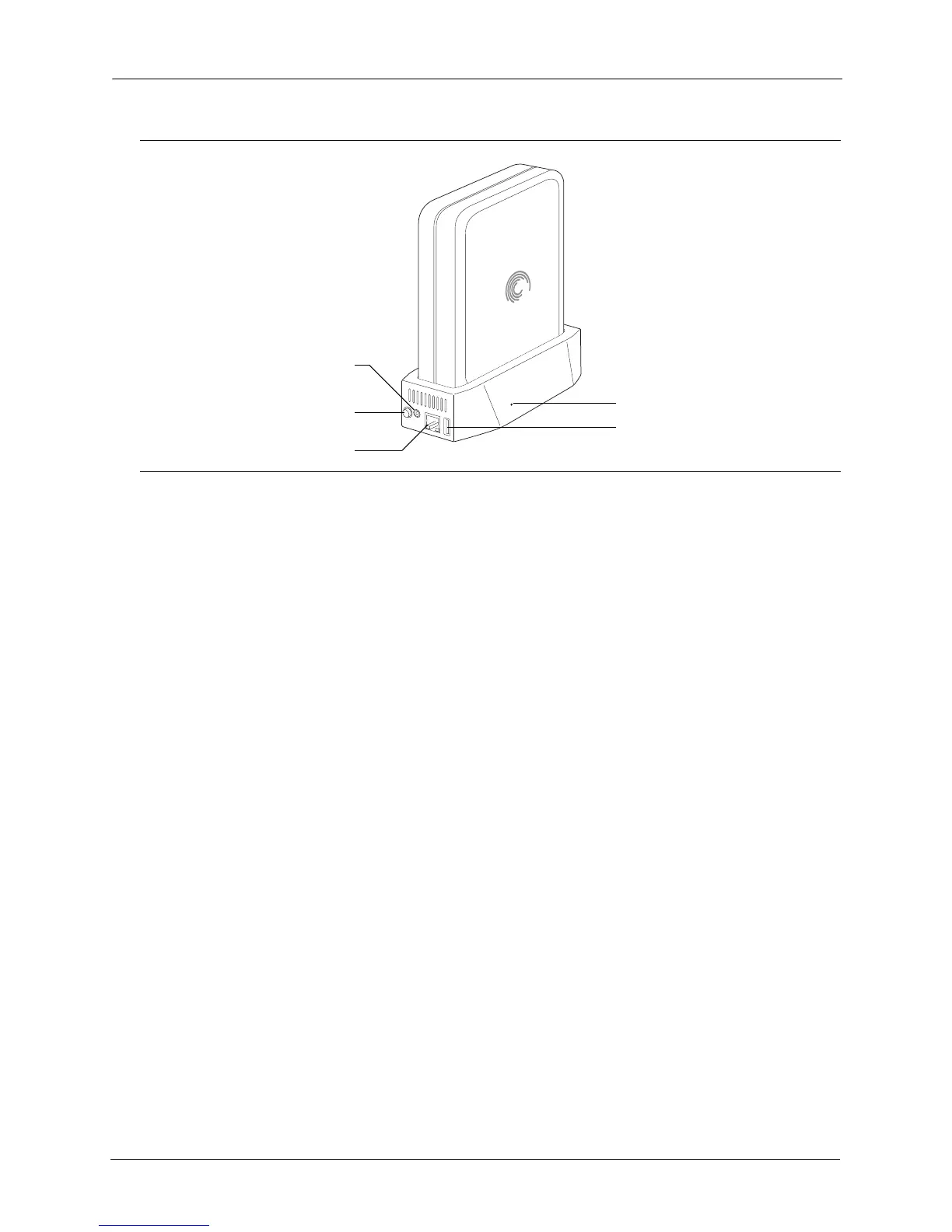
• Power Button: Turns GoFlex Home on and off.
• Power Port: Connects GoFlex Home to a power source.
• Ethernet Port: Connects GoFlex Home to your router.
• Ethernet Port Lights: Indicate network activity when blinking.
• USB Port: Connects GoFlex Home to any USB storage device, such as a drive or printer.
• Reset Button: Resets the GoFlex Home password; resets GoFlex Home to its original
factory settings (normally not necessary—see page 71 for more information).
Special Features of GoFlex Home
• Instant Backup: GoFlex Home protects your important files with automatic, “set it and
forget it” file backup using Memeo™ Instant Backup (Windows only), and is also Time
Machine
®
-compatible for Mac computers.
• Centralized Storage: GoFlex Home is a central location for storing digital media (music,
photos, movies) and other household files you want to share with everyone on your home
network. You can store Windows- and Mac-compatible files all in one place.
• User Accounts: Up to five people/computers on your home network can access GoFlex
Home. (You can upgrade to unlimited accounts by subscribing to Seagate Share Pro. See
page 9 for more information.)
• Remote Access: GoFlex Home provides access to your digital content from anywhere
inside or outside your home, using the Web-based Seagate Share application. You can
even access GoFlex Home from your smartphone, such as a Blackberry
®
or iPhone
®
, or
from another portable entertainment device, such as an iPad
®
.
Figure 2: GoFlex Home Back
USB Port
Power Button
Reset Button
Power Port
Ethernet Port and Lights



 To Next Page