
 Need help?
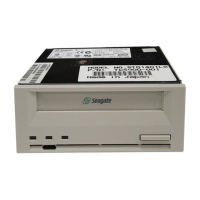
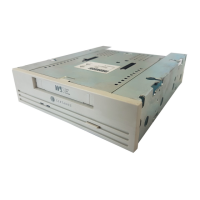
Do you have a question about the Seagate STD224000N - DAT Scorpion 24 Tape Drive and is the answer not in the manual?
Safety precautions and initial checks before installing the drive.
Details on SCSI cable types and drive connectors for proper connection.
Setting up the internal drive's SCSI ID and other features using dip switches and jumpers.
Instructions for physically mounting the internal DAT drive into a computer bay.
How to connect power and SCSI cables to the internal DAT drive.
Default settings for external drives and setting the SCSI ID using push-buttons.
How to connect the external drive's SCSI cable to the host computer or other devices.
How to connect the power cord to the external DAT drive for operation.
Explanation of indicator lights (LEDs) on the drive for status and errors.
Detailed meaning of the yellow Drive Status LED for read/write and fault conditions.
Detailed meaning of the green Cartridge Status LED for cartridge status and errors.
Step-by-step instructions for inserting a DAT cartridge into the drive bay.
Procedure for safely removing a DAT cartridge from the drive.
Process of initializing new DAT cartridges for first-time use.
Information on compatible DAT media types and adherence to ANSI standards.
How to use the sliding write-protect tab on DAT cartridges.
Guidelines for cleaning the drive's tape heads to ensure optimal performance.


 To Next Page
 General