
 Need help?
Do you have a question about the Seagate STD2401LW-S and is the answer not in the manual?
Instructions for reinstalling software and drivers using specific Gateway CDs.
Specifies contacting Gateway support directly for assistance.
States that Gateway warranty applies to the entire system, including the tape drive.
Lists specific sections and topics in the manual that do not apply to this configuration.
Lists crucial safety precautions for preventing fire or electrical hazards.
Describes the drive's purpose, capacity, performance, and typical applications.
Details support for DDS-4, DDS-3, DDS-2, and DDS recording formats.
Lists storage capacities and data transfer rates for different recording modes.
Highlights the drive's technological advancements, reliability, and performance characteristics.
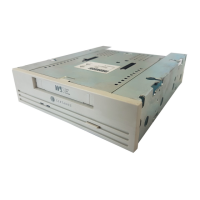
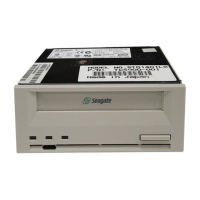
Describes the available internal and external configurations of the Scorpion 40 drive.
Introduces the types of technical specifications covered in this chapter.
Lists the physical dimensions and weight for internal and external models.
Details voltage, current, and power consumption for internal and external drives.
Outlines key performance metrics like capacity, error recovery, and transfer speeds.
Specifies operational and non-operational temperature, humidity, and vibration limits.
Summarizes reliability specifications including MTBF, MTTR, and error rates.
Lists recommended DDS data and cleaning cartridges.
Lists the standards and regulations the drive complies with.
General instructions for handling and checking the drive upon receipt.
Details on setting SCSI ID, parity, termination, and dip-switches for internal drives.
Procedures for mounting the drive in 3.5-inch and 5.25-inch bays.
Connecting SCSI interface and power cables to the internal drive.
Steps for installing the external subsystem, including configuration and connections.
Procedures for loading, unloading, and initializing tape cartridges.
Information on supported DDS tape types and recommended models.
Explains LED indicators and how to write-protect cartridges.
Guidelines for cleaning tape heads and operating the drive in different environmental conditions.
How the drive handles data compression and the process for loading firmware updates.
Overview of DAT technology, drive mechanism, motors, and helical scan recording.
Details on signal processing, flash memory, sensors, and RAW error checking.
Explains the Media Recognition System (MRS) and DDS cartridge specifications.
Explains the concept of data compression and its advantages for tape drives.
Factors influencing compression effectiveness, such as data type and host transfer rate.
Describes the drive's hardware compression using the DCLZ algorithm.
Details the simplified operation of the DCLZ algorithm for compression and decompression.


 To Next Page
 General