Section 3: POWER FAILURES, ALARMS, AND TROUBLESHOOTING
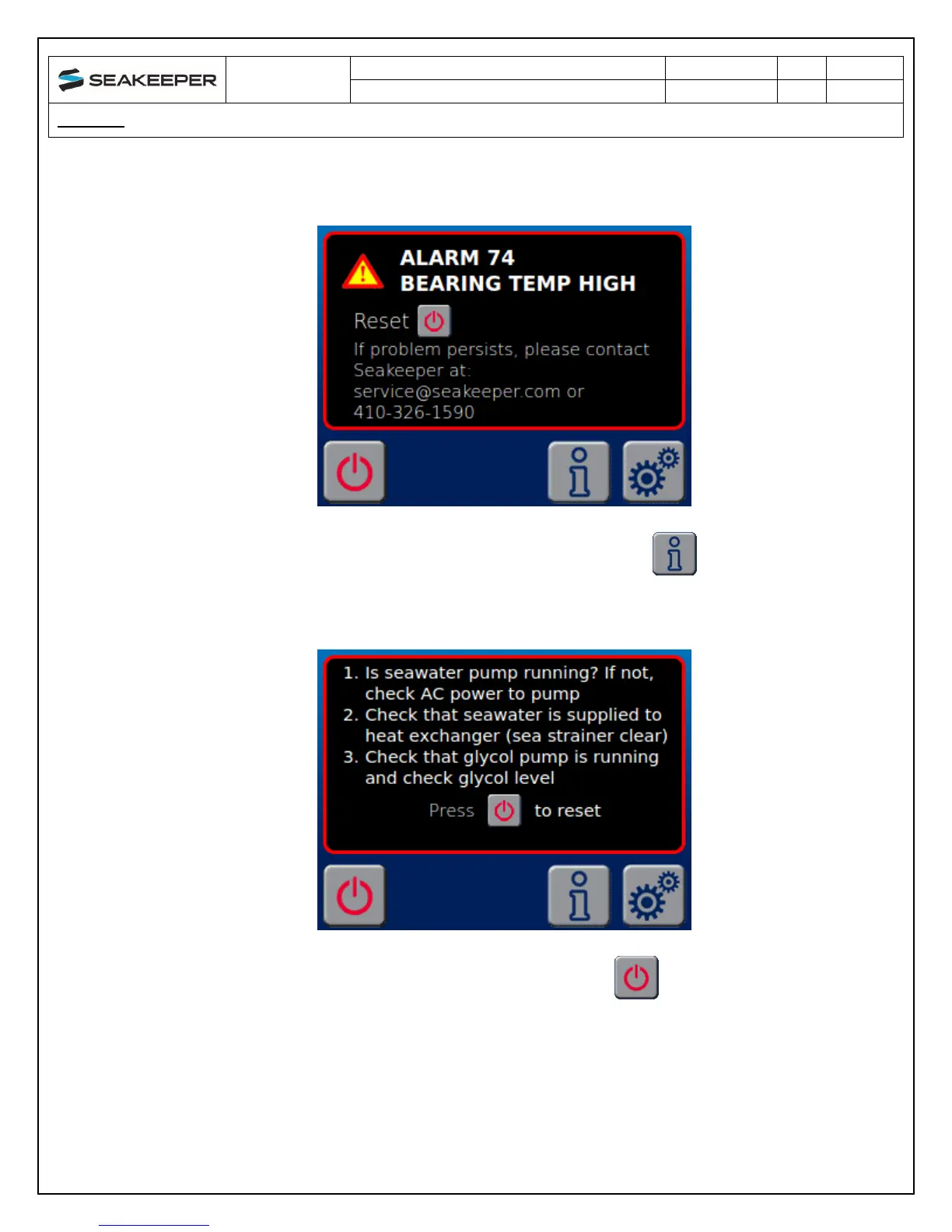
A view of a typical ALARM screen.
If the ALARM appears and there is an INFORMATION button on the screen the
ALARM has more information associated with it. By depressing the INFORMATION
button the INFORMATION screen will appear.
To reset the ALARM utilize the Seakeeper ON/OFF button


 To Next Page