Seal One
®
USB
Thank you for choosing the product Seal One® USB. In order to fami-
liarise yourself with the device, please read this user manual carefully
before using the Seal One® USB.
Signing transactions with Seal One
®
USB
Seal One
®
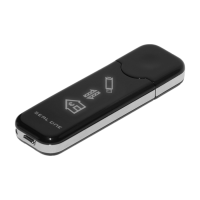
USB combines maximum security with easy handling. Desig-
ned to digitally sign transactions based on digital signatures (e.g. as part
of internet online banking), the device can simply be plugged into the
USB port of your computer. Transactions, which need to be signed, are
displayed directly on the Seal One
®
USB display.
For your own safety, please verify the transaction shown on the
Seal One
®
USB display before you sign it by pressing the button.
Seal One
®
USB is ready with out of the box functionaluty (without any
DGGLWLRQDOFRQÛJXUDWLRQRUVRIWZDUHWRLQVWDOO,WSURYLGHVFRPSUHKHQVLYH
protection against any trojan, virus and phishing attacks when signing a
transaction.
Seal One® USB is compatible with all major operating systems, inclu-
ding numerous Windows, Mac OS and Linux versions.
A full list of the supported operating systems can be found at:
www.seal-one.com/OS.
Using your Seal One
®
USB with a Seal One acceptance partner
Where to use the Seal One
®
USB?
Seal One Devices can be used with any
acceptance partner of Seal One AG. You can
use your device with all partners with the
acceptance logo:
A list of all current acceptance partners can be found on the following
web page: www.seal-one.com/partner


 To Next Page