3 Getting started
Step 1: Make sure that your Laptop / PC is connected to the internet.
Step 2: Plug your Seal One
®
USB into the USB-Port of your Laptop/
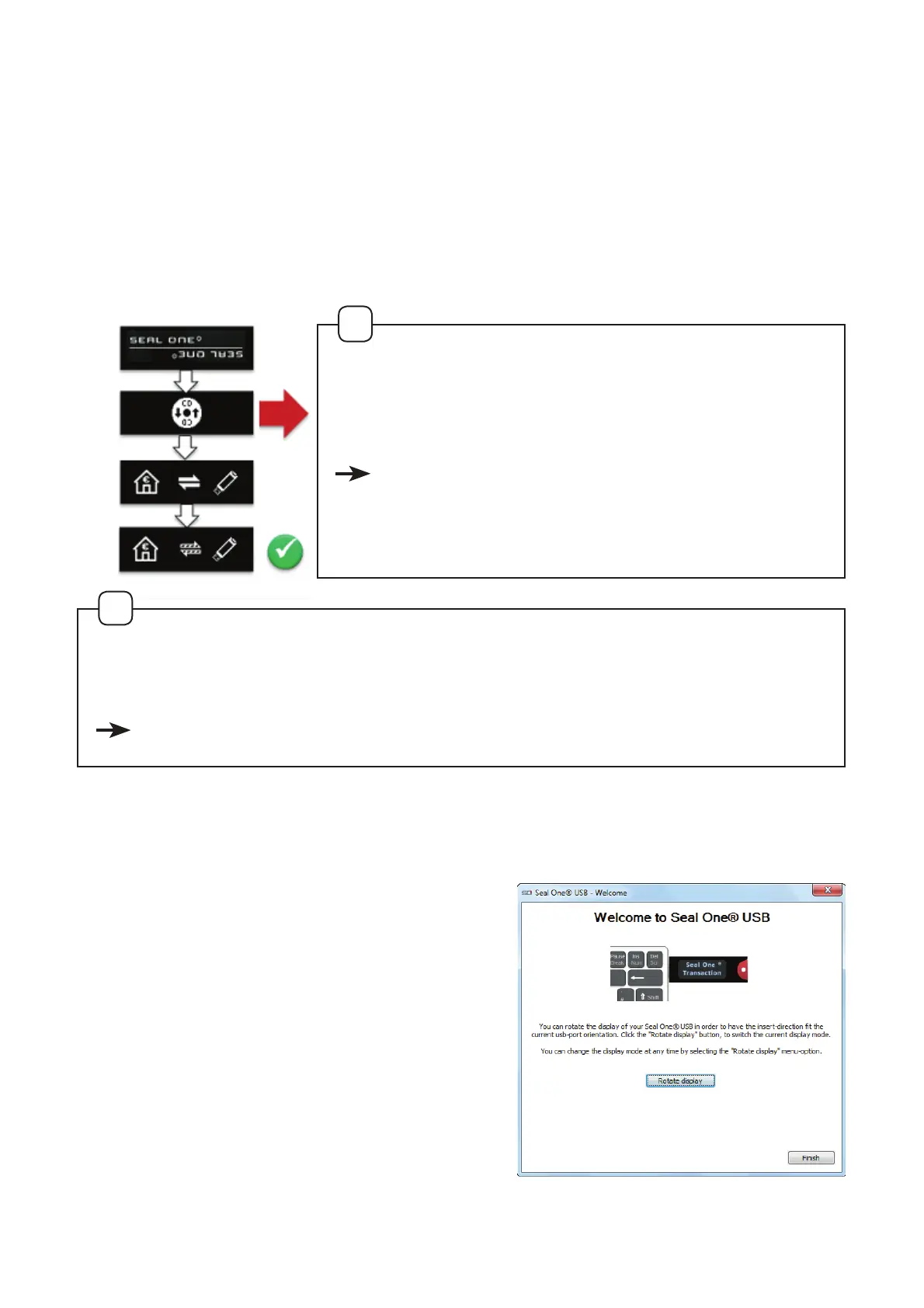
PC. The device will display the following symbols one after the other as
shown below:
If the display appear up side down,
click the „rotate display“ botton. The
quick start option can also be turned
on and off on this screen. The settings
are saved by clicking „Finish“. The Seal
One
®
USB is ready to use.
If the Seal One Logo or any other symbol remains on the display
of the Seal One® USB (e.g. Warning or error may appear):
see Section 10 - Symbols and their meaning.
!
If the CD icon remains permanently on the dis-
play (e.g., because the autostart is disabled),
you must start the Seal One
®
USB manually.
see Section 3.1 ff based on the operating
system you are using
(Windows, Mac OS, Linux).
!
7KHÛUVWWLPH\RXXVHDSDUWLFXODU86%SRUWRQ\RXUODSWRS3&DZHO-
come screen will appear
.


 To Next Page