

EasyManua.ls Logo

Seal One 3100K - User Manual

Seal One 3100K
16 pages
Print Icon
To Next Page IconTo Next Page
Loading...
Seal One
®
USB
User Manual
Question and Answer IconNeed help?

Do you have a question about the Seal One 3100K and is the answer not in the manual?

Summary

Seal One USB Overview

Signing Transactions

Explains how the device digitally signs transactions for security.

Getting Started

Using Seal One USB with Windows

Autostart Enabled

Steps for starting the application when PC autostart is enabled.

Autostart Disabled

Steps for starting the application when PC autostart is disabled.

Using Seal One USB with Mac OS

Using Seal One USB with Linux

Activating the Seal One at an Acceptance Partner

Rotate Display Functionality

Settings Configuration

General Settings

Covers enabling/disabling quick start option and saving settings.
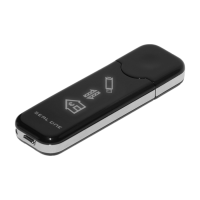
Displaying Seal One ID

Automatic Update Process

Symbols and Their Meanings

Quick Start Guide

Seal One 3100K Specifications

General IconGeneral
BrandSeal One
Model3100K
CategoryModem
LanguageEnglish