3.1.2 Change font size
You can change the font size of the text on your Seal One device. This can
be done by clicking the symbol on the taskbar and selecting/deselec-
ting “Zoom Display”.
,IWKHV\PEROLVQRWYLVLEOHRQWKHWDVNEDU\RXFDQÛQGLWE\SUHVVLQJ
the “Show hidden icons” arrow where all applications are displayed.
N.B. When lines to be shown are larger than the screen size, the text will
be displayed as a horizontally scrolling ticker.
3.1.3 Rotate Display
You can change the display orientation by clicking on the symbol on
the taskbar, and selecting „Rotate display“.
,IWKHV\PEROLVQRWYLVLEOHRQWKHWDVNEDU\RXFDQÛQGLWE\SUHVVLQJ
the “Show hidden icons” arrow where all applications are displayed.
N.B. It is possible that the Seal One tray icon is hidden until you click the
Up arrow to show all tray icons.
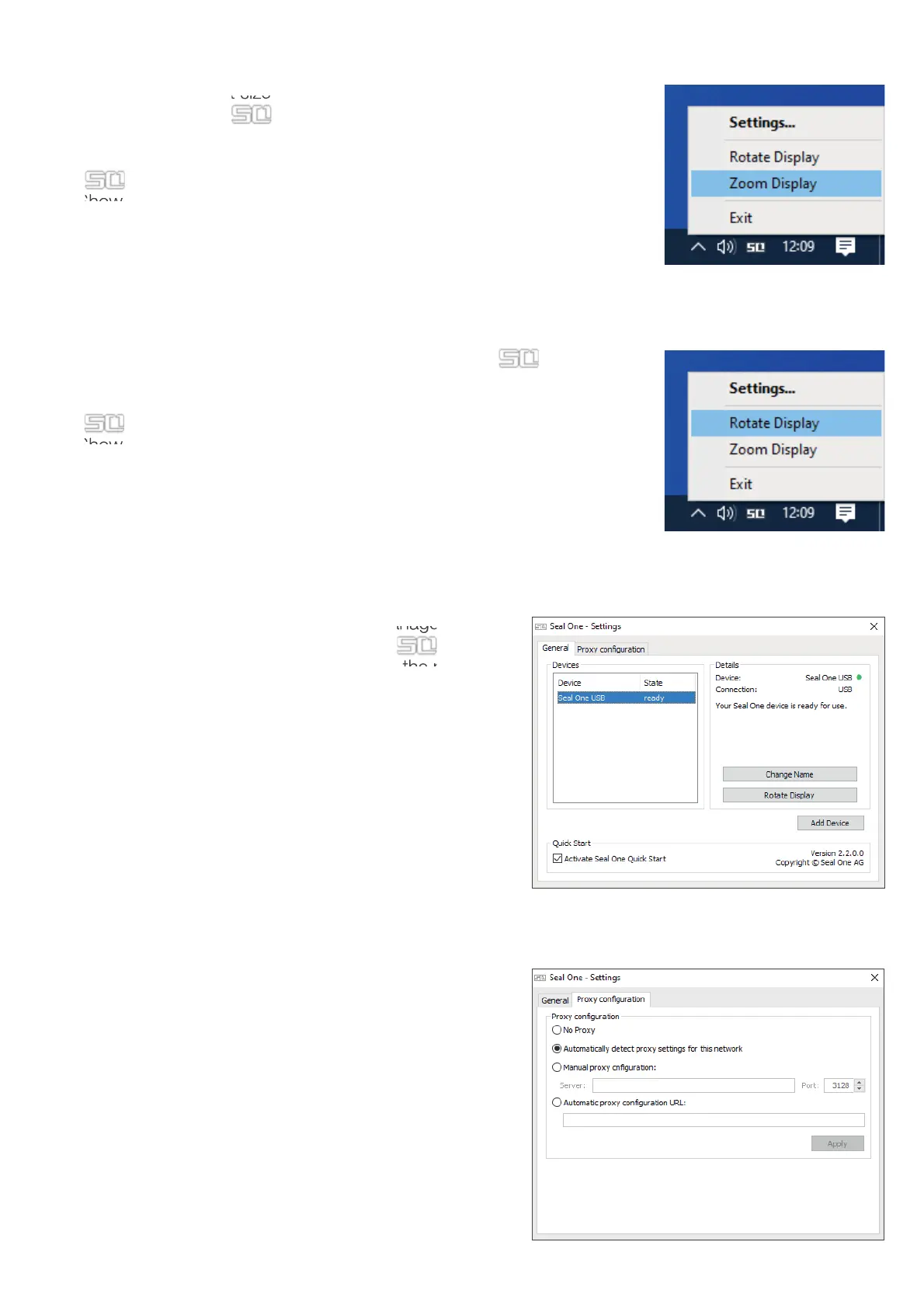
3.1.4 Settings
The settings for your Seal One device are managed un-
der the “Settings” menu option. Click on the symbol
on the taskbar, and select „Settings“ to open the menu.
$YDLODEOHVHWWLQJVLQFOXGHFKDQJLQJWKHGHYLFHpVQDPH
HQDEOLQJ4XLFN6WDUWDQGFRQÛJXUHSUR[\VHWWLQJV
N.B. It is possible that the Seal One tray icon is hidden
until you click the Up arrow to show all tray icons.
3.1.3 Proxy-Server
%\GHIDXOWWKHSUR[\VHWWLQJLVq$XWRPDWLFDOO\GHWHFWSUR[\
settings for this network”. Normally, you should not need
to change this setting. In exceptional cases, you may need
WRPDQXDOO\FRQÛJXUHWKHSUR[\VHWWLQJVKHUH
If you have any questions with regards to proxy settings,
contact your system administrator.


 To Next Page
 Loading...