2. Product Information
2.1 Tool Description
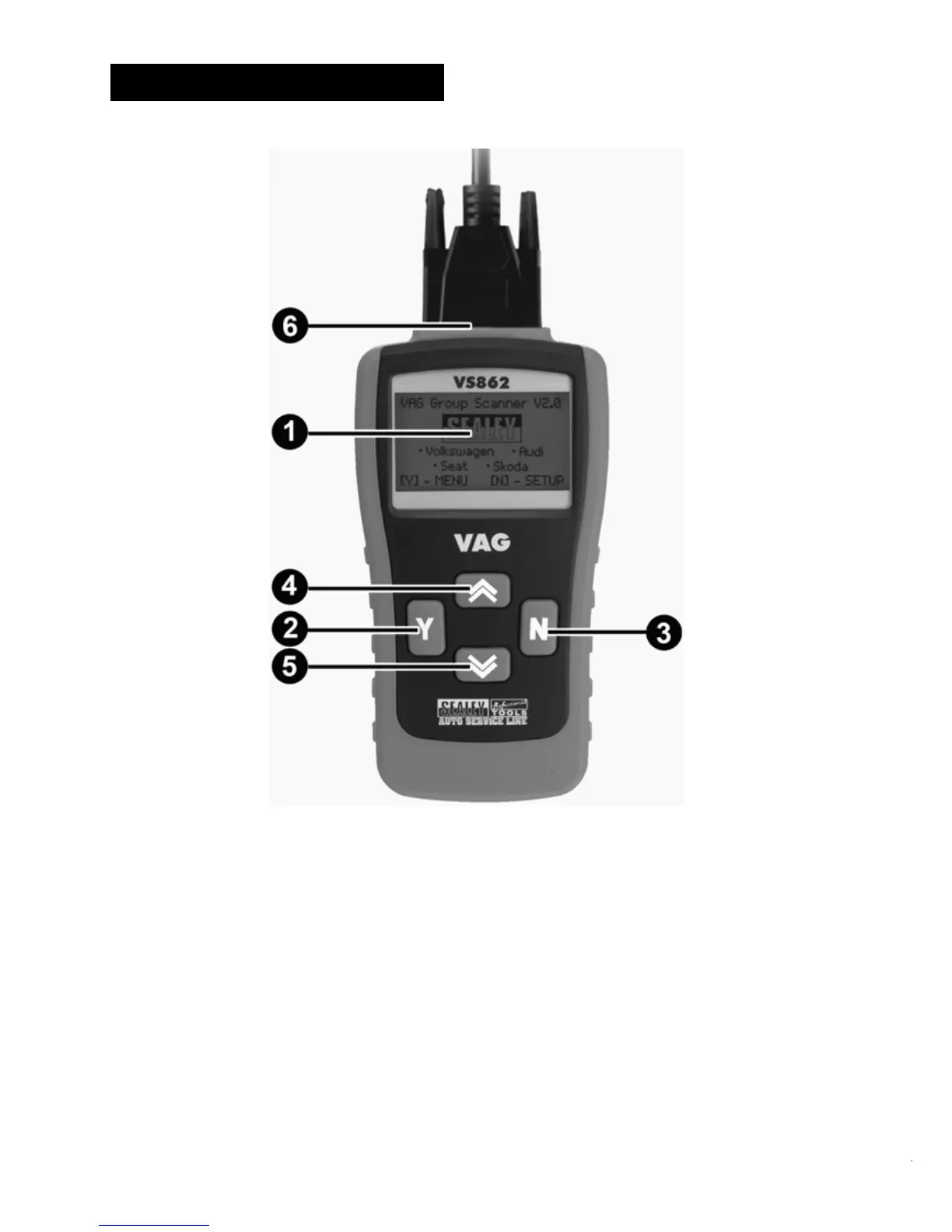
① LCD DISPLAY -- Indicates test results. Backlit, 128 x 64 pixel
display with contrast adjustment.
② Y BUTTON -- Confirms a selection (or action) from a menu.
When a DTC’s definition covers more than one screen, it is used
to move down to the next screen for additional data.
③ N BUTTON -- Cancels a selection (or action) from a menu or
returns to the menu. It is also used to set up the unit when being
pressed and held for at least 3 seconds.



 To Next Page