Seaory S21 desktop card printer quick user guide
Excellent quality, Perfect service www.seaory.com
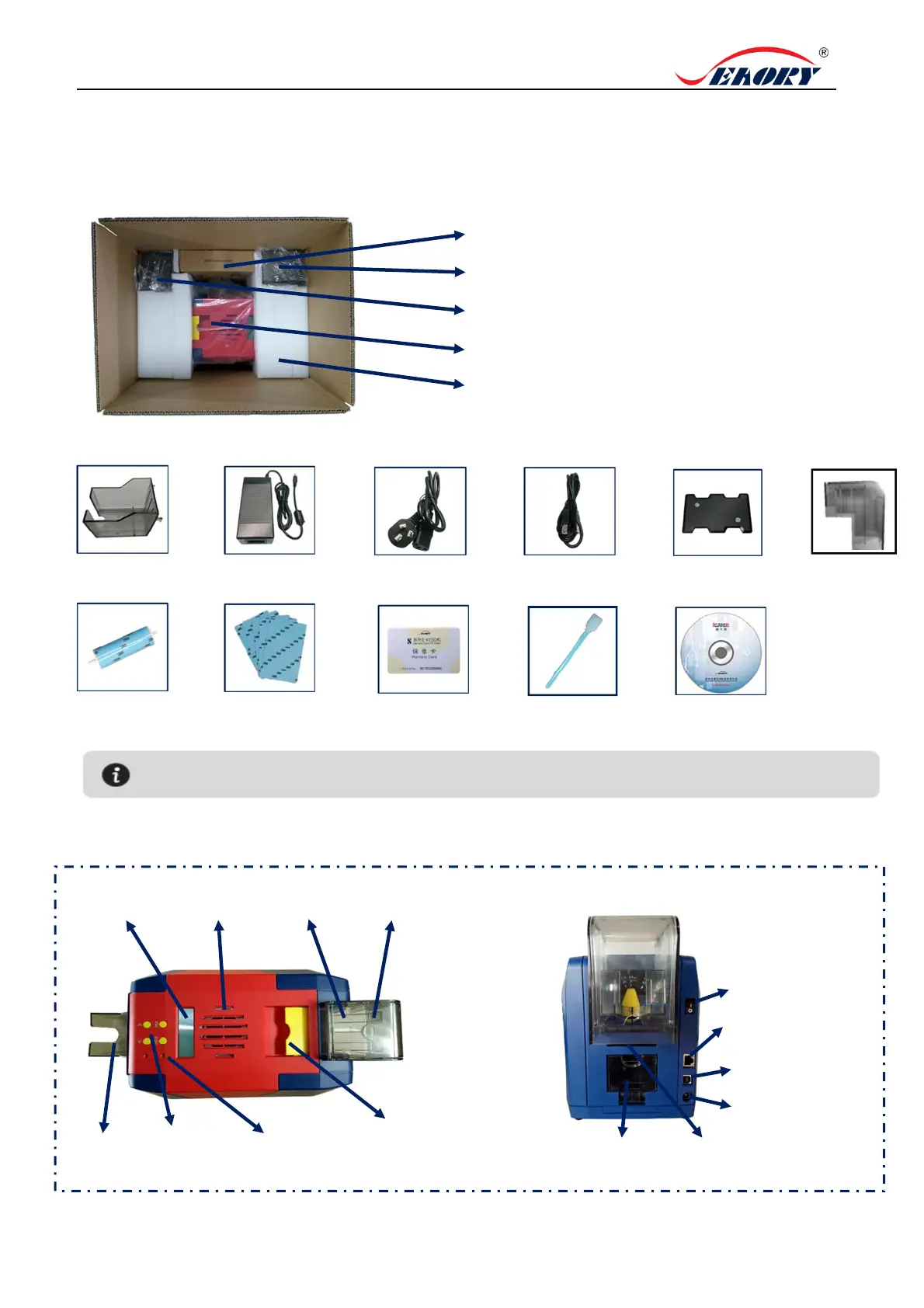
1. Unpacking and inspection
Input hopper cover
If the above accessories are in short supply, please contact your local distributor
immediately.
3) Appearance introduction:
1PC USB cable
1PC power cable
1PC weight module
1PC cleaning roller
5pcs cleaning card
1PC warranty card 1PC cleaning stick
1PC ICARDE software CD
Input hopper cover
LCM screen
Air vent
In
ut ho
e
Output
ho
e
Control panel
buttons
Switch of upper
cover
Input hopper cover
Status indicator
lamp (Green)
Power switch
Interface: Ethernet
Interface: USB
Power
Defective card slot
Single card manual
feeding mouth
1) Open the top cover , you will see following items:
Accessories box
Output hopper
PE foam
S22 card printer
2) Accessories list:
1PC output hopper
1PC power adapter



 To Next Page