Seaory S21 desktop card printer quick user guide
Excellent quality, Perfect service www.seaory.com
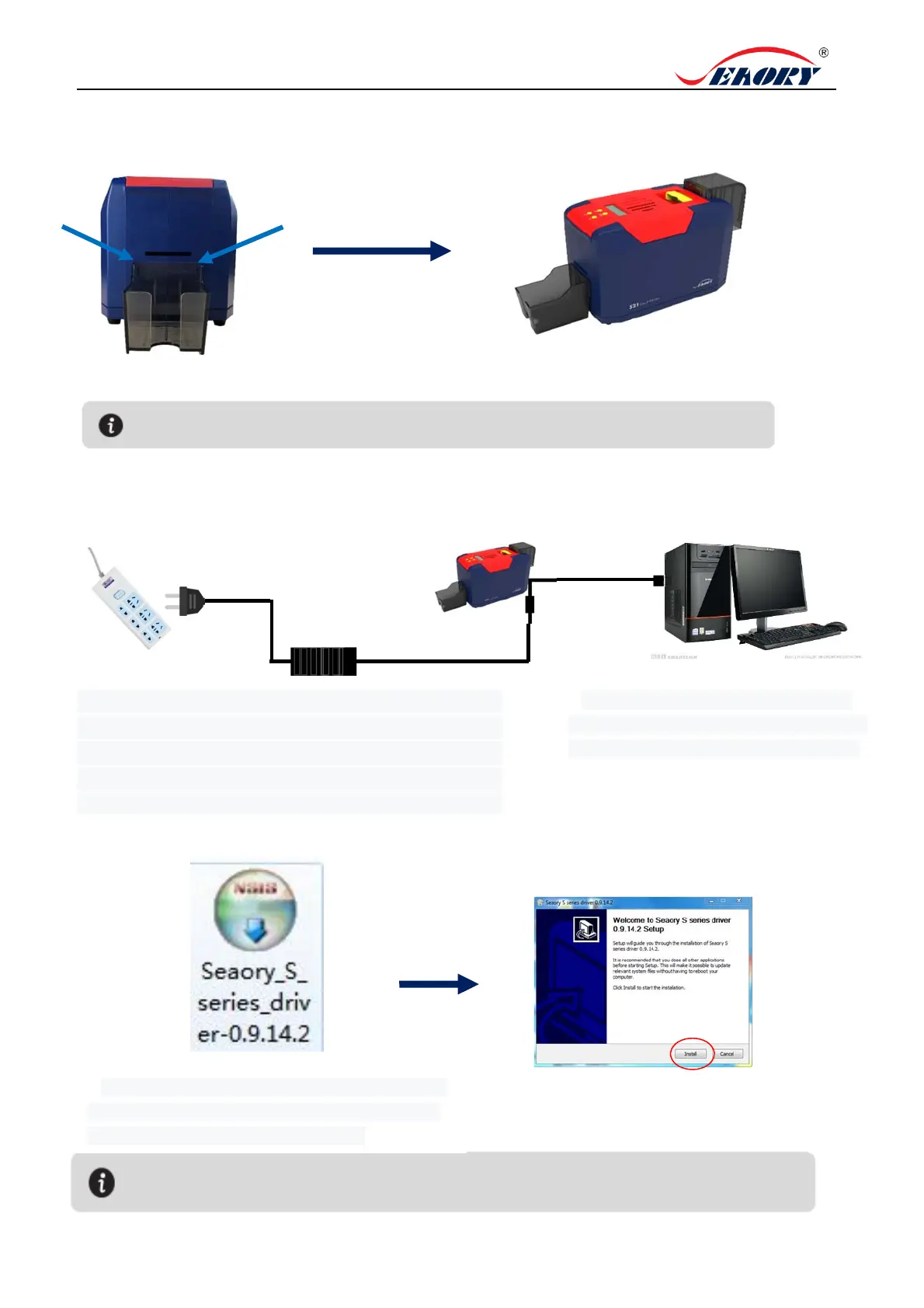
6. Output Hopper Installation
7. Driver installation
2.Installation finished.
1. Attach output hopper to the hole where the
arrow
oints.
1.Power adapter 24V connector is inserted into card
printer power interface. Connect the power cable to the
power adapter. Then plug the power cable into the mains
socket. But do not power on until the driver installation is
m
l
.
2. Connect the square port of the USB
cable to the card printer and connect the
flat port to the USB port of the computer.
3.Use CD-rom or download the driver installation
package on the Seaory's official website, double-
click above driver installation package.
4.Click “Install”.
Please install driver by administrator and close all antivirus applications before installation.
The card slot is used to connect printed cards, please keep it
properly
.



 To Next Page