Seaory S21 desktop card printer quick user guide
Excellent quality, Perfect service www.seaory.com
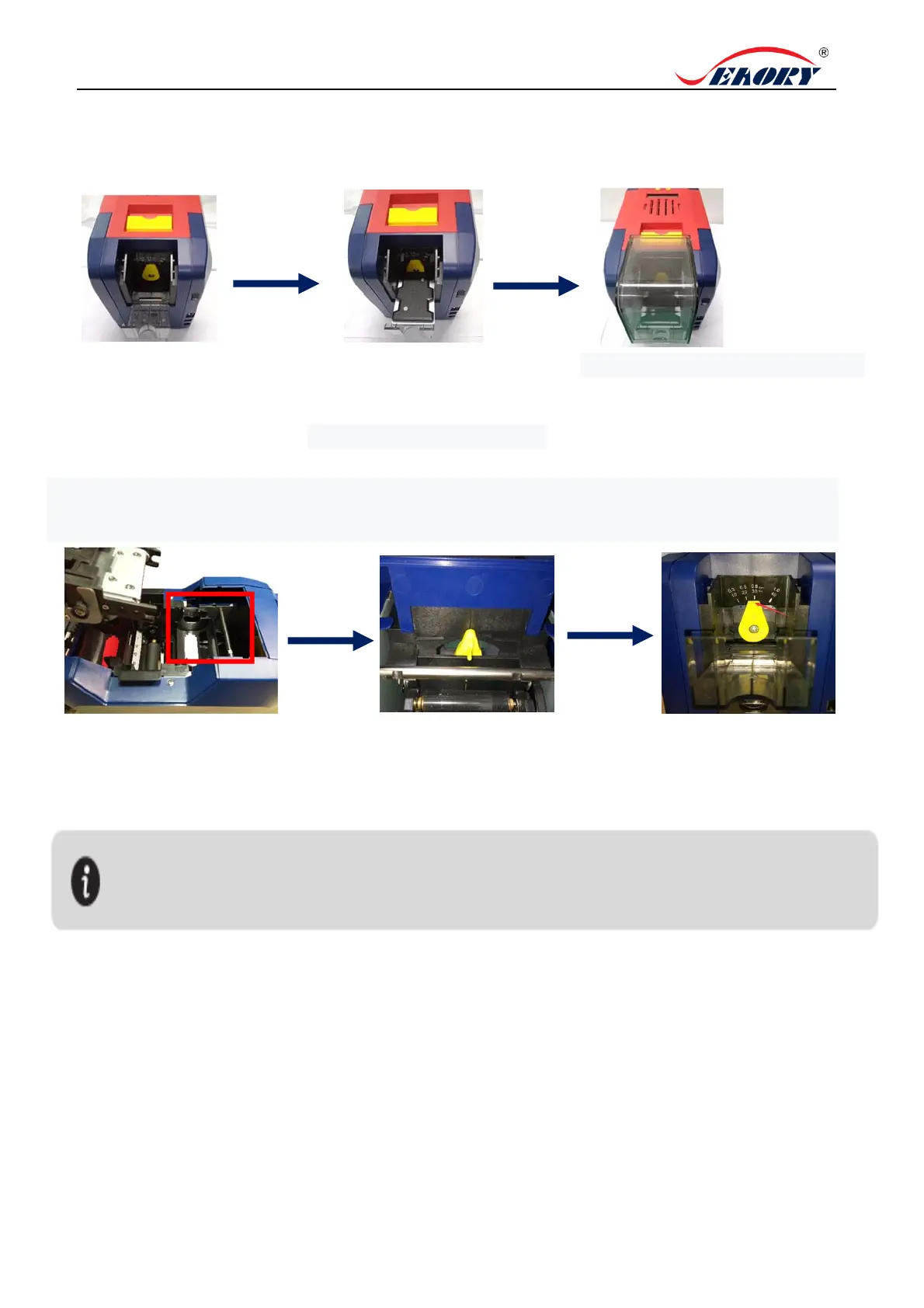
4. Place the card, Add the weight module
„
5. Adjust the thickness of card feeding entrance
„
1.Open the input hopper
dust cap.
2.Place the card into the input
hopper, then add the weight
module.
3.Install the input hopper dust cap.
1. Open the upper cover.
2.Move the yellow lever to
adjust the feed card thickness.
3.Support 0.3mm to 1.0mm
thickness cards. Factory preset
thickness is 0.8mm.
The feed card thickness needs to be adjusted according to the card’s actual thickness . Like
when it’s 0.76mm standard card, the feed card thickness can be set at 0.8mm. If the card feed
thickness value is set too high, it is easy to enter two cards at the same time; if it is set too small,
it is easy to fail to enter the card.



 To Next Page