Seaory S21 desktop card printer quick user guide
Excellent quality, Perfect service www.seaory.com
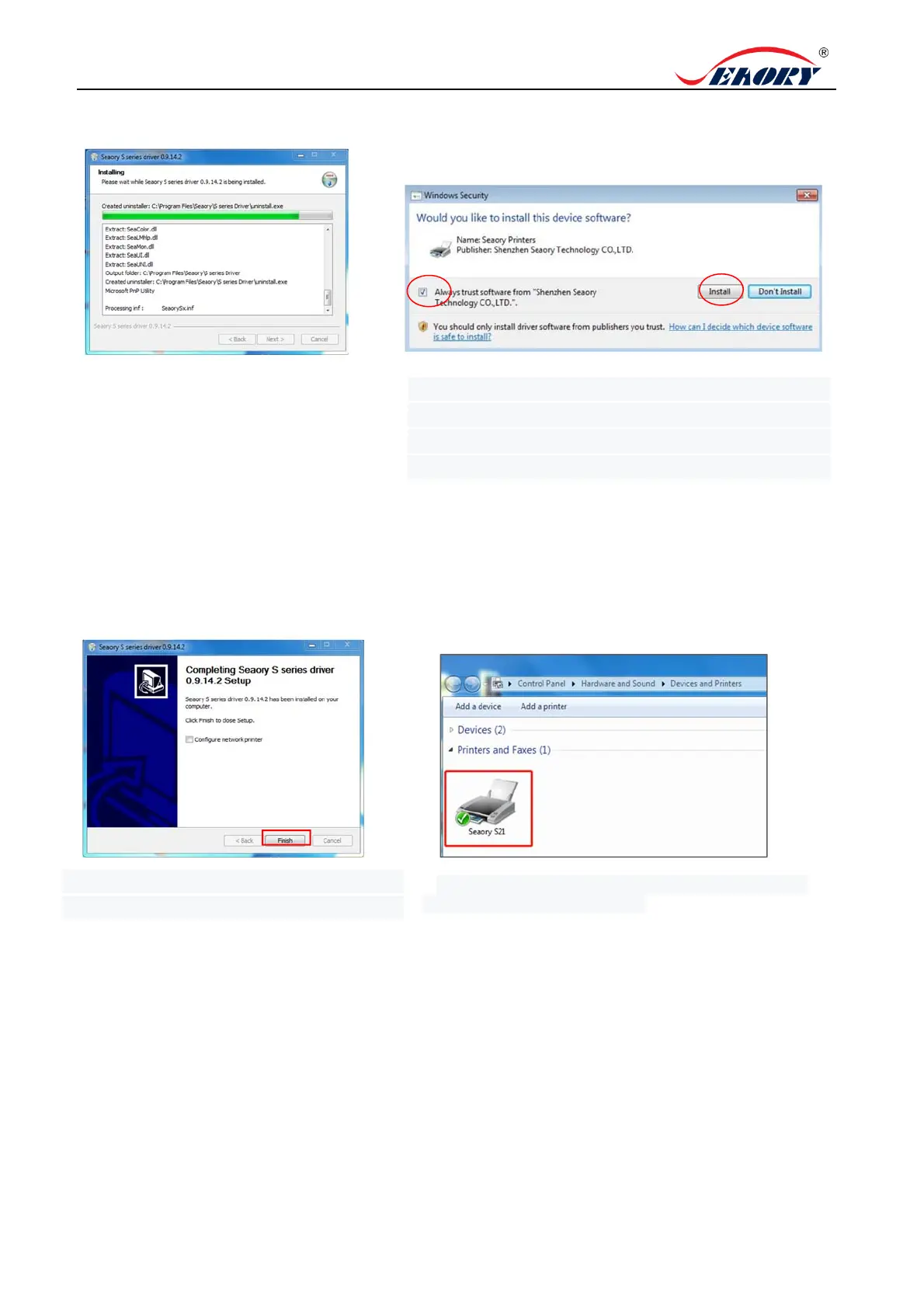
5. Begin to install, please wait for a while.
6. During the installation process, when the above page
appears. Please select always trust software from
“Shenzhen Seaory Technology CO., LTD ” in the pop-up
windows, then click the “Install” button.
7. Wait for one minute, this page appears,
click "finish".
8.Turn on power switch, then the driver will be install
automatically. After installation, please click “Control
panel – Hardware and sound – Devices and printers”
then you can find Seaory S21 was installed completely.



 To Next Page