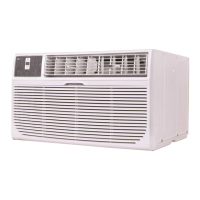
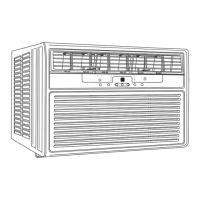
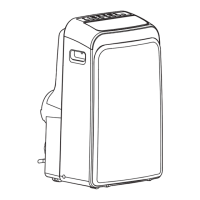
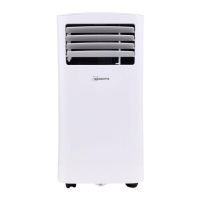
This document outlines the installation, operation, and maintenance of a Seasons® air conditioner, covering models ST08R1, ST10R1, ST12R1, ST08R1-H, ST10R2, ST12R2, ST14R2, ST10R2-H, ST12R2-H, and ST14R2-H.
Function Description
The Seasons® air conditioner is designed to provide cooling, heating (on some models), dehumidification (Dry mode), and fan-only operation for indoor spaces. It aims to maintain a comfortable room temperature and improve air quality by filtering the air. The unit features an electronic control panel and can also be operated via a remote control, which includes an I SENSE feature for precise temperature control at the remote's location.
Important Technical Specifications
The air conditioner dimensions are 24 inches wide, 14 inches high, and 18 inches deep (without the front).
Operating temperature conditions:
- Cooling operation: Outdoor temp: 64-109°F/18-43°C (64-125°F/18-52°C for special tropical models); Indoor temp: 62-90°F/17-32°C.
- Heating operation: Outdoor temp: 23-76°F/-5-24°C; Indoor temp: 32-80°F/0-27°C.
Performance may be reduced outside these operating temperatures.
The power supply cord includes a current detection device to reduce the risk of fire. The unit requires a properly grounded wall receptacle.
Usage Features
- Operating Modes: Auto, Cool, Dry, Heat (cooling-only models without), and Fan. The selected mode is indicated by an illuminated light.
- Auto Mode: Automatically selects cooling, heating, or fan-only operation based on the set temperature and room temperature. Fan speed is automatically adjusted.
- Fan Only Mode: Circulates room air without cooling or heating. Fan speed can be selected (Low, Med, High). The display shows the actual room temperature.
- Dry Mode: Operates as a dehumidifier. Some cooling will occur in a closed, sealed space. Fan speed is automatically set to Low.
- Temperature Setting: Adjustable between 62°F (17°C) and 86°F (30°C) using UP/DOWN buttons. The control can display temperature in Fahrenheit or Celsius (toggle by pressing Left and Right Temp/Timer buttons simultaneously for 3 seconds).
- Fan Speeds: Four steps: Auto, Low, Med, High. Not adjustable in Dry mode or Heat mode (for some models).
- Sleep Feature: Initiates a sleep mode where the selected temperature increases (cooling) or decreases (heating) by 2°F/1(or 2)°C after 30 minutes, and again after another 30 minutes. This new temperature is maintained for 6 hours before reverting to the original setting. Can be canceled anytime.
- Energy Saver Feature: Available in Cool, Dry, and Auto (Auto-Cooling and Auto-Fan) modes. The fan runs for 3 minutes after the compressor shuts off, then cycles on for 2 minutes at 10-minute intervals until the room temperature exceeds the set temperature.
- Timer (Auto Start/Stop): Allows setting a time for the unit to automatically turn on or off. Adjustable in 0.5-hour increments up to 10 hours, then 1-hour increments up to 24 hours.
- I SENSE Feature (on some models): Activated via the remote control, which acts as a remote thermostat. The remote sends temperature signals to the unit every 3 minutes, allowing for precise temperature control at the remote's location. The mode stops if no signal is received for 7 minutes.
- Air Directional Louvers: 4-way directional system (Up, Horizontal, Left, Right) to direct airflow. Adjusted using center handles and fingertips.
- Automatic 3-Minute Time Delay: The Cool circuit has a 3-minute time-delayed start if the unit is turned off and on quickly, preventing compressor overheating and circuit breaker tripping. The fan continues to run during this time.
- Error Codes: AS (Room temperature sensor error), ES (Evaporator temperature sensor error), HS (Electric heating sensor error). Troubleshooting involves unplugging and replugging the unit; if errors persist, service is required.
- Power Outage Recovery: If the unit loses power unexpectedly, it restarts with the previous function settings when power resumes.
Maintenance Features
- Air Filter Cleaning: The air filter should be checked at least once a month. It can be washed with liquid dishwashing detergent and warm water, rinsed thoroughly, and dried, or vacuumed. Do not use hot water over 104°F (40°C). Operating without the air filter is not recommended.
- Cabinet Cleaning: Unplug the unit before cleaning. The cabinet and front can be dusted with an oil-free cloth or washed with a cloth dampened in a solution of warm water and mild liquid dishwashing detergent. Rinse thoroughly and wipe dry. Avoid harsh cleaners, wax, polish, and excess water around controls.
- Winter Storage: If storing the unit for winter, remove it from the window, cover it with plastic, or return it to its original carton.
- Energy Saving Note: A cover is recommended to insulate the unit when not in use for maximum energy saving and comfort. Recommended cover size: 24.4"x14.8"x2.2" (WxHxD).
Safety Instructions
The manual emphasizes critical safety precautions, including proper grounding, avoiding extension cords or adapter plugs, not operating with wet hands, and ensuring the power cord is undamaged. It warns against modifying the unit, blocking air inlets/outlets, and using the unit for special purposes like preserving precision devices or food. Installation requires basic mechanical skills and should be performed by two people. Proper installation is crucial for warranty coverage.



 To Next Page
 General