110 Unlocking and locking
Windows
Opening or closing the electric windows
The front and rear electric windows can be operated by us-
ing the controls on the driver door.
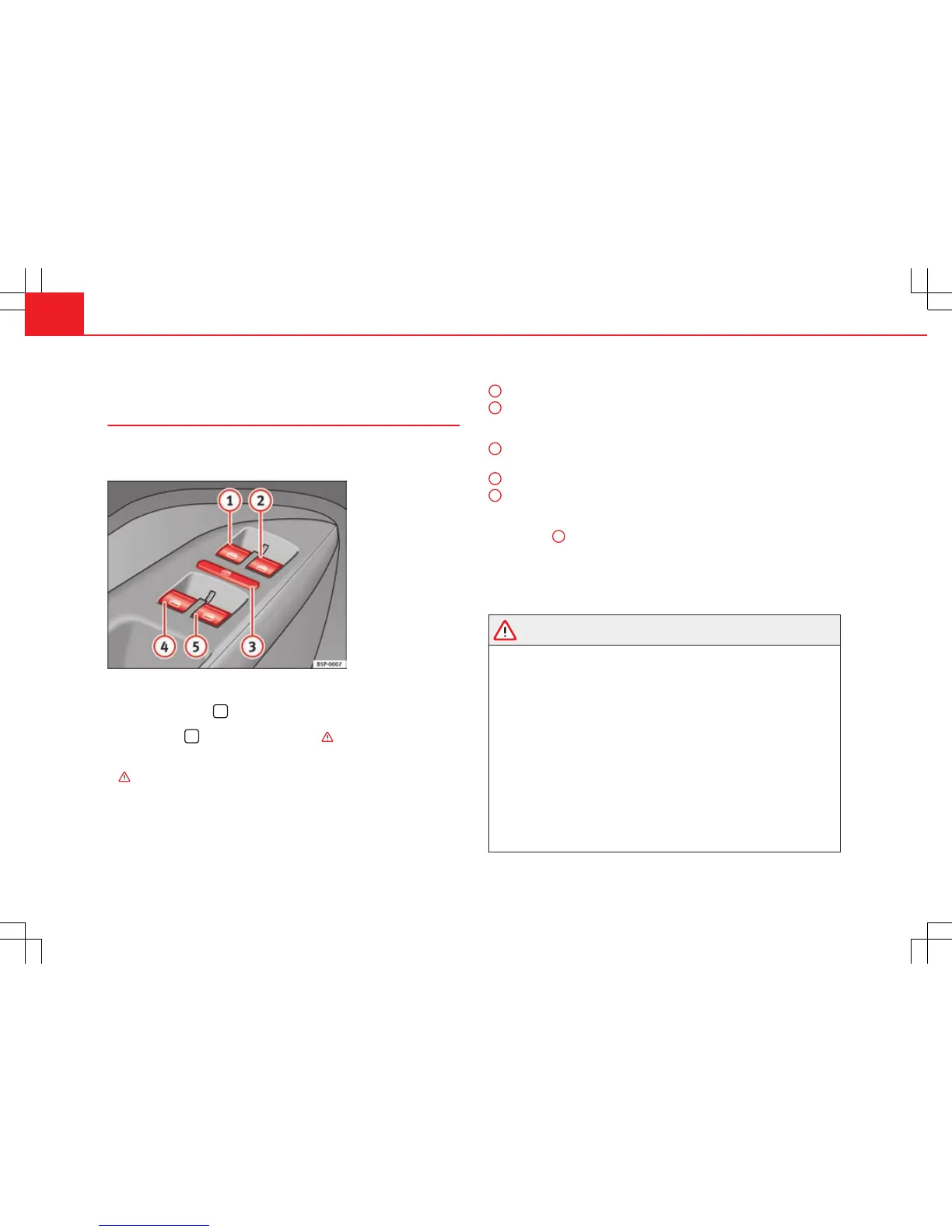
Fig. 67 Detail of the
driver door: controls for
the front and rear win-
dows
Opening and closing the windows
– Press the button
to open the window.
– Pull button
to close the window ⇒ .
Always close the windows fully if you park the vehicle or leave it unattended
⇒
.
You can use the electric windows for approx. 10 minutes after switching off
the ignition if neither the driver door nor the front passenger door has been
opened and the key has not been removed from the ignition.
Buttons on the driver door
Button for window in front left door
Button for window in front right door
Buttons for rear windows*
Safety switch for deactivating the electric window buttons in the rear
doors
Button for window in rear left door
Button for window in rear right door
Safety switch *
Safety switch
3
on the driver door can be used to disable the electric win-
dow buttons in the rear doors.
Safety switch not pressed: buttons on rear doors are activated.
Safety switch pressed: buttons on rear doors are deactivated.
WARNING
● Incorrect use of the electric windows can result in injury.
● Never close the tailgate without observing and ensuring it is clear, to
do otherwise could cause serious injury to you and third parties. Make
sure that no one is in the path of a window.
● Always take the vehicle key with you when you leave the vehicle.
● Never leave children or disabled persons in the vehicle, particularly if
they have access to the keys. An uncontrolled use of the key could start
the engine or activate any electric equipment (e.g. electric windows),
causing risk of accident. The doors can be locked using the remote con-
trol key. This could make the aid difficult in an emergency situation.
● The electric windows will work until the key has been removed from
the ignition and one of the front doors has been opened.
● If necessary, use the safety switch to disable the rear electric win-
dows. Make sure that they have been disabled.
1
2
3
4
5



 To Next Page