148 Air conditioning
Note
Please observe the general notes ⇒ page 155.
Heating and cooling the interior
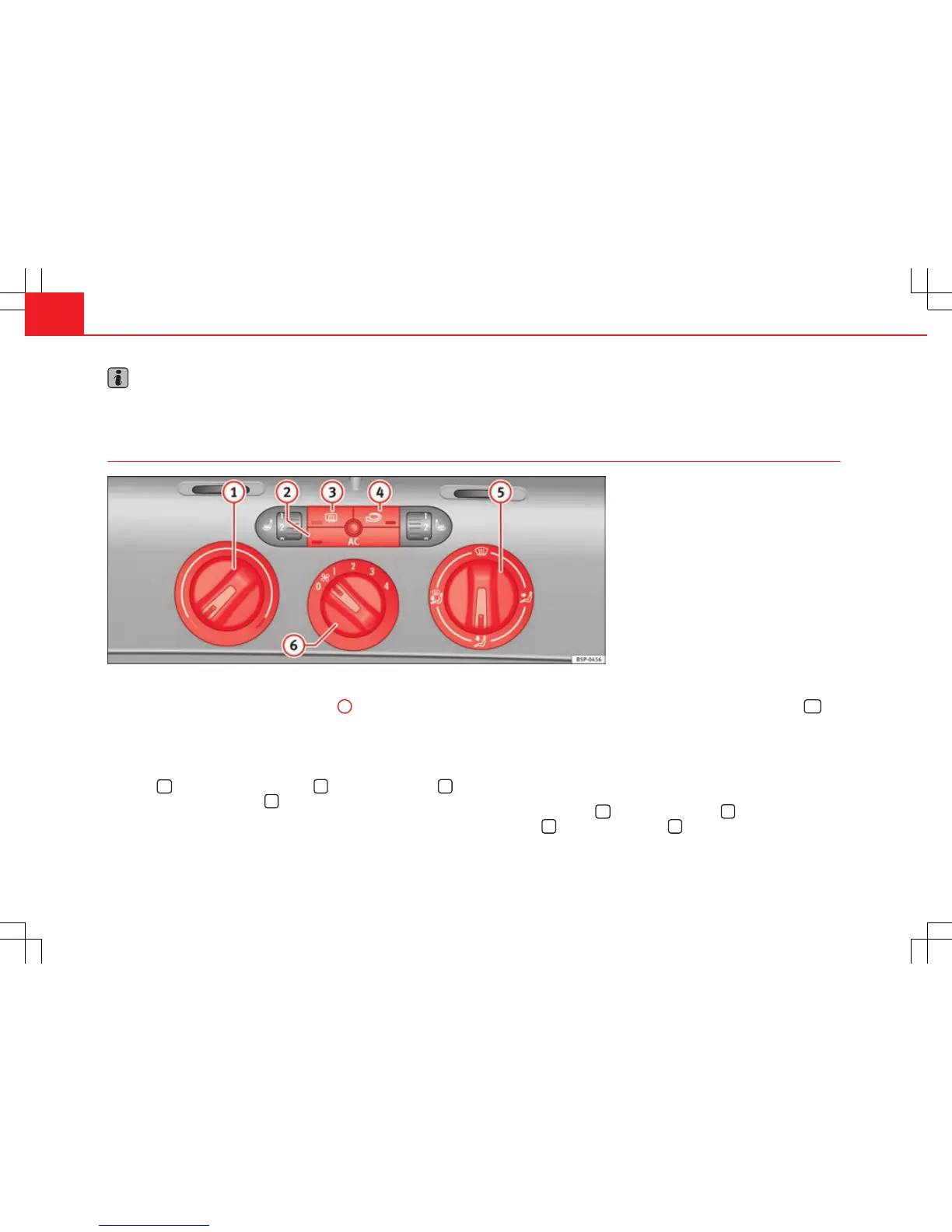
Fig. 108 On the dash panel: Climatic controls
Interior heating
– Turn the temperature selector ⇒ fig. 108
1
clockwise to select
the required temperature.
– Turn the blower switch to one of the settings 1-4.
– Set the air distribution control to the air flow configuration de-
sired:
(towards the windscreen),
(towards the chest),
(towards the footwell) and
(towards the windscreen and
footwell areas).
Interior cooling
– Switch on the air conditioner using the button ⇒ fig. 107
AC
.
– Turn the temperature selector anti-clockwise until the desired
cooling output is reached.
– Turn the blower switch to one of the settings 1-4.
– Use the air distribution control to guide the flow of air in the re-
quired direction:
(to the windscreen),
(to the upper
body),
(to the footwell) and
(to the windscreen and to the
footwell).



 To Next Page