154 Air conditioning
Manual mode
In manual mode you can adjust the air temperature, air flow and distribution as required.
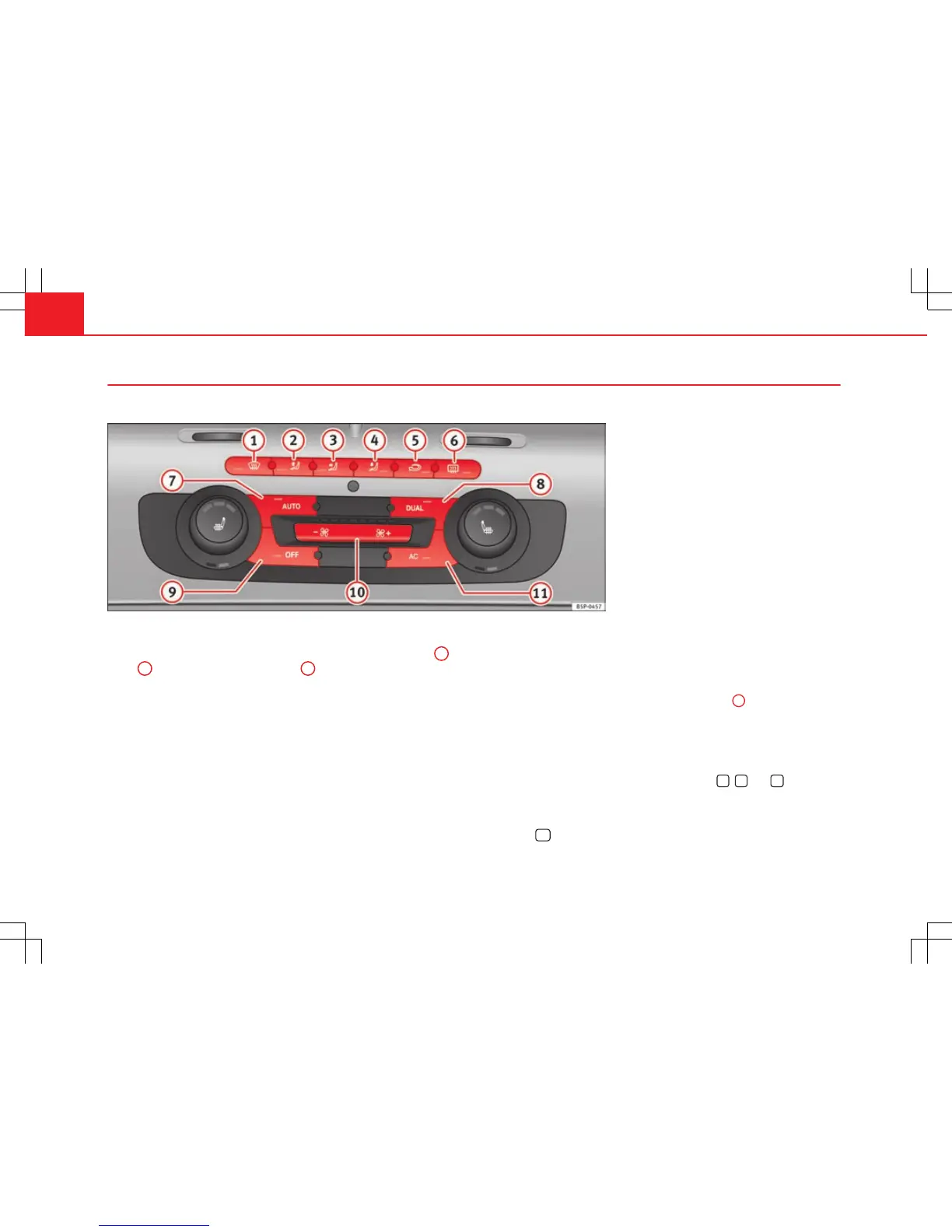
Fig. 113 On the dash panel: 2C Climatronic controls.
Switching on manual mode
– To enter manual mode, press one of the buttons ⇒ fig. 113
1
to
5
or press the air flow control
10
. The selected function is
shown on the radio or navigator display.
Temperature
There are separate temperature selectors for the left and right sides of the
vehicle interior. The selected temperature is displayed above the selector. It
is possible to select interior temperatures from +18 °C (64 °F) to +26 °C
(80 °F). These are approximate temperatures and the actual temperature
may be slightly higher or lower depending on the ambient conditions.
If you select temperatures below 18 °C (64 °F) the indication LO will appear
on the screen. In this setting the system runs at maximum cooling output
and the temperature is not regulated.
If you select temperatures above 26 °C (80 °F) the indication HI will appear
on the screen. In this setting the system runs at maximum heating output
and the temperature is not regulated.
Blower
The air flow may be adjusted freely using the control
10
. Always have the
blower running at a low setting to ensure a constant flow of fresh air into
the vehicle. Pushing the button to the minimum -1, turns the Climatronic
off.
Air distribution
The air distribution is adjusted using the buttons
,
and
. It is also
possible to open and close some of the air vents separately.
Switching the air conditioning on and off
When the
AC
button is on (LED lit), the air conditioning system is on.



 To Next Page