179Driving
Setting speed*
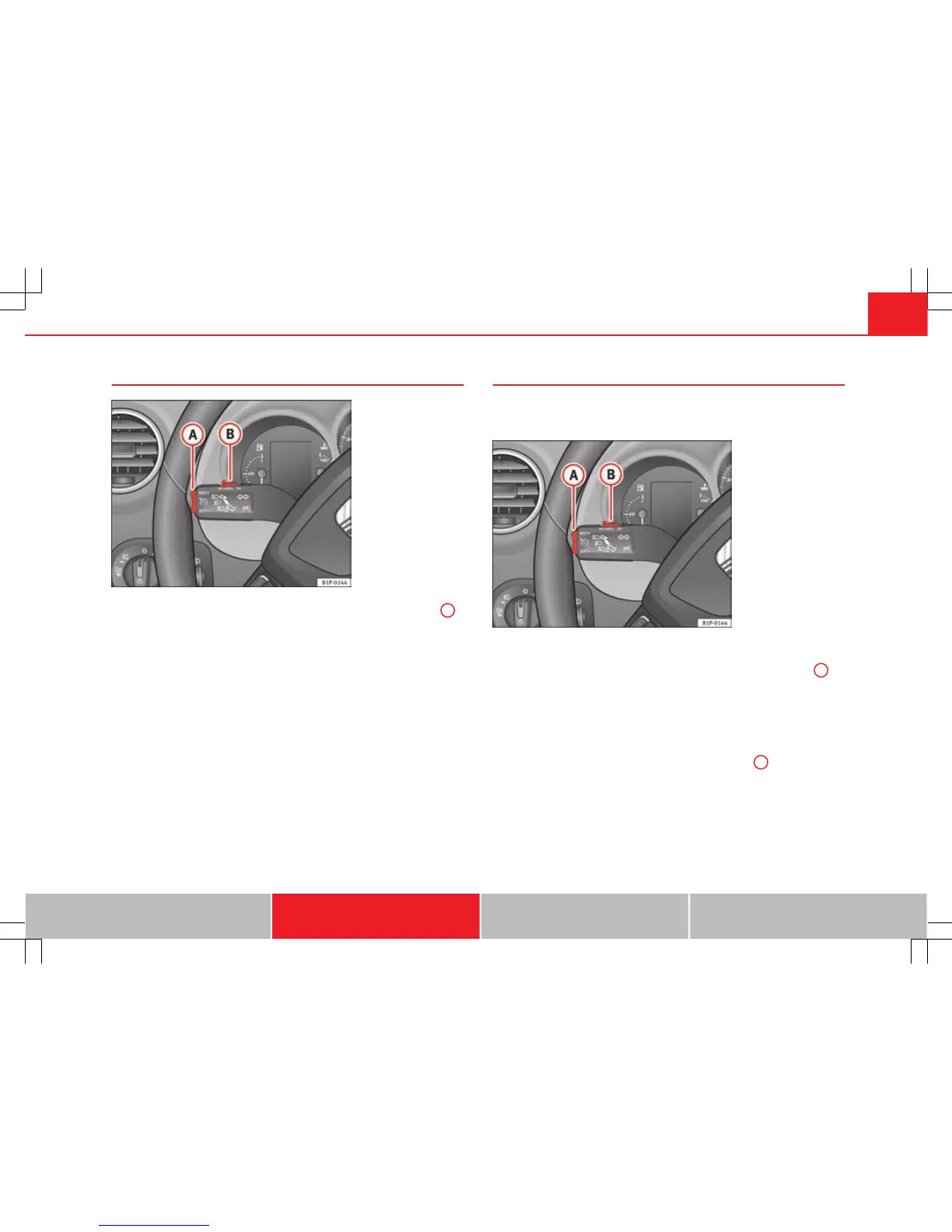
Fig. 132 Turn signal and
main beam headlight lev-
er: switch and rocker
switch for the cruise con-
trol
– Press the lower part SET/SET of the rocker switch ⇒ fig. 132
A
once briefly when you have reached the speed you wish to set.
When you release the rocker switch, the current speed is set and held con-
stant.
Adjusting set speed*
The speed can be altered without touching the accelerator or
the brake.
Fig. 133 Turn signal and
main beam headlight lev-
er: switch and rocker
switch for the cruise con-
trol
Setting a higher speed
– Press the upper part RES/+ of the rocker switch ⇒ fig. 133
A
to
increase the speed. The vehicle will continue to accelerate as
long as you keep the rocker switch pressed. When you release
the switch, the new speed is stored.
Setting a lower speed
– Press the lower part SET/– of the rocker switch
A
to reduce the
speed. The vehicle will automatically reduce its speed for as
long as you keep the switch pressed. When you release the
switch, the new speed is stored.
When you increase speed with the accelerator and then release the pedal,
the system will automatically restore the set speed. This will not be the
Safety First Operating Instructions Practical Tips Technical Specifications



 To Next Page