64 Cockpit
The multifunction system uses two automatic memories: 1 - Actual
memory and 2 - Total memory. The selected memory will be shown
in the upper right-hand corner of the display.
Selecting a memory
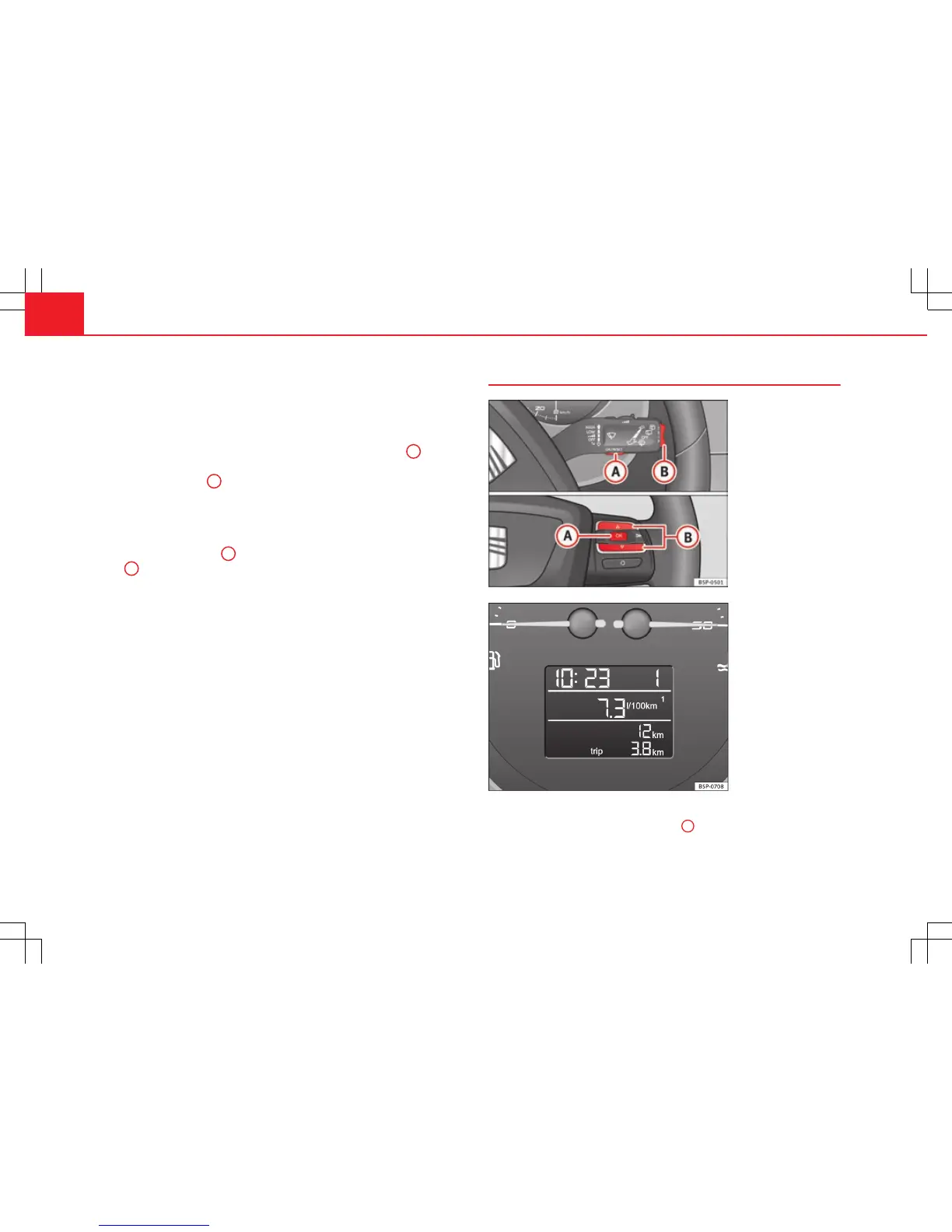
– When the ignition is on, briefly press button ⇒ fig. 39
A
on the
windscreen wiper lever to change from one memory to another
or press button
A
on the steering wheel controls ⇒ fig. 39.
Resetting a memory
– Select the memory that you would like to reset.
– Hold down button
A
on the windscreen wiper lever or button
A
on the steering wheel controls for at least 2 seconds.
The trip memory 1 collects the travel and consumption rates from the mo-
ment the ignition is switched on until it is switched off. If the journey is con-
tinued within two hours of switching off the ignition, the new values will be
added to the existing trip recorder memory. The memory will automatically
be deleted if the journey is interrupted for more than two hours.
The total memory 2 collects the trip data for any number of individual jour-
neys (even if the ignition is switched off for longer than two hours) up to a
total of 19 hours and 59 minutes travel time or 1999 km distance travelled.
The memory will automatically be deleted if one of the named values is
reached.
Information in the multifunction display (MFI)*
Fig. 41 Rocker buttons A
and B. Steering wheel
controls.
Fig. 42 Digital instru-
ment panel display: aver-
age fuel consumption in-
dicator.
You can switch between the following displays in the multifunction display
(MFI) by operating rocker switch ⇒ fig. 41
B
on the windscreen wiper lever.



 To Next Page