Infotainment operation
Telephone interface
Introduction
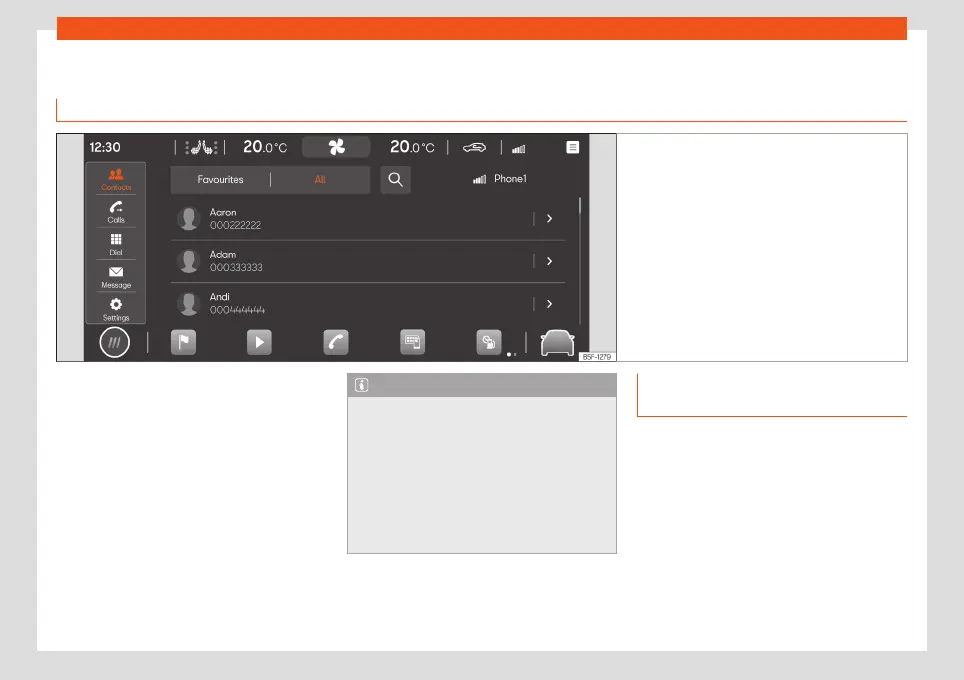
Fig. 157
Schematic representation: Phone view
You can use the telephone interface to con-
nect your mobile to the infotainment system
and operate phone functions through it. The
sound is played through the vehicle's speak-
ers.
You can connect up to two mobile phone de-
vices simultaneously to the infotainment sys-
tem.
High speeds, poor weather or road conditions
and a noisy ambience (even outside of the
vehicle), as well as the quality of reception
can all affect the quality of a telephone con-
versation in the vehicle.
Note
●
As a general rule, pairing a device (for ex-
ample, a mobile phone device) is only nec-
essary once. You can restore the device
connection via Bluetooth® or Wi-Fi with the
infotainment system whenever you want
without having to pair the device again.
●
The availability of some telephone func-
tions will depend on the mobile phone con-
nected to the infotainment system.
Telephone interface equipment and
symbols
Equipment features
●
Hands-free function.
●
Use up to two phones at the same time.
●
Phone book with a maximum of 5,000 con-
tacts.
●
SMS functions via Bluetooth®*: reading
SMS, writing SMS (including templates), SMS
playback, message history.
●
Email functions via Bluetooth®*: reading
email, writing email.
»
207



 To Next Page