Driving
Visual indication segments
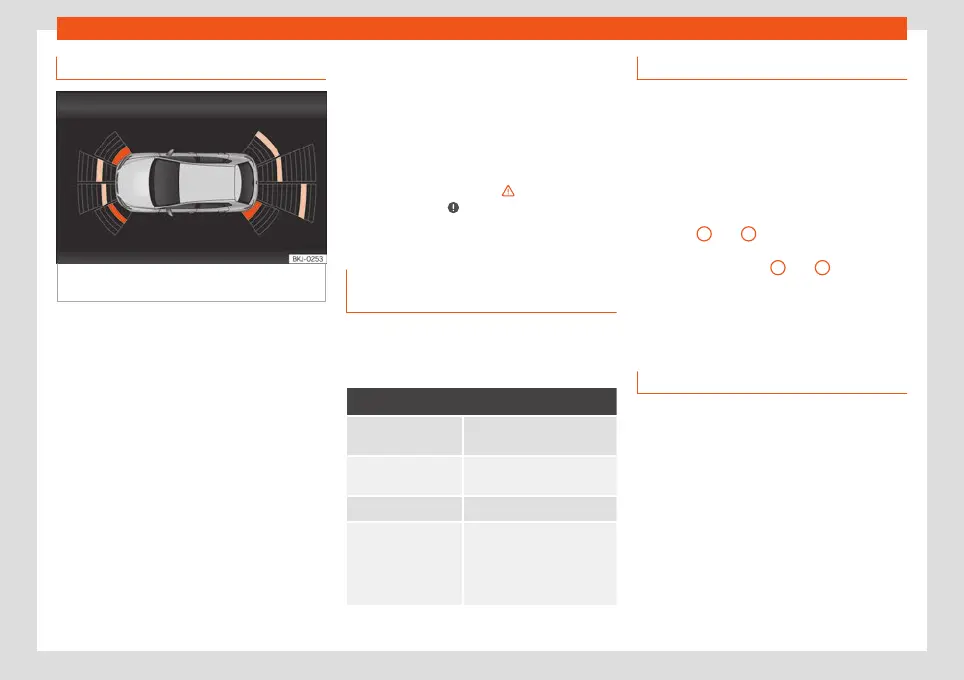
Fig. 190
Parking Aid display on the Infotain-
ment syst
em scr
een.
The optical indication of the segments works
as f
oll
o
ws:
Grey segments: the obstacle is more
than approx. 30 cm away from the path
or in the direction opposite to travel.
They are also displayed when the elec-
tronic parking brake is activated.
Yellow segments: the obstacles lie on
the vehicle’s path and are at a distance
of less than approx. 30 cm away.
Red segments: obstacles are less than
approx. 30 cm away.
A wake will indicate the anticipated forward
or backward trajectory, depending on the en-
gaged gear.
–
–
–
If an obstacle is located in the vehicle’s way,
the corresponding audible warning will
sound.
When the penultimate segment is displayed,
the vehicle has reached the collision zone. In
the collision zone, the obstacles are repre-
sented in red (including those out of the
path). Stop the vehicle!
›››
in Introduction
on page 26
7
,
›
››
in Introduction on
page 26
7
!
Setting the indications and audio
signal
s
The indications and acoustic signals are set
in the Inf
ot
ainment syst
em: function button
> Driver assistance > Parking aid:
Setup
Automatic activa-
tion
On/off
Front volume*
Volume in the front and rear
area.
Rear volume* Volume in the rear area.
Adjust volume
When the parking aid is
switched on, the v
olume of
the audio source will be re-
duced, depending on the se-
lected option.
Error messages
If a an error or fault message appears on the
instrument panel in Parking assist, there is a
f
ault.
If the fault doesn't disappear before discon-
necting the ignition, it will not be indicated
next time the parking aid is connected.
If a rear sensor is faulty, only the obstacles in
the areas
A
and
B
are displayed
›››
Fig. 189. If a front sensor is faulty, only the
obstacles in the areas
C
and
D
will be dis-
pl
ayed. Symbol is displ
ayed.
W
e recommend taking the vehicle to a speci-
alised workshop to have the fault repaired.
Trailer mode
On vehicles with a factory-mounted trailer
hook
, when the tr
ail
er is connected, the rear
sensors will not activate when reverse gear is
engaged or button is pressed in the Info-
tainment system ( > Driver assistance >
Parking aid). Therefore, any objects behind
or to the side of the vehicle will not be indica-
ted on the screen and no audio signals will
sound.
The screen will only display objects detected
at the front, and the vehicle's trajectory will
be hidden.
270



 To Next Page