EasyManua.ls Logo

Sebury S Key-w - User Manual

Default Icon
18 pages
Print Icon
To Next Page IconTo Next Page
Loading...
Sebury Technology Co., Ltd.
Address: 5/F, Building 8, Xinwu Industrial Park, Xili, Nanshan District, Shenzhen, China.
Tel: +86-755-82885464 Fax: +86-755-82884565
P.C.: 518055 www.sebury.com.cn
User Manual
Before installation and use, please read the user manual carefully.

Questions and Answers

Summary

Description, Features and Specifications

Product Description

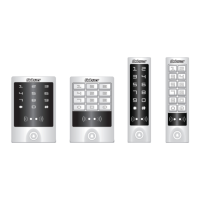
Provides a general overview of the sTouch/sKey series access control systems, detailing their components and capabilities.

Key Features

Lists the key features of the access control devices, including material, waterproof rating, split design, card reader types, and multiple working modes.

Technical Specifications

Details the technical specifications for both the Access Host and the i Box, covering input voltage, current, dimensions, temperature, and humidity.

Quick Installation Guide

Access Host Panel Identification

Identifies front and back panel components of Touch and Key access host models for installation context.

Drilling Mounting Holes

Provides instructions and diagrams for drilling holes required for mounting the access host bracket.

Bracket and Host Installation

Details the process of attaching the bracket and mounting the access host unit onto the prepared surface.

Securing with Safe Screws

Instructs on how to secure the device using safe screws, ensuring proper installation and tamper resistance.

i Box and Exit Button Installation

Guides the installation of the i Box and the exit button, including specific dimensions and preliminary checks.

Lock Mechanism Installation

Provides guidance on installing the lock mechanism, noting that the lock itself is not included.

System Wiring Connections

Details the wiring connections required for the access host, lock, exit button, and other system components.

Door Bell and Alarm Interface Principles

Explains the operational principles of the door bell and alarm interfaces, including relay behavior and FET connection.

Detailed Lock Wiring Instructions

Provides specific wiring instructions for different lock types (Fail Secure, Fail Safe) and the use of IN4004 diodes.

Manager Card Operation

Adding Users with Manager Add Card (Zone 1)

Details the procedure for adding card users using the Manager Add Card function specifically for Zone 1.

Deleting Users with Manager Delete Card (Zones 1 & 2)

Explains how to delete card users using the Manager Delete Card function for both Zone 1 and Zone 2.

User Settings

Unlock by Single Card

Describes the setting for unlocking the door with a single valid card read.

Unlock by Multiple Cards

Explains how to set the system to unlock the door by reading 2-10 valid cards consecutively.

Unlock by Card and PIN

Details how to configure the door to unlock using a valid card followed by a PIN.

Unlock by Card or PIN

Explains the setting for unlocking the door by either a valid card or a PIN.

Relay Operation Modes

Describes the two modes for relay operation: Pulse Mode for access control and Toggle Mode for switching.

Changing User PIN

Provides instructions on how to change the PIN for a user, including steps for users with or without cards.

Door Bell Functionality

Explains the operation and optional working modes for the door bell function, including ring-back tones and external bells.

Alarm Functions

Anti-Tamper Alarm

Details the anti-tamper alarm function, which triggers the buzzer and external alarm when the host is disassembled.

Door Contact Alarm

Describes the door contact alarm, activated if the door is opened illegally, triggering alarms.

Anti-Duress Alarm

Explains the anti-duress alarm triggered by duress card or PIN, opening the lock and activating the external alarm.

Alarm Removal Methods

Provides methods to remove an active alarm, either by valid card/master code or automatic timeout.

Factory Default Reset

Sound and Light Indicators

Detailed Programming Guide

Administrator Settings and Manager Cards

Covers administrator settings like changing master code and managing manager cards (add/delete).

User Settings for Zone 1

Explains how to add card, PIN, or card and PIN users for Zone 1, including continuous adding.

User Settings for Zone 2

Explains user settings for Zone 2, mirroring Zone 1 with specific PIN digit requirements.

Advanced System Settings

Covers system settings for various working modes like Wiegand reader, standalone, interlocked, and anti-passback.

Optional Operational Settings

Details optional settings for keypad tone, door bell, keypad backlight, LED light, and anti-tamper alarm.

Administrator Door Override

Describes how administrators can open doors, with specific actions for door 1 and door 2.

Advanced Application - Various Working Mode Application

Wiegand Reader Mode Configuration

Explains how the access host functions as a Wiegand reader, detailing settings and output data transmission.

Standalone for Single Door Setup

Details the setup for single-door standalone mode, including wiring and the use of an external reader for exiting.

Automatic Mode Operation

Describes the automatic mode where the host acts as a standalone for single door or a Wiegand reader.

Standalone for Two Doors Configuration

Explains the standalone mode for two doors, allowing control of each door via Zone 1 and Zone 2 settings.

Two Doors with External Reader Setup

Details the configuration for two doors using an access host for entering door 1 and an external reader for entering door 2.

Two Units Interlocked for Two Doors

Explains the interlocked function for two doors, requiring sequential access for higher security in locations like banks.

Anti-passback for Single Door System

Describes the single-door anti-passback system where the host is for entry and an external reader for exit.

Anti-passback for Two Doors System

Details the two-door anti-passback system, using the host for entry and an external reader for exit, common in parking lots.

Simple Troubleshooting

Troubleshooting Anti-passback Scenarios

Addresses common issues in single and two-door anti-passback systems, including PIN settings and alarms.

Troubleshooting Administrator Access

Focuses on resolving problems related to forgetting master codes or failing to enter administrator settings.

Packing List

Touch;Key Device Components

Lists the components included in the packing for the Touch/Key access control device.

S Button Device Components

Lists the components included in the packing for the S Button device.

Sebury S Key-w Specifications

General IconGeneral
MaterialZinc Alloy
Surface FinishBrushed
Active Current≤100mA
Environment Humidity10% to 90% RH
Operating VoltageDC 12V
Card TypeEM
Environment Temperature-20°C to 55°C
Adjustable Door Relay Time0~99 seconds

Related product manuals