12
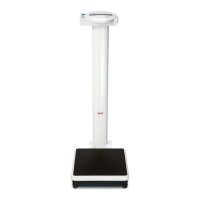
Use this “2 in 1” function as outlined below:
What must be done? Explanation
Preparation
– Press the green Start key and wait
for the display
– Mount the scale without the child and The display shows your weight.
stand still.
– The weight can be read off.
Weighing the child
– Press the key “2 in 1” Your weight is now saved and resetting occurs. the indicator “NET” lights up and
appears in the display.
– Hold the child for weighing. If nobody can pass you the child, you can also get off the scale to fetch him / her.
The seca 781 continues to save your weight and
appears in the display.
– The weight of the child is displayed and
remains in the display after two seconds.
– You can now weigh the next child.
When the LED indicator in the mother / child symbol flashes, the weight of the child is
shown in the display. The child’s weight remains in the display until you get off the scale
and then get back on it again, e.g. with another child. In this case too, the weight of the
child is displayed and then kept in the display. This procedure can be repeated as often
as you like. However, you must ensure that the same adult always takes the child onto the
scale, and the weight of this person must not change during a series measurement.
Deactivating the
mother / child function
– Press the “2 in 1” key again. The scale now once again operates in its normal operating state. You can stand on the
scale with or without a child, or you can stand next to the scale when you press the key.
Or – press the Start key The scale restarts. It should be unloaded.
Or – The scale switches itself off two
minutes after the last weighing procedure.
Visit www.balances.com Your Authorized Seca Dealer



 To Next Page