26
Deviation from ideal weight (seca pragma 883 only)
If you are unsure as to whether your weight complies with medical recommendations, it
is possible to check. There is a simple formula for calculating normal and ideal weight. The
“Broca formula” (named after a French surgeon) incorporates height.
Normal weight = height in cm - 100; ideal weight = normal weight - 10 %
The seca pragma 883 stores the formula for ideal weight.
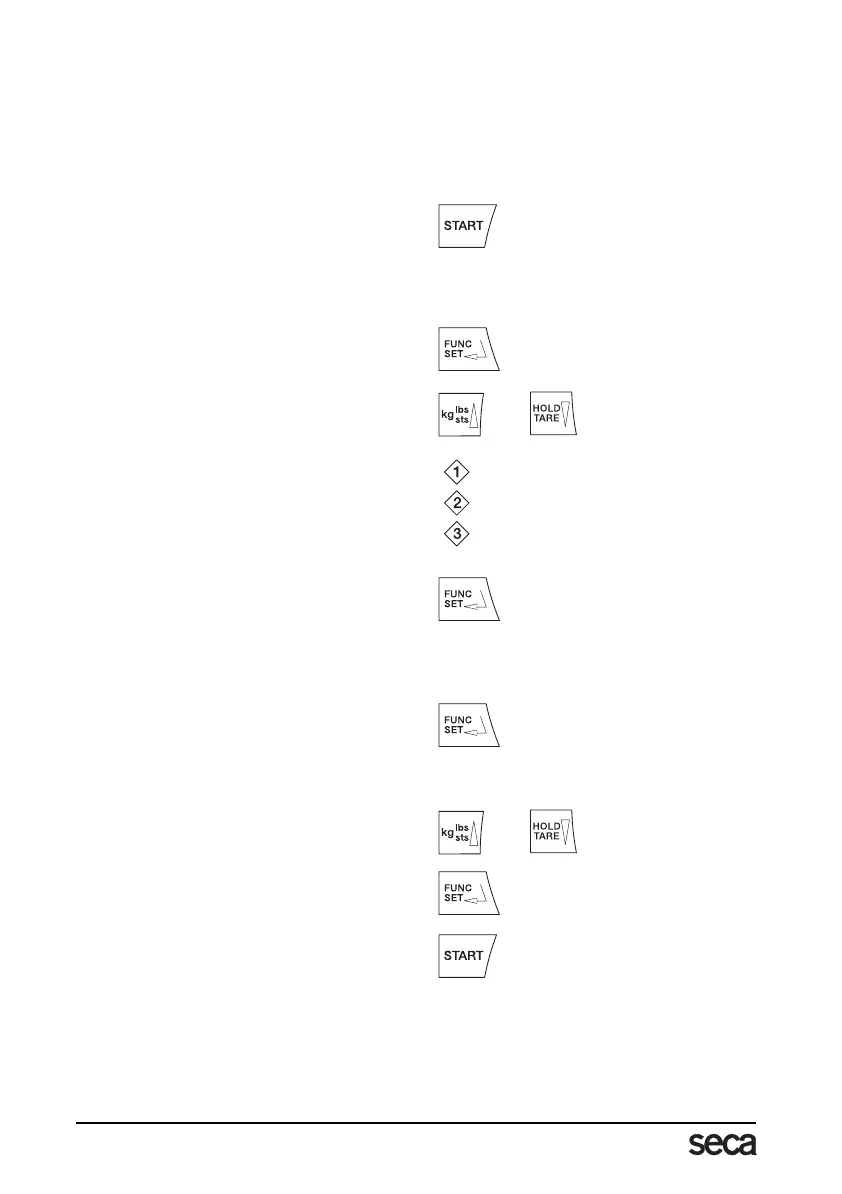
– Press the Start key with no load on the
scale.
se(a, 8.8.8.8.8. and 0.00 appear con-
secutively in the display. The scale is
then automatically set to zero and
ready for operation.
– Press the FUNC key.
The last function used appears in the
display.
– Use the arrow keys to select function
FU 2. Activate the function by pressing
the FUNC key again.
An arrow on the left-hand side of the
display indicates which memory is set.
– Use the arrow keys to select the mem-
ory where you want to store your height
- or have possibly already stored it.
– Then press FUNC.
You will see the height from the memo-
ry displayed
– You can use the arrow keys to adjust
the value in increments according to
the graduations displayed.
– Once the correct value is set, press the
FUNC key again.
– Step on the scale and keep still.
– Read the difference between current
and ideal weight off the digital display.
– Press an arrow key if you would like to
see current weight briefly.
– To return to normal weighing mode,
press the FUNC key.
– To switch off the scale, press the Start
key again.


 To Next Page