Video Format: Select NTSC for the America Regions or PAL for European Regions.
Language: Please select your appropriate language here.
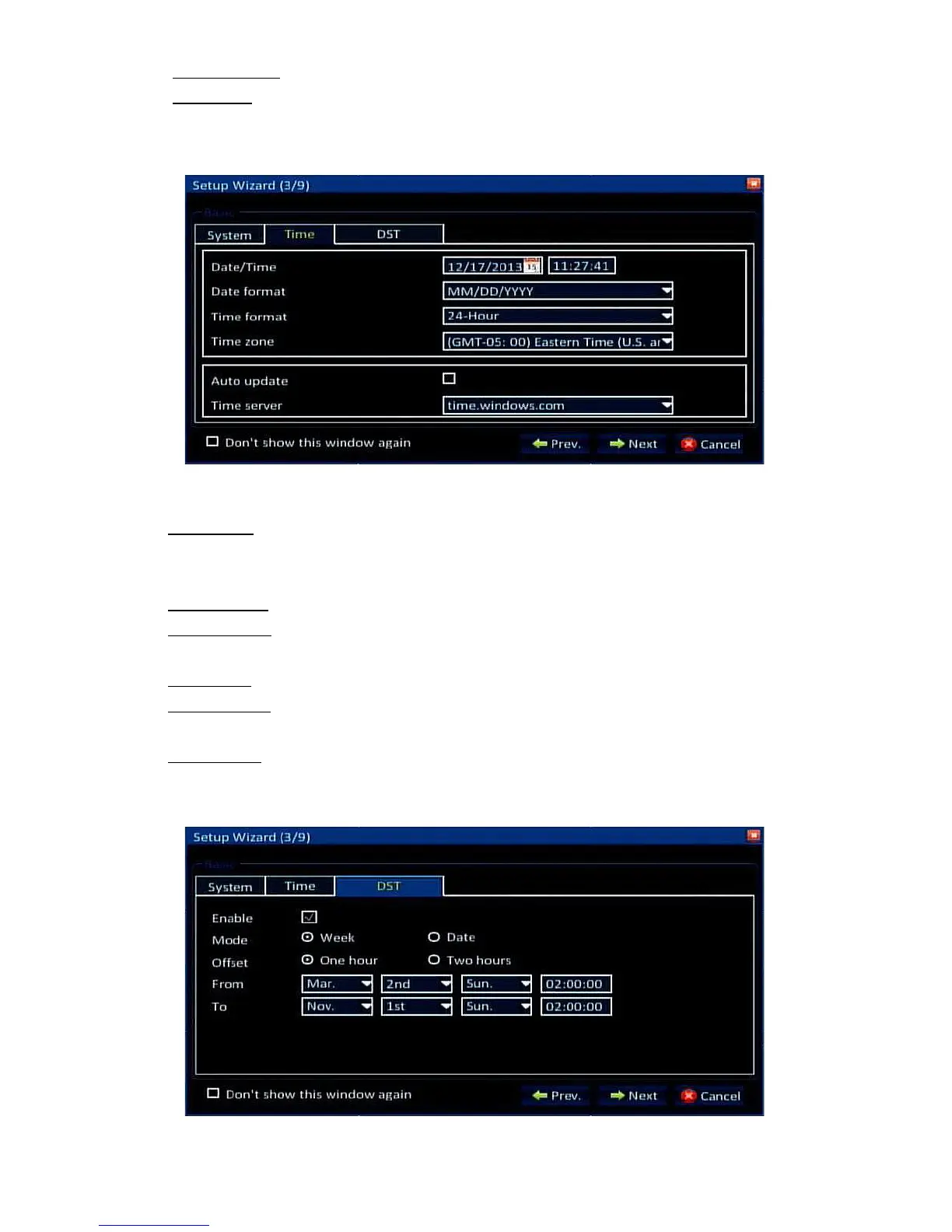
Time Tab:
Date/Time: Here you can set the date and time. Click the calendar icon to the right of
the date to choose the correct date, and then click the time. A digital number pad will
appear and allow you to set the time.
Date Format: Here you can set the way the date will be displayed and recorded.
Time Format: Here you can select whether the time will be displayed in 24hr or 12hr
format.
Time Zone: Here you can set the correct time zone for your location.
Auto Update: Check this box to allow the DVR to automatically sync its time with the
internet time servers.
Time Server: You can select which internet time servers you would like to sync with.
DST Tab:


 To Next Page