Enable: This will enable or disable the Daylight Savings Time (DST) function.
Mode: you can choose to set DST by a specific date, or by week number.
Offset: This will adjust the time by one or two hours during DST.
From: This is the day that DST will start (Currently the 2
nd
Sunday in March at 2AM).
To: This is the day that DST will end (Currently the 1
st
Sunday in November at 2AM).
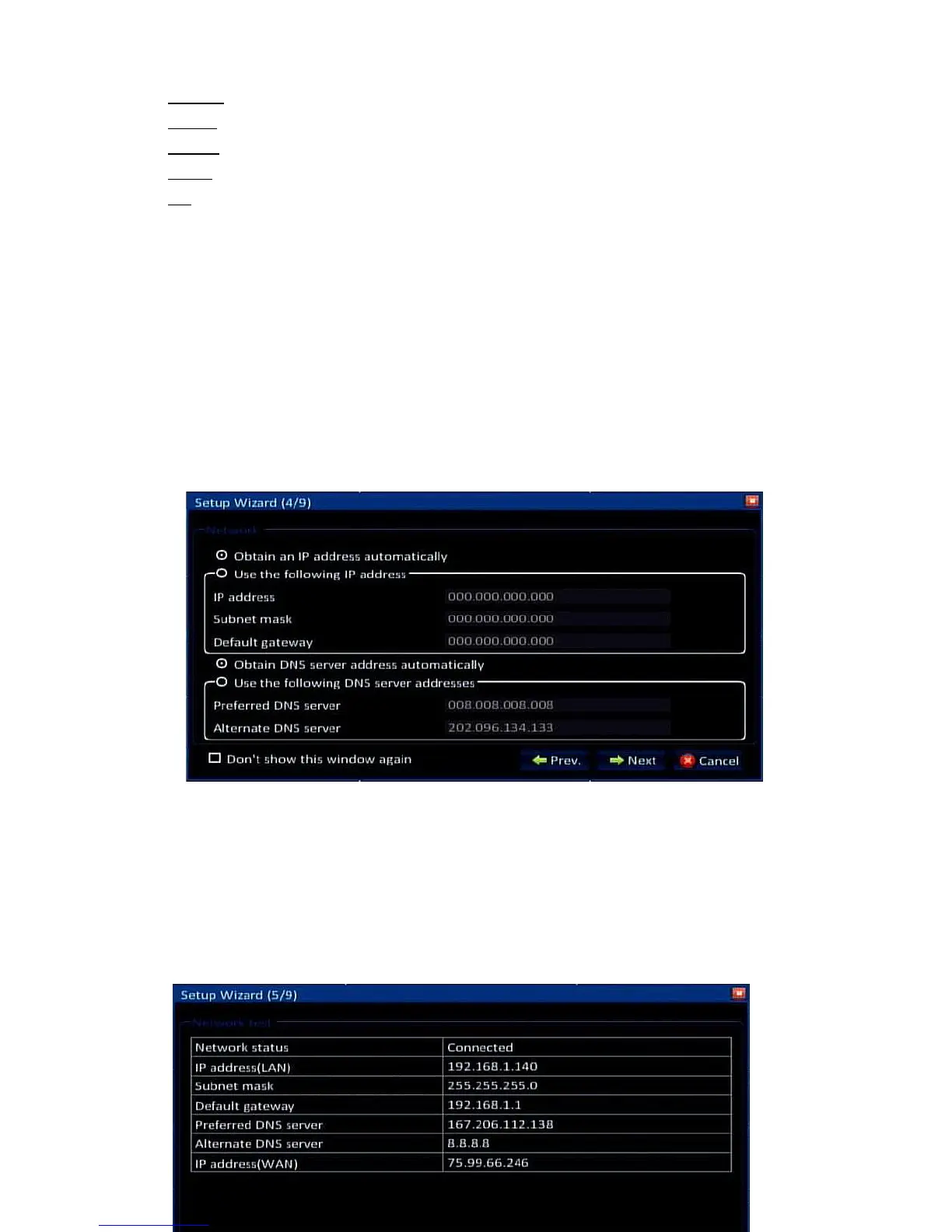
2.4 Network Setup
There are many different ways to setup the DVR on the network. By default the DVR comes
setup for the automated Cloud Setup, which allows you to remote view your DVR from
anywhere in the world without having to do any additional setup. For the default Cloud Setup,
you must select “Obtain IP Address Automatically” and “Obtain DNS Server Address
Automatically”. See section 4.2.2 for more information on network settings after completing
the setup wizard. Click “Next” to continue to the next screen:
2.5 Network Testing
The system will automatically test your network setup. If the network settings are not
correct, please return to the previous page to correct the settings and then click Next. If no
testing is required, just click Skip to go to the next screen:


 To Next Page