EasyManua.ls Logo

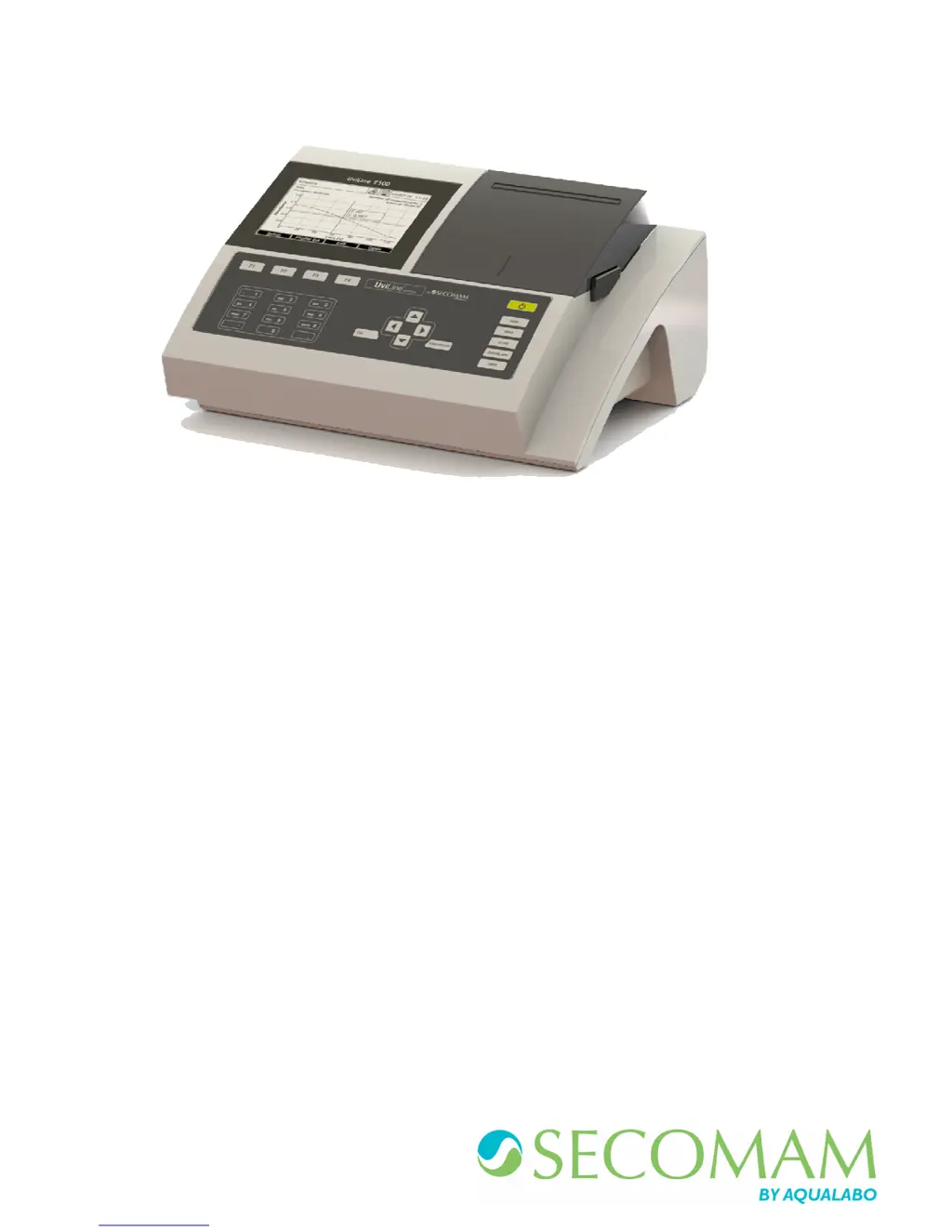
Secomam UviLine 9600 - User Manual

Default Icon
195 pages
Print Icon
To Next Page IconTo Next Page
Loading...
OPERATING MANUAL
MANUEL D’UTILISATION
Ref : N0005B
Date: 19/12/2017
UviLine Series
Gamme Uviline
SPECTROPHOTOMETERS / SPECTROPHOTOMETRE

Table of Contents

Questions and Answers

  • C
    Corey PowellAug 7, 2025
    What to do if Secomam UviLine 9600 show incorrect measured values?
    • C
      charlesjohnsonAug 7, 2025
      If you are getting incorrect measured values from your Secomam Measuring Instruments, there could be several reasons. First, check if the cuvette is dirty and clean it. Second, ensure that the dilution is done correctly by making the dilution again. Third, verify that you've selected the appropriate method; if not, select another method. Also, it’s important to ensure that both the zero measurement and the blank value are accurate by performing the zero again and measuring the blank again.
  • B
    Brian WilliamsAug 12, 2025
    Why Secomam UviLine 9600 Measuring Instruments give not stable results?
    • M
      moniqueballardAug 12, 2025
      If you're experiencing unstable results with your Secomam Measuring Instruments, it could be due to a couple of reasons. First, make sure that the cover of the cuvette compartment is properly closed. Second, the halogen lamp may be nearing the end of its life, so consider changing the halogen lamp.
  • M
    Monica PattersonAug 16, 2025
    What to do if data transmission to USB memory device does not work on Secomam UviLine 9600 Measuring Instruments?
    • J
      jake29Aug 17, 2025
      If data transmission to a USB memory device is not working with your Secomam Measuring Instruments, there are a couple of things to check. First, try using a different USB memory device, as the current one might not be recognized. Second, the USB memory device might be formatted to an unsupported file system. If it's formatted to NTFS, format it to the FAT32 file system instead.
  • M
    Monique TorresAug 22, 2025
    What to do if Secomam UviLine 9600 measurement range undercut or exceeded?
    • V
      Victoria BradleyAug 22, 2025
      If the measurement range is undercut or exceeded on your Secomam Measuring Instruments, it could be due to an unsuitable method. Select another method with a suitable measuring range. Also, consider diluting the sample.
  • E
    Emily RaymondAug 27, 2025
    Why connected printer does not print with Secomam Measuring Instruments?
    • B
      Bryan RobinsonAug 27, 2025
      If the connected printer does not print with your Secomam Measuring Instruments, the printer may not be suitable. Connect a printer that can interpret the printer control language PCL-3.
  • M
    Mary RogersSep 1, 2025
    How to fix Secomam UviLine 9600 spectrophotometer that doesn’t switch on?
    • S
      Sylvia SpencerSep 1, 2025
      If your Secomam Measuring Instruments spectrophotometer doesn’t switch on, the power cable might not be connected properly. Connect the power cable correctly.

Summary

1 Warranty Information

3 Safety Guidelines

3.1 Safety Information

Guidelines for safe operation, warning symbols, and hazard levels.

3.2 Safe Operation

Rules for authorized use, power supply, environmental conditions, and product handling.

5 Technical Data

5.1 Measurement Characteristics

Details specifications like wavelength range, bandpass, accuracy, and resolution.

6 Commissioning Procedures

7 Operation Guide

7.2 General Operating Principles

Overview of navigation, measurement modes, and accessing setup options.

8 Concentration Mode

8.1 General Points

How results are displayed based on standard or user-defined methods.

8.2 Method Programming

Steps for creating new methods, including number, wavelength, and resolution.

8.5 Method Execution

Steps to run concentration measurements using standard solutions.

8.5.1.2 Calibration Curve Display

How to display and interpret calibration curves generated from standards.

8.5.1.5 Sample Measurement

Process for performing absorbance measurements on sample solutions.

8.5.2 With Value Pairs

Method for creating calibration curves using absorbance/concentration pairs.

8.5.3 With a Formula

Method for creating calibration curves using a mathematical formula.

9 Absorption; Transmission Mode

9.1 General Points

How absorbance/transmittance is measured without predefined methods.

9.2 Measurement

Steps for taking absorbance/transmittance readings.

10 Special; Multi-Wavelengths

10.1 Basic Information

Overview of special methods and functions for multi-wavelength analysis.

10.2 Method Programming

Steps to create custom methods for multi-wavelength measurements.

10.5 Method Execution

Steps to perform measurements using programmed multi-wavelength methods.

11 Spectrum Mode

11.1 General Points

How to measure and record absorption/transmission values across a wavelength range.

11.2 Method Programming

Steps to set up spectrum measurement parameters.

11.6 Measurement Execution

Steps to perform spectrum measurements.

11.7 Spectra Treatment

Functions for analyzing and manipulating recorded spectra.

11.7.5 Calculations

Spectral analysis functions: peak detection, derivatives, area calculation.

12 Kinetics Mode

12.1 General Points

Temporal tracing of absorbance/transmission for kinetic analysis.

12.2 Method Programming

Steps to create and configure kinetic measurement methods.

12.7 Method Execution

Steps to start and manage kinetic recordings.

12.9 Kinetics Treatment

Functions for analyzing and processing kinetic curves.

13 Memory Management

13.3.5 Result Filtering

How to apply filters to select specific measurement results.

14 User Management

14.1 User Level and User Rights

Describes user groups (Admin, User, Guest) and their permissions.

16 Maintenance Procedures

16.1 Lamp Changing

Step-by-step guide for replacing the halogen lamp.

Secomam UviLine 9600 Specifications

General IconGeneral
Wavelength Range190 - 1100 nm
Photometric Range0 - 200 %T
Baseline Flatness±0.001 Abs
Light SourceDeuterium and Tungsten Halogen lamps
DetectorSilicon Photodiode
Detector TypeSilicon Photodiode
DisplayLCD
Power Requirements100-240 V, 50/60 Hz
TypeUV-Vis Spectrophotometer
Wavelength Accuracy+/- 0.5 nm
Stray Light<0.03% at 220 nm and 340 nm
Sample HolderStandard 10 mm cuvette holder
Data OutputUSB
InterfaceUSB

Related product manuals