EasyManua.ls Logo

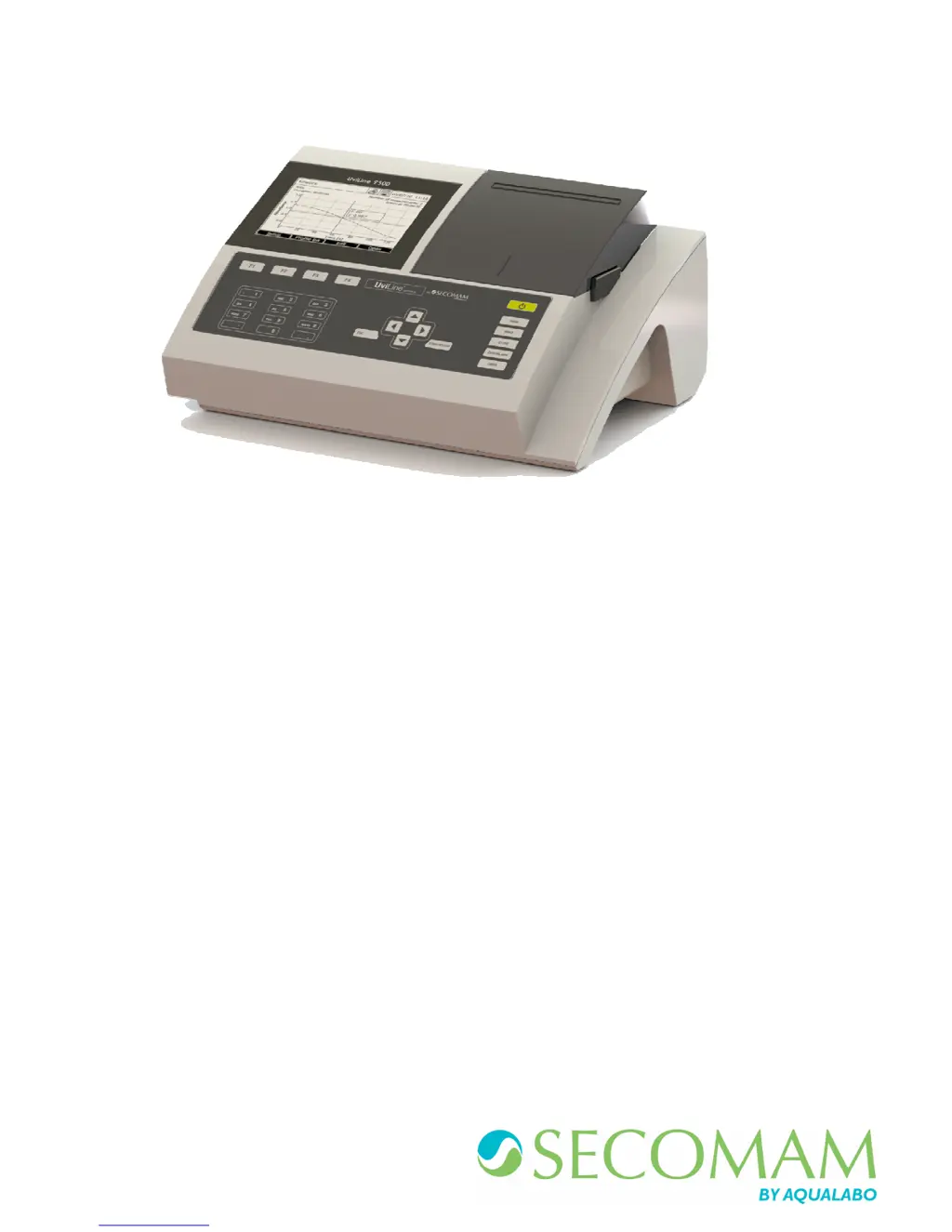
Secomam UviLine 9400C - User Manual

Default Icon
195 pages
Print Icon
To Next Page IconTo Next Page
Loading...
OPERATING MANUAL
MANUEL D’UTILISATION
Ref : N0005B
Date: 19/12/2017
UviLine Series
Gamme Uviline
SPECTROPHOTOMETERS / SPECTROPHOTOMETRE

Table of Contents

Questions and Answers

  • A
    Andrew CollinsAug 7, 2025
    What to do if Secomam UviLine 9400C show incorrect measured values?
    • J
      James KleinAug 7, 2025
      If you are getting incorrect measured values from your Secomam Measuring Instruments, there could be several reasons. First, check if the cuvette is dirty and clean it. Second, ensure that the dilution is done correctly by making the dilution again. Third, verify that you've selected the appropriate method; if not, select another method. Also, it’s important to ensure that both the zero measurement and the blank value are accurate by performing the zero again and measuring the blank again.
  • D
    Diana DavisAug 12, 2025
    Why Secomam Measuring Instruments give not stable results?
    • M
      mark48Aug 12, 2025
      If you're experiencing unstable results with your Secomam Measuring Instruments, it could be due to a couple of reasons. First, make sure that the cover of the cuvette compartment is properly closed. Second, the halogen lamp may be nearing the end of its life, so consider changing the halogen lamp.
  • S
    Stephanie CoxAug 17, 2025
    What to do if data transmission to USB memory device does not work on Secomam UviLine 9400C?
    • T
      Tonya WilkinsAug 17, 2025
      If data transmission to a USB memory device is not working with your Secomam Measuring Instruments, there are a couple of things to check. First, try using a different USB memory device, as the current one might not be recognized. Second, the USB memory device might be formatted to an unsupported file system. If it's formatted to NTFS, format it to the FAT32 file system instead.
  • M
    Michael BrownAug 22, 2025
    What to do if Secomam Measuring Instruments measurement range undercut or exceeded?
    • I
      imooreAug 22, 2025
      If the measurement range is undercut or exceeded on your Secomam Measuring Instruments, it could be due to an unsuitable method. Select another method with a suitable measuring range. Also, consider diluting the sample.
  • M
    Monica LandryAug 27, 2025
    Why connected printer does not print with Secomam UviLine 9400C Measuring Instruments?
    • P
      philip14Aug 27, 2025
      If the connected printer does not print with your Secomam Measuring Instruments, the printer may not be suitable. Connect a printer that can interpret the printer control language PCL-3.
  • M
    Mary Paul DDSSep 1, 2025
    How to fix Secomam UviLine 9400C spectrophotometer that doesn’t switch on?
    • K
      Kyle LopezSep 1, 2025
      If your Secomam Measuring Instruments spectrophotometer doesn’t switch on, the power cable might not be connected properly. Connect the power cable correctly.

Summary

Warranty Terms and Conditions

Warranty Terms and Conditions

Details the warranty coverage, exclusions, and return procedures for UviLine instruments.

Safety Information and Precautions

Safety Information and Precautions

Covers general safety, operating manual information, safety signs, and handling hazardous substances.

Safe Operation and Handling Guidelines

Outlines requirements for safe operation, unauthorized use, and general handling notes.

Overview of Instrument Components

Keyboard Layout and Functions

Explains the keyboard layout, function keys, and alphanumeric input methods.

Technical Data and Measurement Modes

Measurement Characteristics

Lists key measurement specifications such as wavelength range, accuracy, and resolution.

Measurement Modes Overview

Describes the available measurement modes: Concentration, A/%T, Multi-Wavelengths, Spectrum, Kinetics.

General Instrument Specifications

Lists physical, electrical, environmental, and safety specifications of the instrument.

Commissioning Procedures

Initial Setup: Language and Date;Time

Guides through setting the instrument's language and date/time during initial setup.

Self-Test and Warm-up Procedure

Details the self-test process and the required warm-up time for the instrument.

Operation and Navigation

Switching the Photometer On and Off

Describes the procedure for powering the spectrophotometer on and off.

Concentration Mode Operations

Method Programming in Concentration Mode

Details how to program new methods, including parameters like wavelength and units.

Method Deletion and Execution

Covers deleting methods and executing measurements using standard solutions.

Calibration Curve Management

Explains displaying, defining, and adjusting calibration curves.

Concentration Calculation Using Value Pairs

Describes creating methods using absorbance/concentration value pairs.

Concentration Calculation Using Formulas

Explains defining methods with formulas for calculations.

Absorption; Transmission Mode

General Points and Measurement in A;T Mode

Introduces the mode and details measurement procedures for absorbance/transmittance.

Special;Multi-Wavelengths Mode

Basic Information and Method Programming

Covers the mode's features and how to program methods involving multiple wavelengths.

Method Execution in Multi-Wavelengths

Details the steps for executing programmed multi-wavelength methods.

Spectrum Mode Operations

Method Management and Execution

Covers saving, deleting, selecting, and executing spectrum methods.

Kinetics Mode Operations

General Points and Method Programming

Introduces the kinetics mode and method setup for temporal tracing.

Method Execution in Kinetics Mode

Explains the steps to execute a kinetics measurement and stop recording.

Memory Management and Data Handling

Result Recording: Manual and Automatic

Details manual and automatic (AutoStore) methods for saving measurement results.

Result Filtering and Dataset Erasure

Covers filtering results by criteria and erasing datasets.

Users Management

Maintenance Procedures

Lamp Changing Procedure

Provides a step-by-step guide for replacing the instrument's lamp.

General Troubleshooting Guide

Lists common issues and their remedies for spectrophotometer operation.

Secomam UviLine 9400C Specifications

General IconGeneral
BrandSecomam
ModelUviLine 9400C
CategoryMeasuring Instruments
LanguageEnglish

Related product manuals