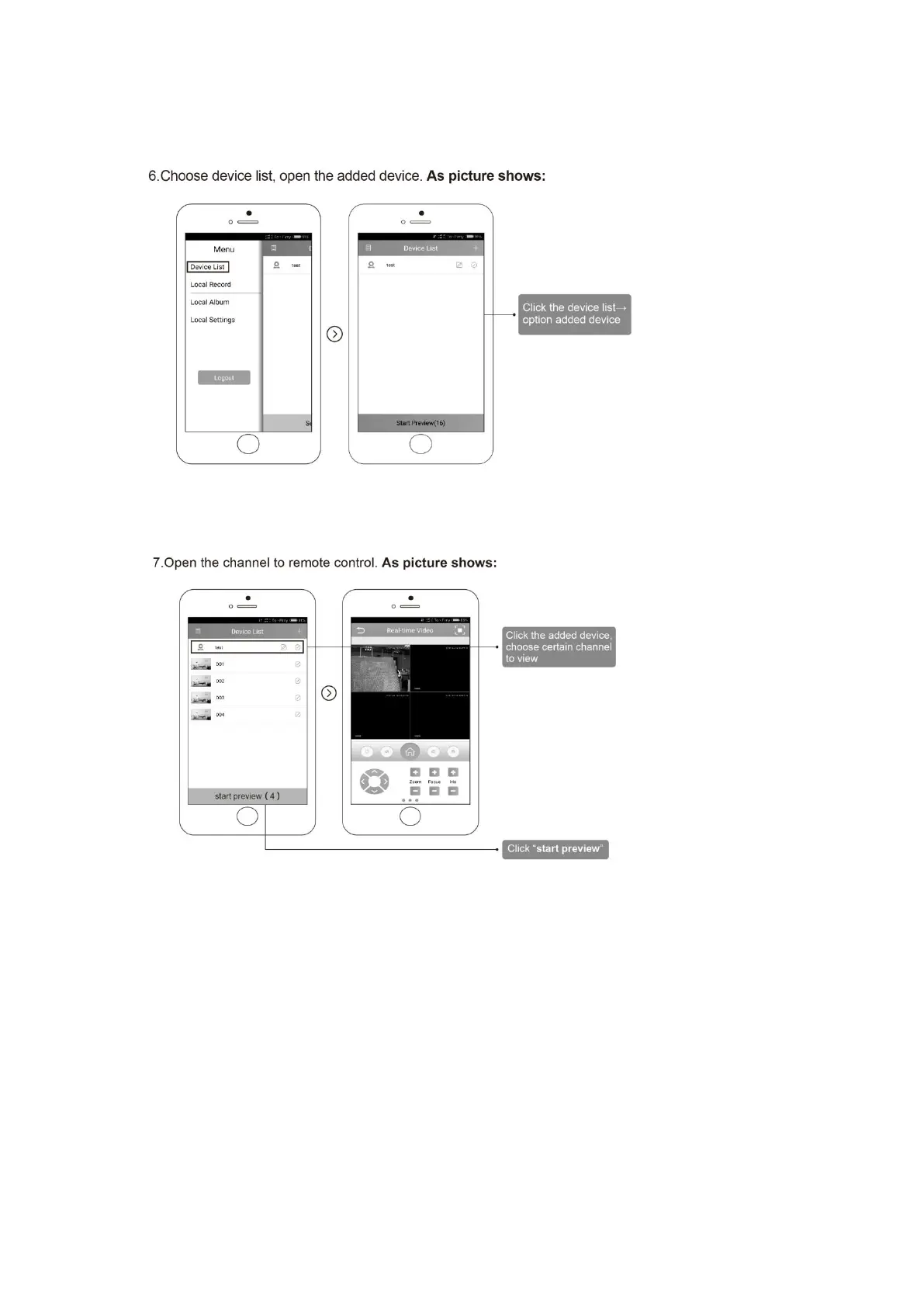
6.6 Choose device list, open the added device. As picture shows:
6.7 Open the channel to remote control. As picture shows:
7. Remote of Computer
7.1 Search “www.cd-ipc.com/xmeye” in Browser,click “CMS” software, download the
software and install it. As picture shows:
input “www.cd-ipc.com/xmeye”
Click “Download Now”



 To Next Page