Doc. No.: A07390680 Rev. B ECO: 11030 Date: 02/XX/14
8
NOTE: The Tester will automatically shut off after two minutes of inactivity.
NOTE: Transmitters that are not in use should be stored in a metal container.
How to Check a Transmitter ID Code
1. Press
ON
on the Tester. A steady green power (“PWR”) light should display;
NOTE: A blinking green power (PWR) light indicates a
low battery. Replace the Tester battery before proceeding.
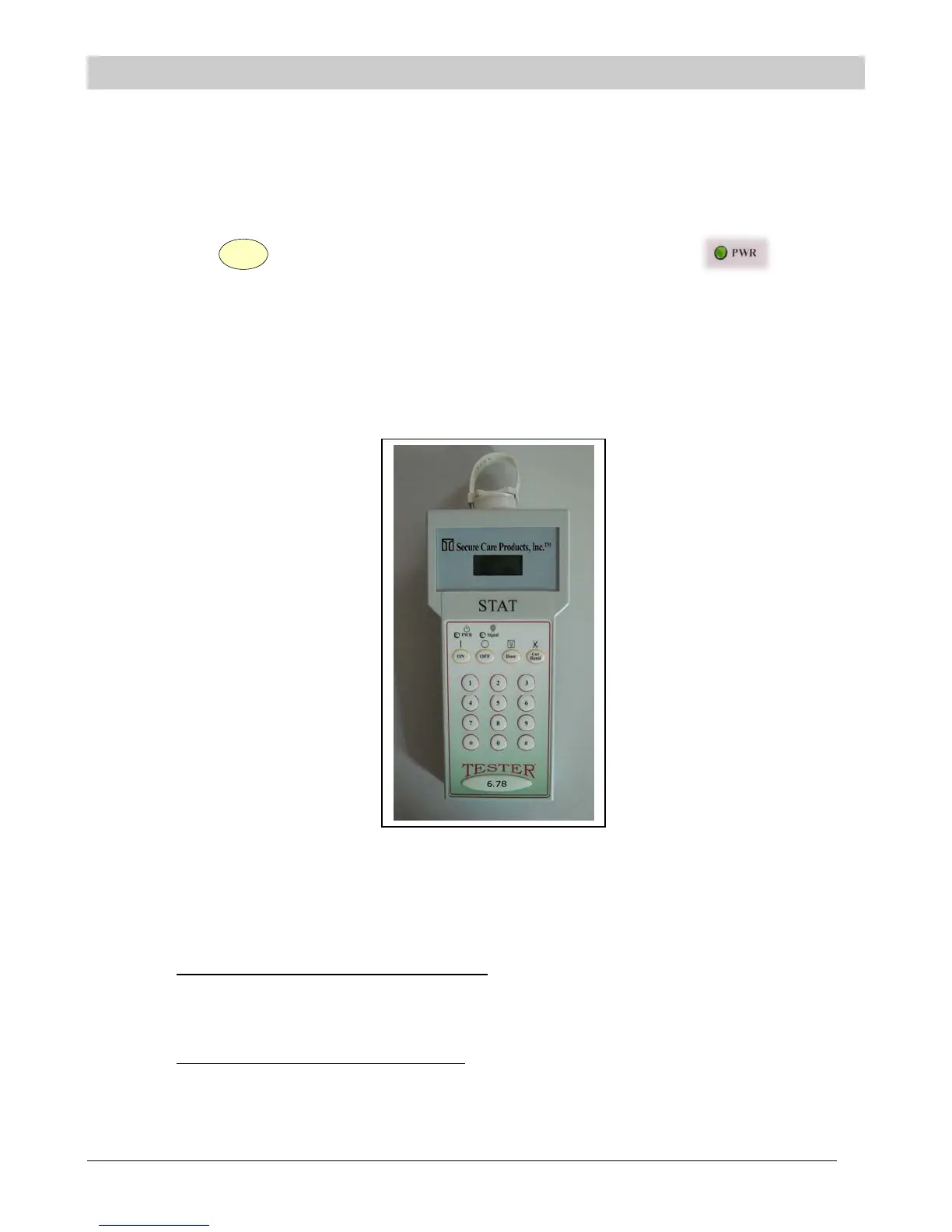
2. After the strap has been on the transmitter for at least one minute, position the 6.78MHz transmitter so that it is
touching the display end of the Tester. (See Fig. 1 below for proper positioning of the transmitter
relative to the Tester unit.)
Figure 1. Transmitter-to-Tester Orientation
3. The yellow (“Signal”) LED should begin flashing. The ID code of the transmitter should be received by the
unit and displayed on the LCD display. The display will toggle between the transmitter’s four digit ID and
"TX OK".
If only the transmitter ID number is displayed
, then the tag is in cutband mode. If the proper ID code has
been received and displayed by the Tester, then the transmitter is assumed to be operating properly. “TX
OK” not appearing on the display implies you have a problem strap or strap connection. In order to get the
Tester to show “TX OK” you will need to replace the strap and test again.
If a transmitter ID was received incorrectly
then the tester will display either "CHK XMTR", or "_ _ _ _".
(Ensure the transmitter is positioned correctly relative to the top of the Tester. (See Fig. 1))
SECTION 4 TESTING INSTRUCTIONS



 To Next Page